Replacing the Cartridge
(continued)
When the water supply is cut o
When not in use for a long time
4
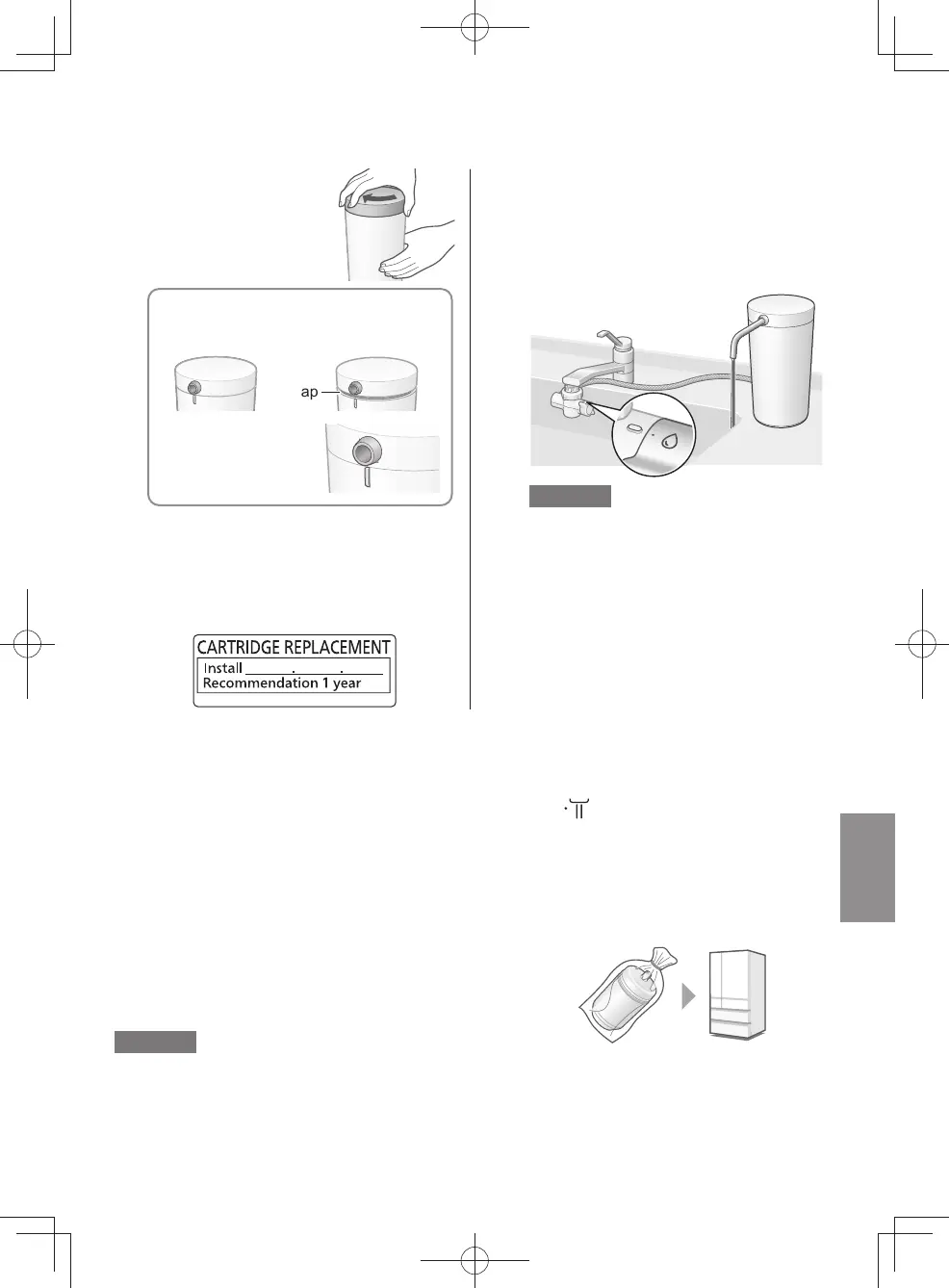
Attach the cover.
①
Tighten the cover.
< OK > < NG >
y
Until there is no more gap between
cover and case
y
Until the outlet
pipe connector
aligns with the case
projection
Gap
②
Attach the outlet pipe (P. EN9).
5
Ax the cartridge replacement label.
z
Write the date of replacement on the
label included with the new cartridge.
(P. EN 9)
6
Open the faucet, and
run puried water through the
Water Purier.
(for about 5 minutes)
Note
z
Puried water may contain some black
powder (activated carbon).
The amount will decrease as more water
ows, so continue checking the water
condition for a while.
z
The Water Purier cannot be used. If the water is cut o during use, turn o the faucet.
z
When the water supply is restored, set the bypass selector to “
” and rst run tap water
into the sink to run out the air and turbid water inside the pipes.
The Water Purier may then be used again as usual.
(This is because the cartridge life will be signicantly reduced.)
When not used for about 1 week or longer
z
Remove the cartridge (P. EN14-EN15), and store it sealed
in a vinyl bag in a refrigerator.
y
Remove air from the bag, and close the opening.
Note
z
Storing the cartridge for a prolonged period may alter the quality of the water within the cartridge,
so replacing the cartridge is recommended.
To use this unit again
①
Install the cartridge (P. EN14-EN15)
②
Run water for about 3 minutes, and check before using that there is no water leak.
●①
EN15
TK-CS200_01_EN.indd 14
TK-CS200_01_EN.indd 14 2022/12/15 18:41:442022/12/15 18:41:44



 To Next Page