EasyManua.ls Logo

Panasonic NV-HD100EA - Page 22

Panasonic NV-HD100EA
35 pages
Print Icon
To Next Page IconTo Next Page
To Previous Page IconTo Previous Page
Loading...
22
Editing
Assembly
Editing
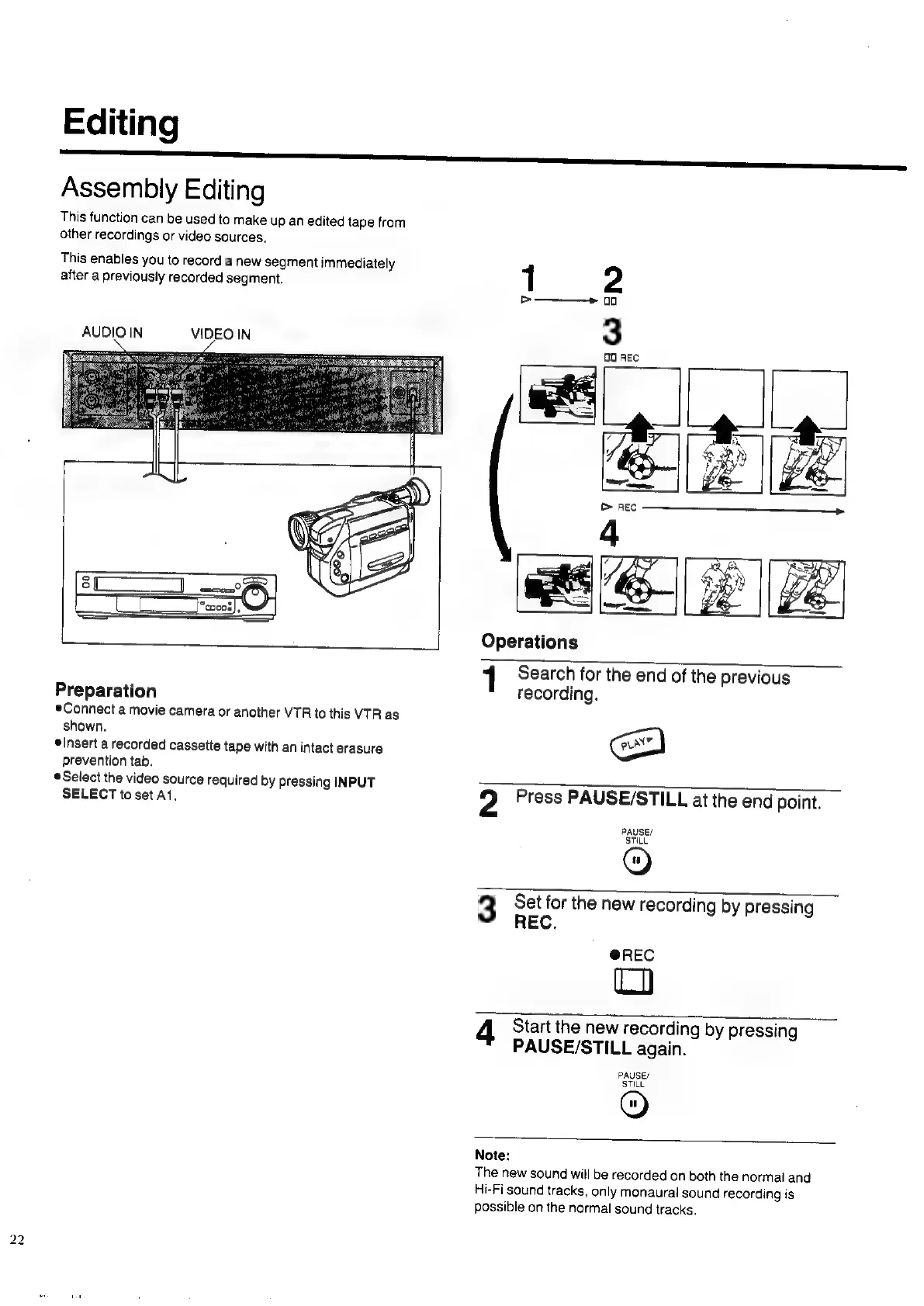
This
function
can
be
used
to
make
up
an
edited
tape
from
other
recordings
or
video
sources.
This
enables
you
to
record
a
new
segment
immediately
after
a
previously
recorded
segment.
1
2
>——+
00
AUDIO
IN
VIDEO
IN
3
<
:
0
REC
Operations
1
Search
for
the
end
of
the
previous
Preparation
recording.
*Connect
a
movie
camera
or
another
VTR
to
this
VTR
as
shown.
cou
elnsert
a
recorded
cassette
tape
with
an
intact
erasure
prevention
tab.
Select
the
video
source
required
by
pressing
INPUT
SELECT
to
set
At.
2
Press
PAUSE/STILL
at
the
end
point.
PAUSE/
STILL
3
Set
for
the
new
recording
by
pressing
REC.
@REC
ta)
4
Start
the
new
recording
by
pressing
PAUSE/STILL
again.
PAUSE/
STILL
O)
Note:
The
new
sound
will
be
recorded
on
both
the
normal
and
Hi-Fi
sound
tracks,
only
monaural
sound
recording
is
possible
on
the
normal
sound
tracks.

Related product manuals