16
Manual Setup
Tuning
Pos Name Ch Pos Name Ch
6 VOX 8
7 PRO7 95
8 RTL2 85
9 KABE 97
10 SRTL 98
: : access
select
: return : exit
ENTERENTERENTERENTERENTERENTERENTERENTER
MENUMENUMENUMENUMENUMENUMENUMENU
EXITEXITEXITEXITEXITEXITEXITEXIT
delete
: : move
AAAAAAAAAAAAAAAAAAAAAAAAAAAAAAAA
B
Tuning
Pos Name Ch Pos Name Ch
6 VOX 8
7 PRO7 95
8 RTL2 85
9 KABE 97
10 SRTL 98
delete
: : move
AAAAAAAAAAAAAAAAAAAAAAAAAAAAAAAA
B
1 ARD 7
2 ZDF 4
3 N3 2
4 RTL 12
5 SAT1 13
1 ARD 7
2 ZDF 4
3 N3 2
4 RTL 12
5 SAT1 13
: : store
move
: return : exit
ENTERENTERENTERENTERENTERENTERENTERENTER
MENUMENUMENUMENUMENUMENUMENUMENU
EXITEXITEXITEXITEXITEXITEXITEXIT
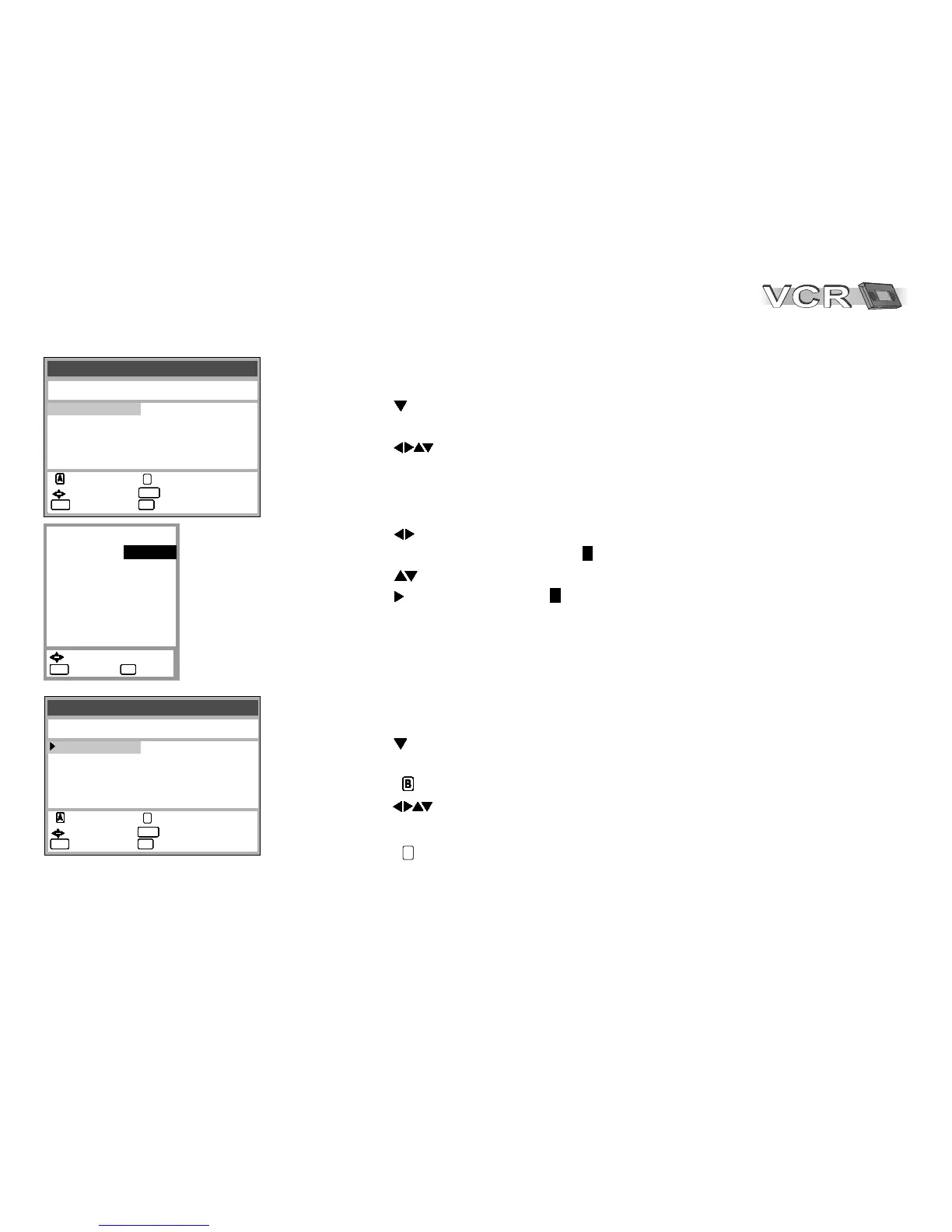
Changing the name of TV stations
!
Press MENU, the Menu screen appears.
!
With select the Tuning menu, confirm with ENTER.
!
Confirm Manual with ENTER.
!
With select the name entry.
!
Press ENTER.
Changing the order of TV stations or deleting a station
!
Press MENU, the Menu screen appears.
!
With select the Tuning menu, confirm with ENTER.
!
Confirm Manual with ENTER.
!
Press . An arrow to the left will mark the selected field.
!
With move the station to any other desired location.
!
Press ENTER.
!
Press to delete the station.
BBBBBBBBBBBBBBBBBBB
A
!
With select the name entry.
The cursor will mark the first letter .
!
With change that letter.
!
With select the next letter .
!
Press MENU.
The new name will be stored in Tuning.
ARD
ADR
Pos
Name
Channel
Fine tuning
Decoder
Video system
Mono
Audio mode
: 1
:
: 7
: AUTO
: OFF
: AUTO
: OFF
:DK
ARD
: select
: return : exit
MENUMENUMENUMENUMENUMENUMENUMENU
EXITEXITEXITEXITEXITEXITEXITEXIT








 To Next Page