EXT LINK
25
V
1
A
(T )
V
V2
A
O /
E
C
ER
(D D
E
)
T
X
I
A D
O
U
R
L
V
I
E
D O
AD
O
U
I
R
L
DO
V
I
E
/
V T
VR
DD
O
U
C
D
D
O
U
V
T
D
G
I
A D
O
T
U
I
A
L I
/
I A
P
( T
M
BT E
M
C R
S
)
T
I
A
O
P C L
VCR/DVD
TV
EXT Link
Recording with external
recording controls
!
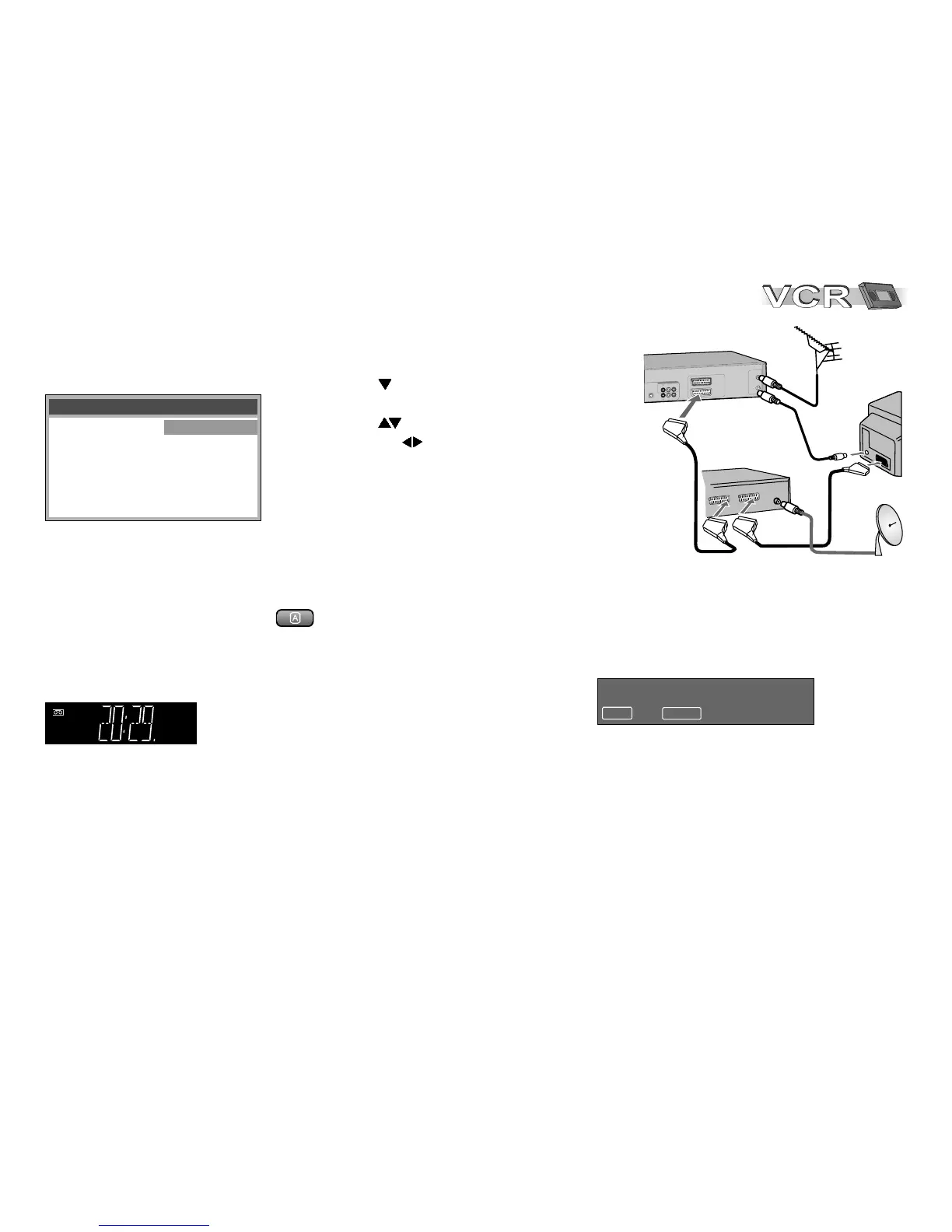
Press MENU, the Menu screen appears.
!
With select menu Others
and confirm with ENTER.
!
With select EXT LINK and turn to
[2] or [1] .
!
Press MENU to return to the Menu screen.
EXT LINK 2: External recording control for some
satellite or digital receivers (video signal).
EXT LINK 1: For digital receivers transmitting a
special recording control signal, e.g. the F.U.N.
receiver (TU-DSF41).
D
Be sure that the timer programmes stored by your VCR do not overlap with the ones
of the satellite or digital receiver.
Quitting recording stand-by mode
!
Press EXT LINK to quit recording stand-by mode.
The display EXT Link disappears.
You can now play back a cassette or make a manual recording.
You must press EXT LINK again to reactivate the recording stand-by mode.
!
Press EXT LINK to activate the VCR´s recording stand-by mode.
Make sure the VCR´s display EXT Link appears.
As long as the satellite or digital receiver transmits the special recording signal,
or a video picture is transmitted, the VCR will continue to record.
!
Press ENTER to hide this message.
!
Press EXT LINK to stop recording.
ENTER : yes EXT LINK : cancel
EXT LINK recording in progress
The following screen will be shown
if you select EXT LINK: [2]
Receiver
Aerial
Remote : VCR 1
EXT LINK : 2
Others 2 / 2








 To Next Page