EasyManua.ls Logo

Panasonic NV-VX55A - Attaching the Charged Battery

Panasonic NV-VX55A
96 pages
Print Icon
To Next Page IconTo Next Page
To Previous Page IconTo Previous Page
Loading...
15
Ci)
}
4=>
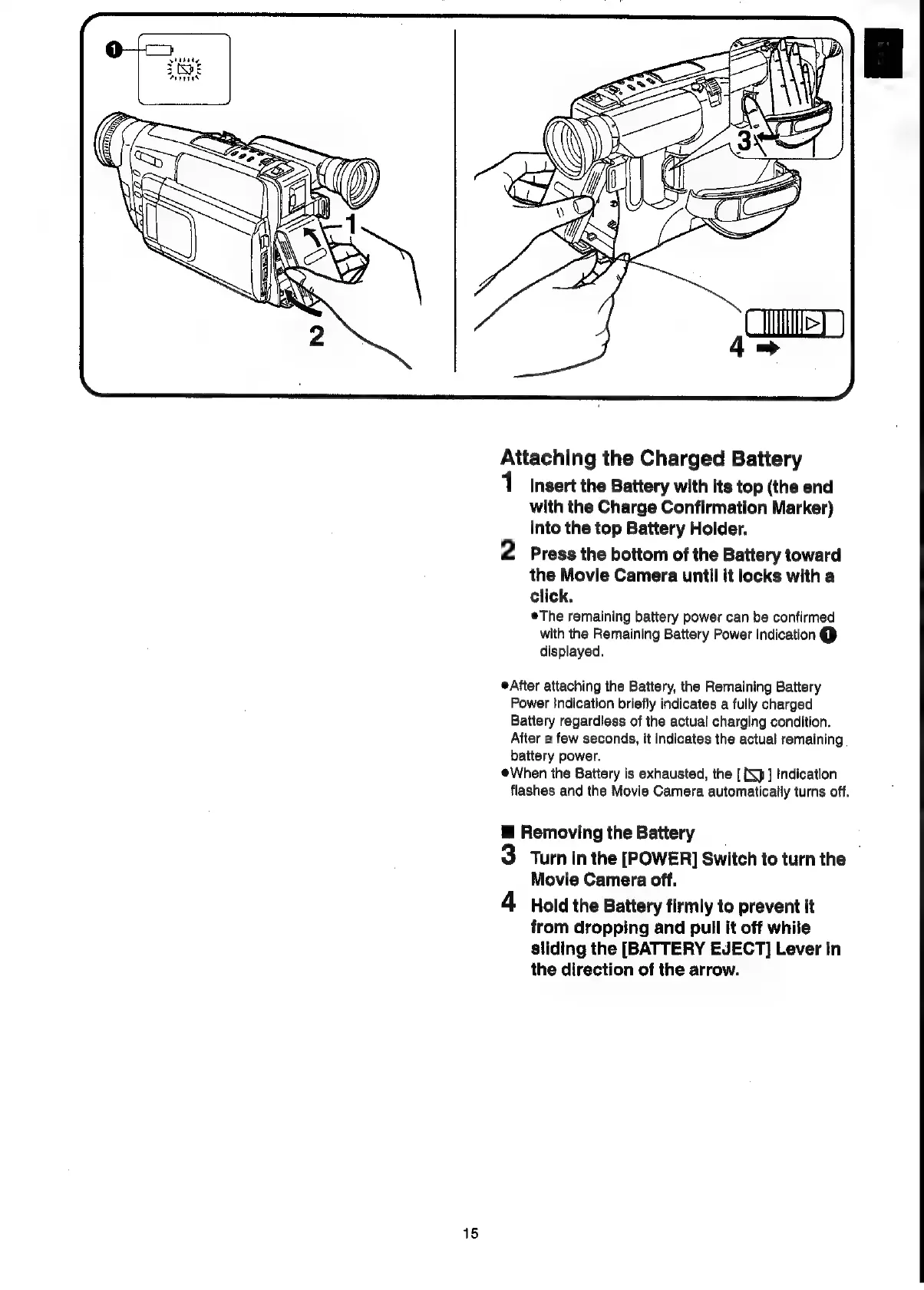
Attaching
the
Charged
Battery
1
Insert
the
Battery
with
its
top
(the
end
with
the
Charge
Confirmation
Marker)
into
the
top
Battery
Holder.
2
Press
the
bottom
of
the
Battery
toward
the
Movie
Camera
until
it
locks
with
a
click,
eThe
remaining
battery
power
can
be
confirmed
with
the
Remaining
Battery
Power
Indication
@
displayed.
After
attaching
the
Battery,
the
Remaining
Battery
Power
Indication
briefly
indicates
a
fully
charged
Battery
regardless
of
the
actual
charging
condition.
After
a
few
seconds,
it
indicates
the
actual
remaining.
battery
power.
When
the
Battery
is
exhausted,
the
[
Xp]
Indication
flashes
and
the
Movie
Camera
automatically
turns
off.
@
Removing
the
Battery
3
Turn
in
the
[POWER]
Switch
to
turn
the
Movie
Camera
off.
4
Hold
the
Battery
firmly
to
prevent
it
from
dropping
and
pull
it
off
while
sliding
the
[BATTERY
EJECT]
Lever
in
the
direction
of
the
arrow.

Related product manuals