EasyManua.ls Logo

Panasonic NV-VX55A - Playback; Watching Playback on the Movie Camera

Panasonic NV-VX55A
96 pages
Print Icon
To Next Page IconTo Next Page
To Previous Page IconTo Previous Page
Loading...
7
‘SET
5
K
(@)—
SEARCH+
y
3
<<
DATEAITLE
COLOUR
STORE
OFF/ON
D.SUPERIMPOSE
oe
e
b-@
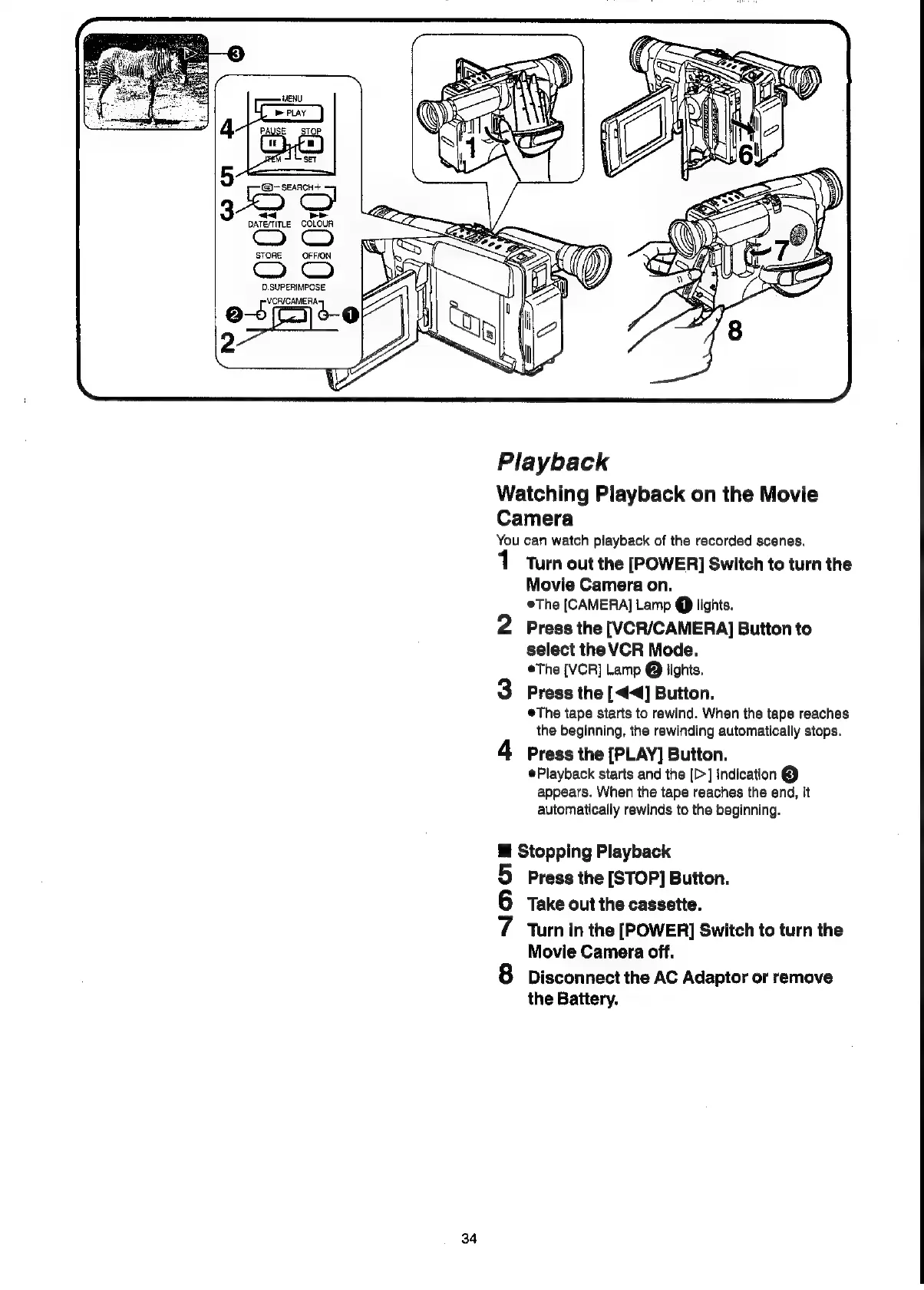
Playback
Watching
Playback
on
the
Movie
Camera
You
can
watch
playback
of
the
recorded
scenes.
o
Noo
Turn
out
the
[POWER]
Switch
to
turn
the
Movie
Camera
on.
©The
[CAMERA]
Lamp
@
lights.
Press
the
[VCR/CAMERA]
Button
to
select
the
VCR
Mode.
The
[VCR]
Lamp
@
lights.
Press
the
[<4]
Button.
®The
tape
starts
to
rewind.
When
the
tape
reaches
the
beginning,
the
rewinding
automatically
stops.
Press
the
[PLAY]
Button.
Playback
starts
and
the
[>]
Indication
@
appears.
When
the
tape
reaches
the
end,
it
automatically
rewinds
to
the
beginning.
Stopping Playback
Press
the
[STOP]
Button.
Take
out
the
cassette.
Turn
in
the
[POWER]
Switch
to
turn
the
Movie
Camera
off.
Disconnect
the
AC
Adaptor
or
remove
the
Battery.

Related product manuals