EasyManua.ls Logo

Panasonic NV-VX55A - Cue Playback; Review Playback; Still Playback

Panasonic NV-VX55A
96 pages
Print Icon
To Next Page IconTo Next Page
To Previous Page IconTo Previous Page
Loading...
39
>>
ere
2“
1
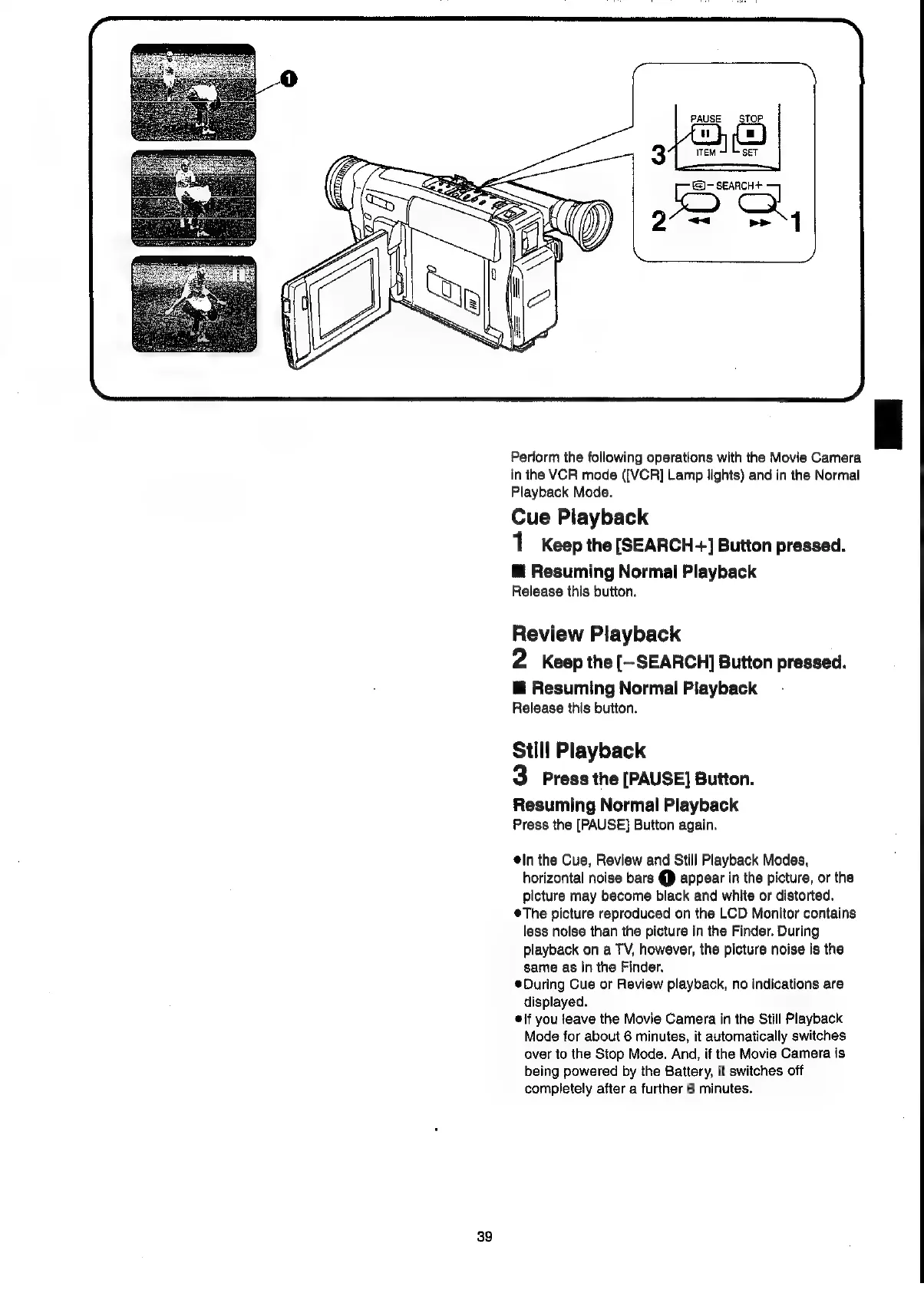
Perform
the
following
operations
with
the
Movie
Camera
in
the
VCR
mode
([VCR]
Lamp
lights)
and
in
the
Normal
Playback
Mode.
Cue
Playback
1
Keep
the
[SEARCH+]
Button
pressed.
@
Resuming
Normal
Playback
Release
this
button.
Review
Playback
2
Keep
the
[-SEARCH]
Button
pressed.
@
Resuming
Normal
Playback
Release
this
button.
Still
Playback
3
Press
the
[PAUSE]
Button.
Resuming
Normal
Playback
Press
the
[PAUSE]
Button
again.
@in
the
Cue,
Review
and
Still
Playback
Modes,
horizontal
noise
bars
C1)
appear
in
the
picture,
or
the
picture
may
become
black
and
white
or
distorted.
¢The
picture
reproduced
on
the
LCD
Monitor
contains
less
noise
than
the
picture
in
the
Finder.
During
playback
on
a
TV,
however,
the
picture
noise
is
the
same
as
in
the
Finder.
During
Cue
or
Review
playback,
no
indications
are
displayed.
elf
you
teave
the
Movie
Camera
in
the
Still
Playback
Mode
for
about
6
minutes,
it
automatically
switches
over
to
the
Stop
Mode.
And,
if
the
Movie
Camera
is
being
powered
by
the
Battery,
it
switches
off
completely
after
a
further
6
minutes.

Related product manuals