EasyManua.ls Logo

Panasonic NV-VX55A - Adjusting the LCD Monitor

Panasonic NV-VX55A
96 pages
Print Icon
To Next Page IconTo Next Page
To Previous Page IconTo Previous Page
Loading...
Adjusting
the
LCD
Monitor
Use
the
following
controls
to
adjust
the
picture
quality
when
the
picture
on
the
LCD
Monitor
is
not
easy
to
see
because
of
the
surrounding
conditions.
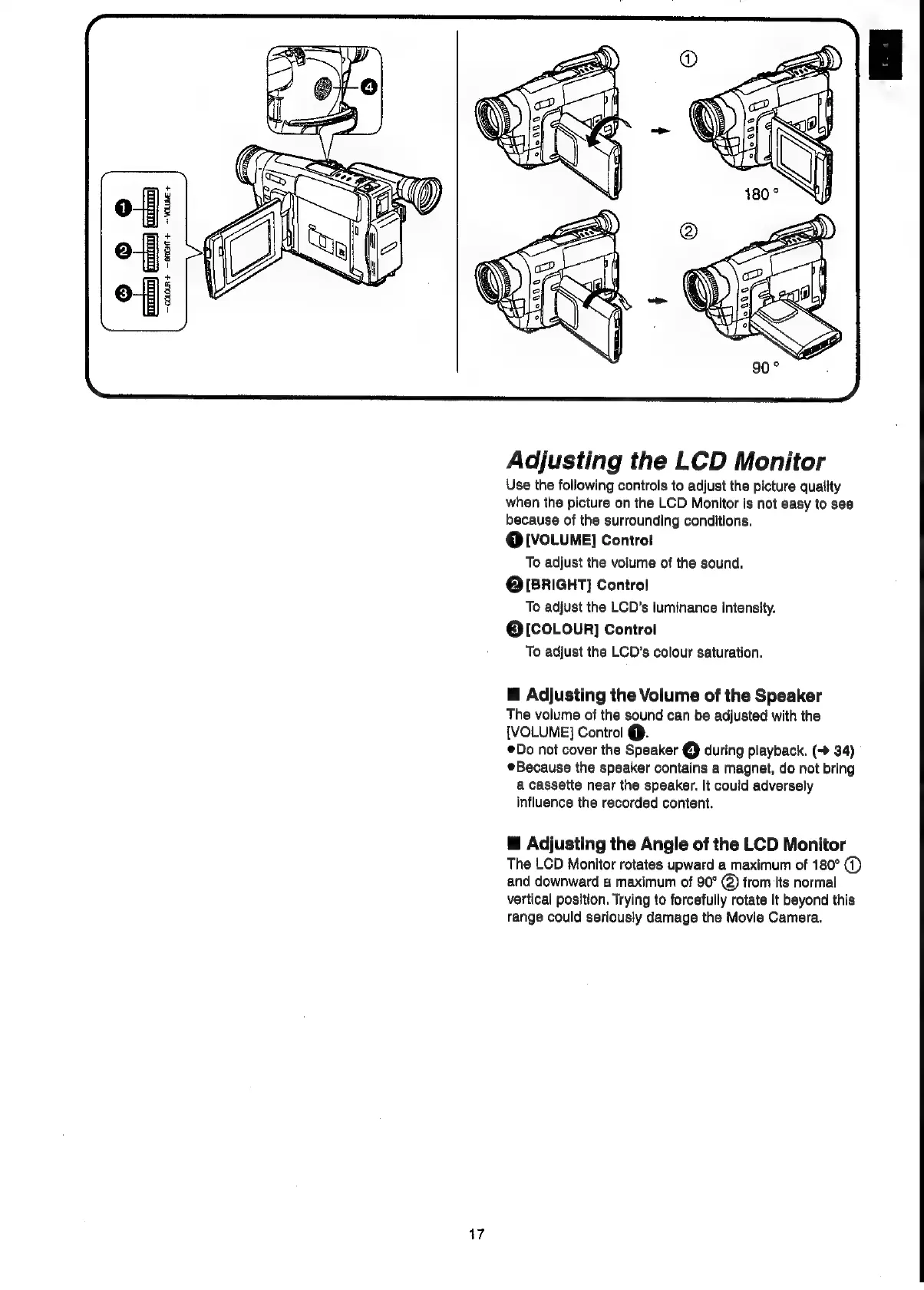
@
[VOLUME]
Controt
To
adjust
the
volume
of
the
sound.
Q@IBRIGHT]
Control
To
adjust
the
LCD’s
luminance
intensity.
@[COLouR]
Control
To
adjust
the
LCD's
colour
saturation.
M@
Adjusting
the
Volume
of
the
Speaker
The
volume
of
the
sound
can
be
adjusted
with
the
[VOLUME]
Control
@.
Do
not
cover
the
Speaker
€)
during
playback.
(-
34)
Because
the
speaker
contains
a
magnet,
do
not
bring
a
cassette
near
the
speaker.
It
could
adversely
influence
the
recorded
content.
@
Adjusting
the
Angle
of
the
LCD
Monitor
The
LCD
Monitor
rotates
upward
a
maximum
of
180°
(1)
and
downward
a
maximum
of
90°
@)
from
its
normal
vertical
position.
Trying
to
forcefully
rotate
it
beyond
this
range
could
seriously
damage
the
Movie
Camera.

Related product manuals