EasyManua.ls Logo

Panasonic NV-VX55A - Searching for a Tape Position Before the End of the Last Recording (Camera Search Function)

Panasonic NV-VX55A
96 pages
Print Icon
To Next Page IconTo Next Page
To Previous Page IconTo Previous Page
Loading...
3
=
3
3
Searching
for
a
Tape
Position
Before
the
End
of
the
Last
Recording
(Camera
Search
Function)
This
function
makes
it
easy
to
search
for
a
point
in
a
previously
recorded
scene
or
cassette
from
which
you
want
to
start
recording
a
new
scene.
In
addition,
it
ensures
smooth
scene-to-scene
transitions
free
from
picture
distortion.
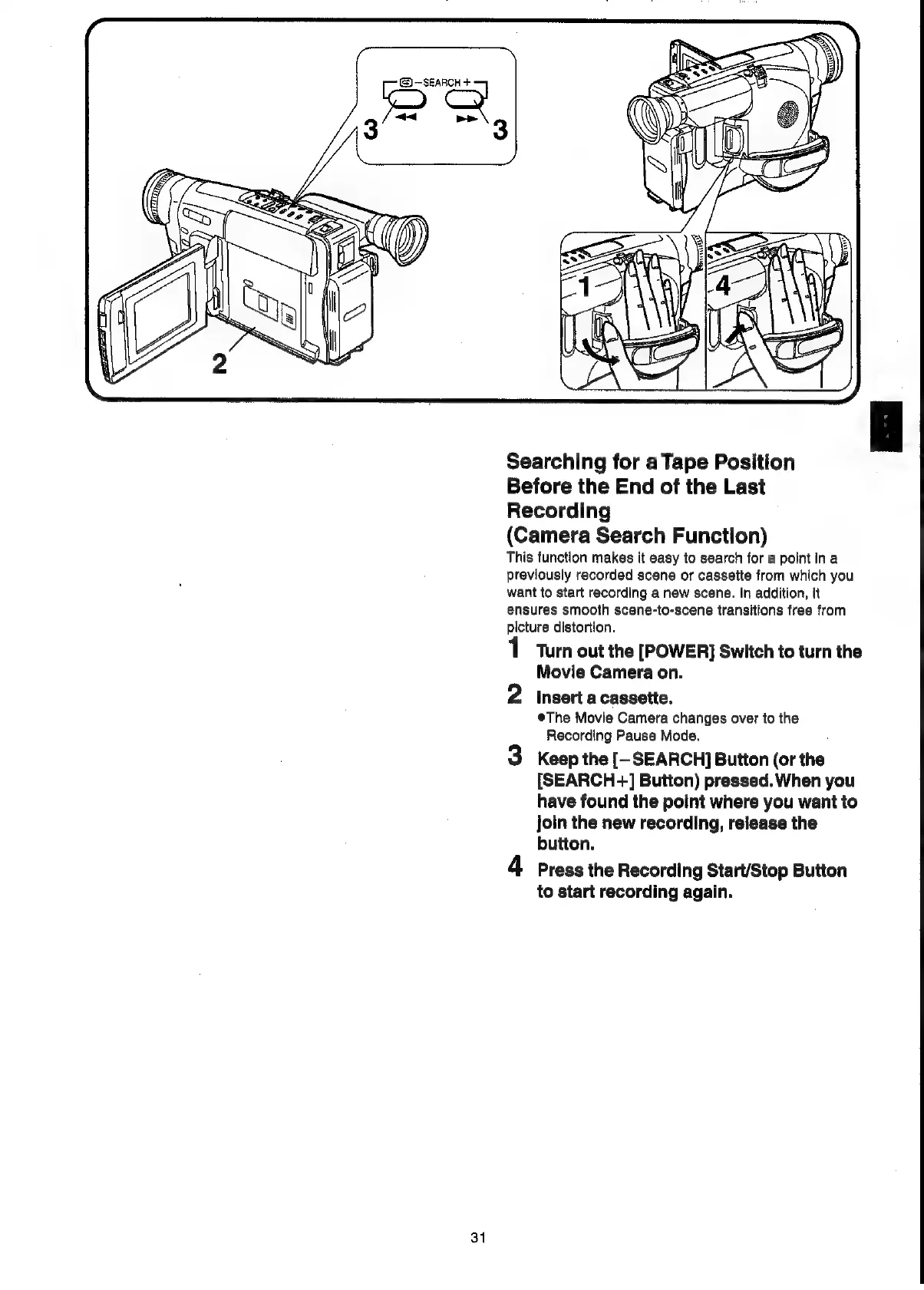
Turn
out
the
[POWER]
Switch
to
turn
the
Movie
Camera
on.
2
Insert
a
cassette.
The
Movie
Camera
changes
over
to
the
Recording
Pause
Mode.
3
Keep
the
[-
SEARCH]
Button
(or
the
[SEARCH-+]
Button)
pressed.
When
you
have
found
the
point
where
you
want
to
join
the
new
recording,
release
the
button.
4
Press
the
Recording
Start/Stop
Button
to
start
recording
again.
31

Related product manuals