EasyManua.ls Logo

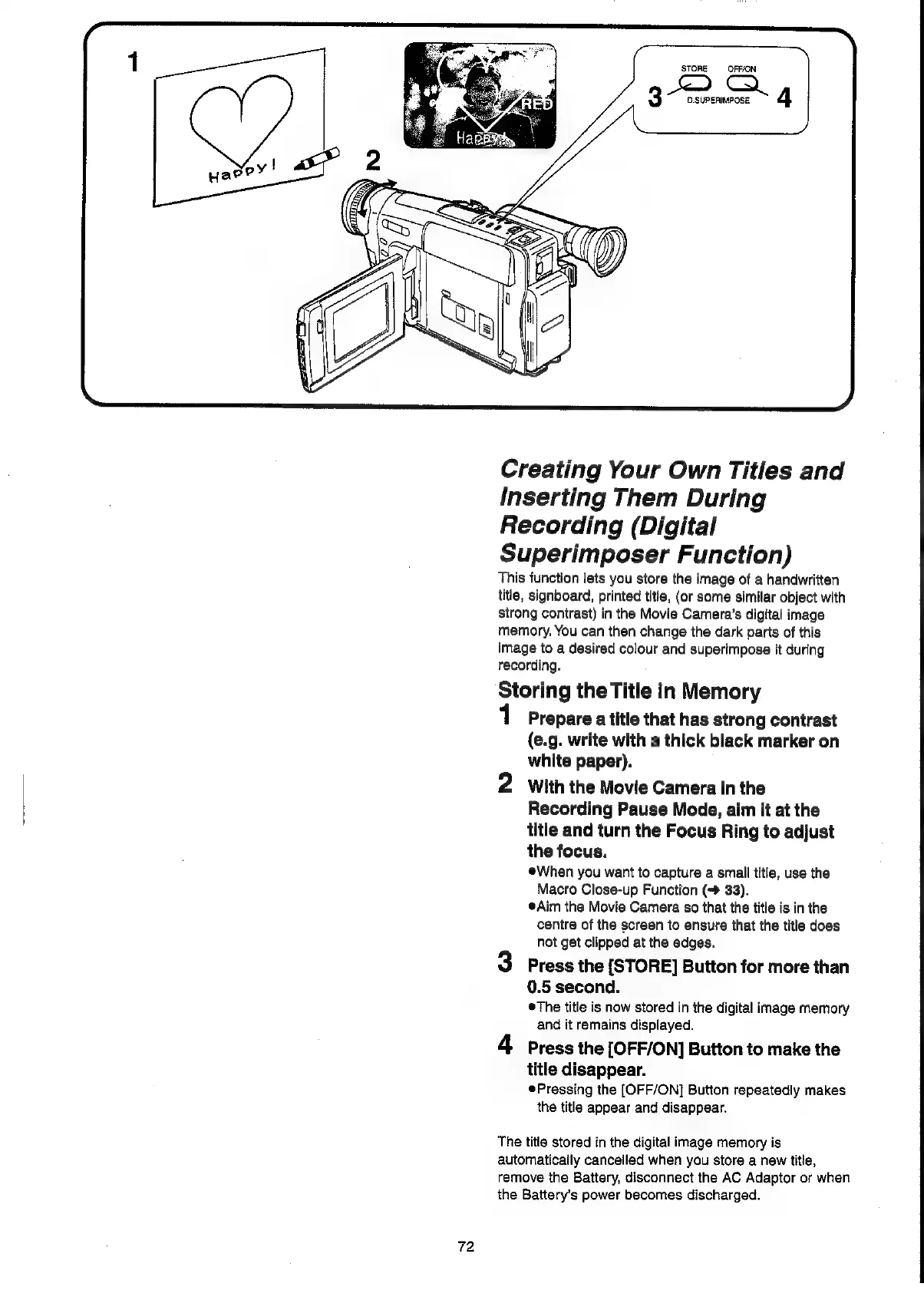
Panasonic NV-VX55A - Creating Your Own Titles and Inserting Them During Recording (Digital Superimposer Function); Storing the Title in Memory

Panasonic NV-VX55A
96 pages
Print Icon
To Next Page IconTo Next Page
To Previous Page IconTo Previous Page
Loading...
72
STORE
OFF/ON
3D
4
Creating
Your
Own
Titles
and
Inserting
Them
During
Recording
(Digital
Superimposer
Function)
This
function
lets
you
store
the
image
of
a
handwritten
title,
signboard,
printed
title,
(or
some
similar
object
with
strong
contrast)
in
the
Movie
Camera’s
digital
image
memory.
You
can
then
change
the
dark
parts
of
this
image
to
a
desired
colour
and
superimpose
it
during
recording.
Storing
the
Title
in
Memory
1
Prepare
a
title
that
has
strong
contrast
(e.g.
write
with
a
thick
black
marker
on
white
paper).
2
With
the
Movie
Camera
in
the
Recording
Pause
Mode,
aim
it
at
the
title
and
turn
the
Focus
Ring
to
adjust
the
focus.
When
you
want
to
capture
a
small
title,
use
the
Macro
Close-up
Function
33).
@Aim
the
Movie
Camera
so
that
the
title
is in
the
centre
of
the
screen
to
ensure
that
the
title
does
not
get
clipped
at
the
edges.
3
Press
the
[STORE]
Button
for
more
than
0.5
second.
©The
title
is
now
stored
in
the
digital
image
memory
and
it
remains
displayed.
4
Press
the
[OFF/ON]
Button
to
make
the
title
disappear.
¢Pressing
the
[OFF/ON]
Button
repeatedly
makes
the
title
appear
and
disappear.
The
title
stored
in
the
digital
image
memory
is
automatically
cancelled
when
you
store
a
new
title,
remove
the
Battery,
disconnect
the
AC
Adaptor
or
when
the
Battery’s
power
becomes
discharged.

Related product manuals