POSITION menu
ENGLISH -
63
Settings
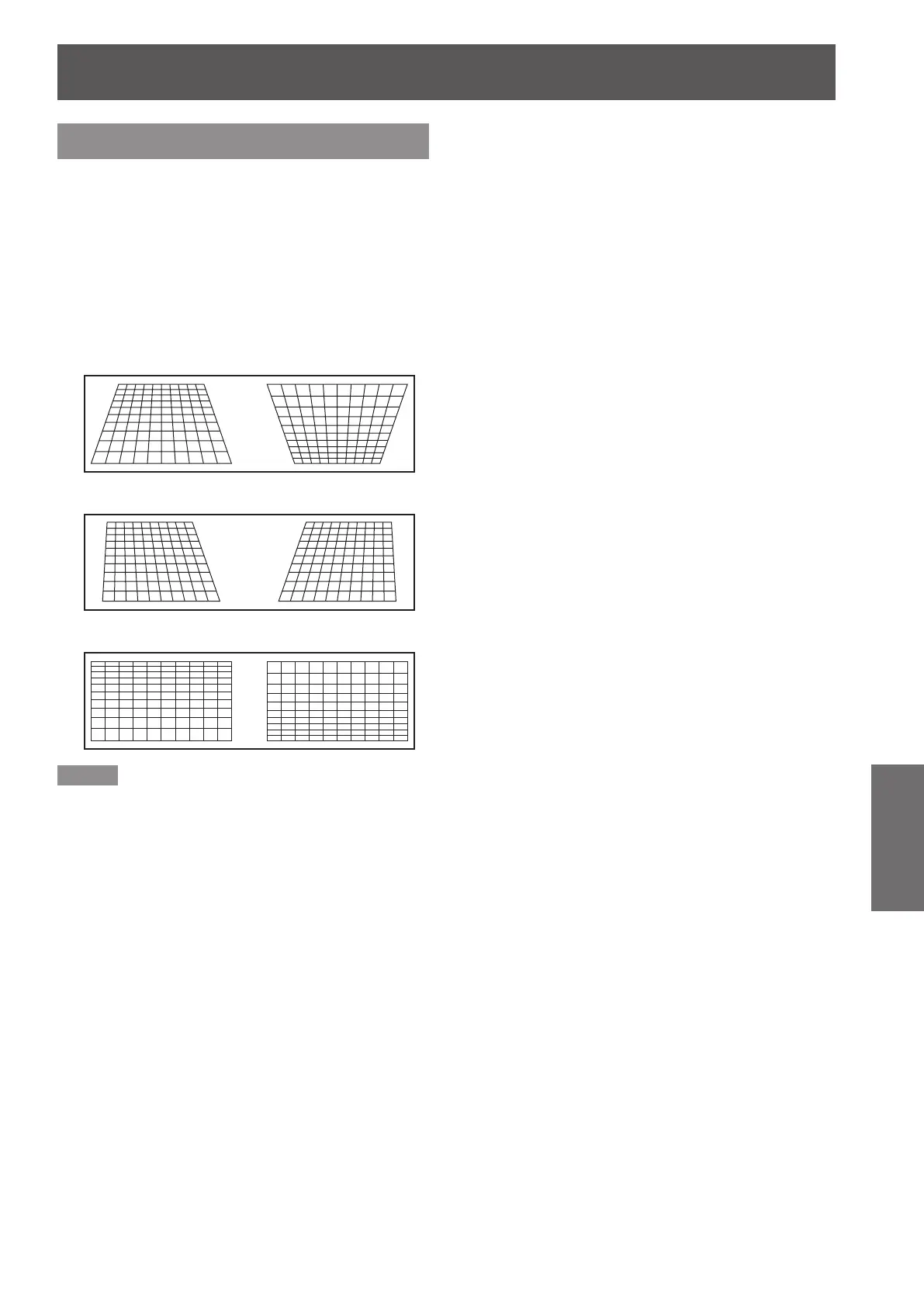
KEYSTONE
(PT-DW90XE only)
If the projector is aligned non-perpendicularly to the
screen, or if the projection screen has an angled
surface, you can correct keystone.
Press ▲▼ to select [KEYSTONE].1 )
Press <ENTER> button.2 )
Select the desired adjustment item.3 )
Press ◄► to adjust.4 )
KEYSTONE
J
SUB KEYSTONE
J
LINEARITY
J
Note
When [KEYSTONE] setting is set, displayed menu or
z
startup logo might be projected outside of the actual
image area.
You can correct the distortion ±40 ° from the plane. For
z
a better quality image, installing the projector with a
minimum of distortion is recommended.
(ET-D75LE5: ±22 ° , ET-D75LE6:±28 ° )
Some distortion may be retained for lens shift adjustment.
z
The result of the keystone correction will affect the aspect
z
ratio and the size of the image.



 To Next Page