Chapter 5 Operations — Using the web control function
ENGLISH - 227
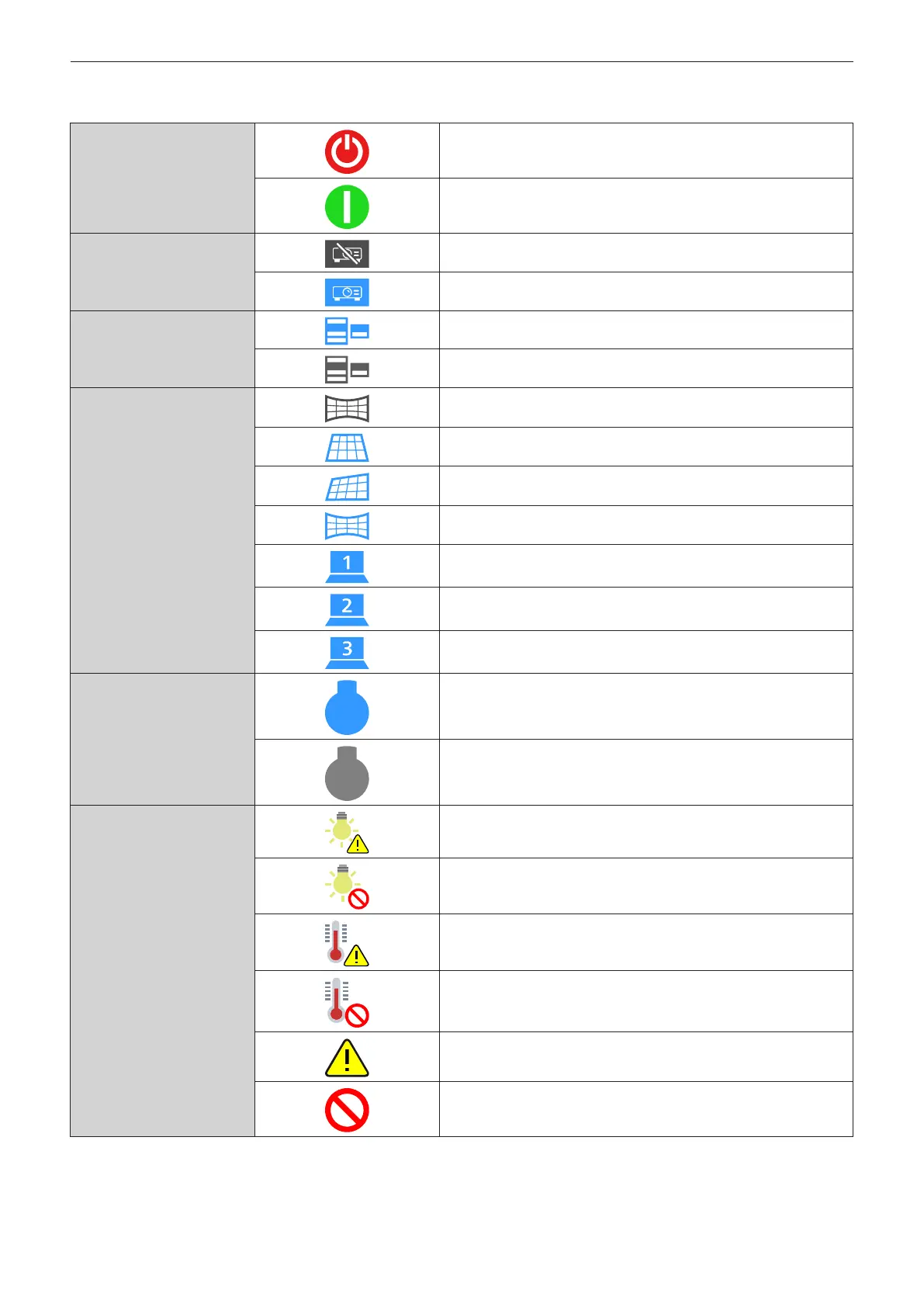
r Status display icon
[POWER]
The power is switched o. (Standby status)
In the projection mode
[SHUTTER]
The shutter function is enabled (shutter: closed).
The shutter function is disabled (shutter: opened).
[OSD]
The on-screen display is set to on (display).
The on-screen display is set to o (hide).
[GEOMETRY]
The [POSITION] menu → [GEOMETRY] is set to [OFF].
The [POSITION] menu → [GEOMETRY] is set to [KEYSTONE].
The [POSITION] menu → [GEOMETRY] is set to [CORNER
CORRECTION].
The [POSITION] menu → [GEOMETRY] is set to [CURVED
CORRECTION].
The [POSITION] menu → [GEOMETRY] is set to [PC-1].
The [POSITION] menu → [GEOMETRY] is set to [PC-2].
The [POSITION] menu → [GEOMETRY] is set to [PC-3].
[LIGHT SOURCE]
Corresponding light source is illuminated.
Corresponding light source is not illuminated.
[ERROR]
The light source is in warning status.
The light source is in error status.
The temperature is in warning status.
The temperature is in error status.
A warning other than light source or temperature has occurred.
An error other than light source or temperature has occurred.














 To Next Page