Chapter 5 Operations — Using the web control function
228 - ENGLISH
Switching the input
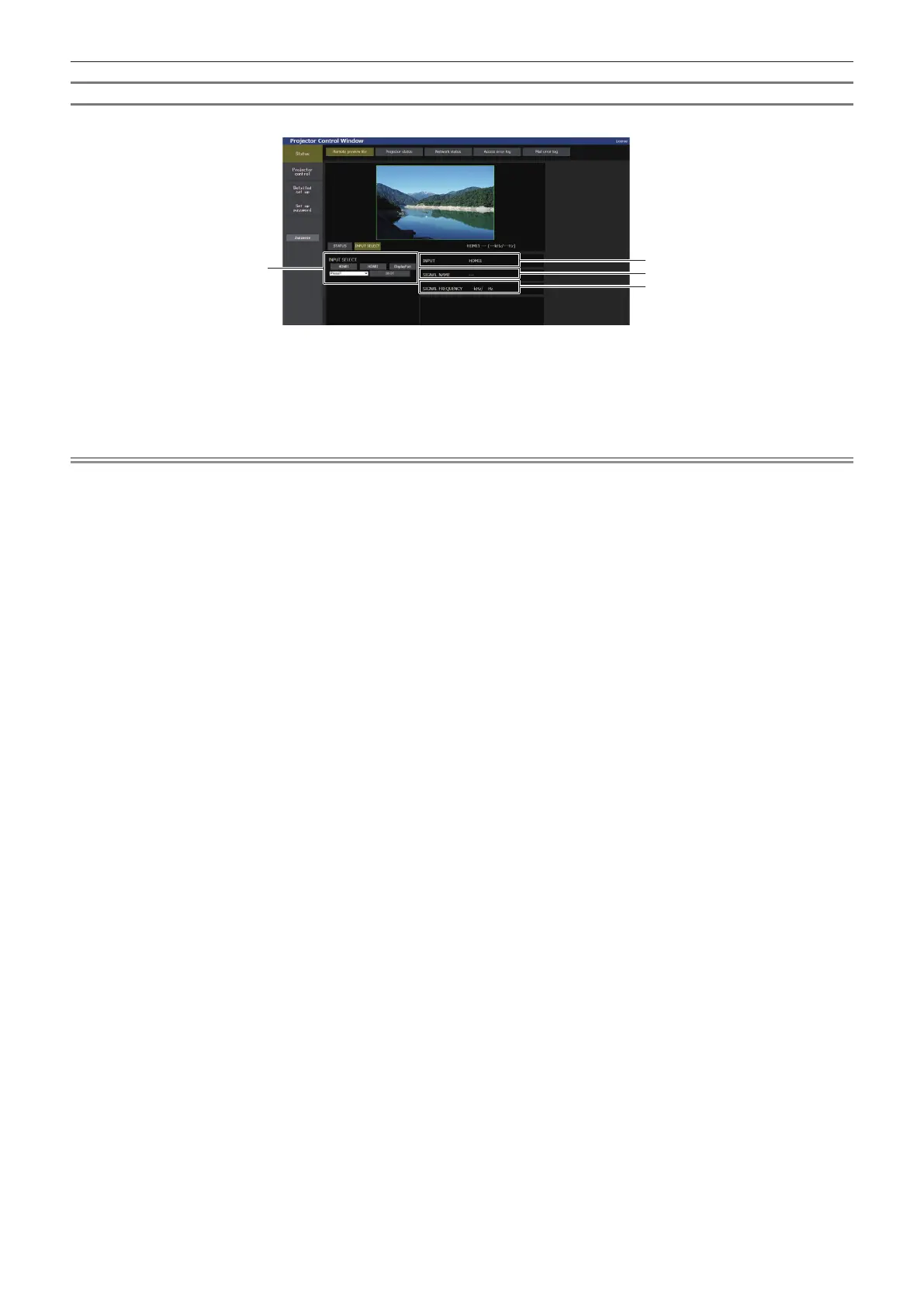
Click [INPUT SELECT] in the [Remote preview lite] page.
1
2
3
4
1 [INPUT SELECT]
Switches to the input to view the image.
The display content for the input selection button varies
depending on the Function Board installed in the slot.
2 [INPUT]
Displays the input terminal currently selected.
3 [SIGNAL NAME]
Displays the input signal name.
4 [SIGNAL FREQUENCY]
Displays the frequency of the input signal.
Note
f View the input image in the Pre-Show mode, and turn on the power in [Projector control] → [Basic control] page/[Detail control] page if there
is no problem to project.














 To Next Page