EasyManua.ls Logo

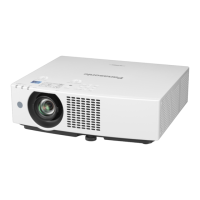
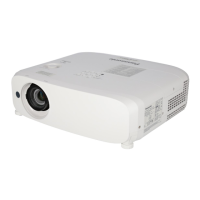
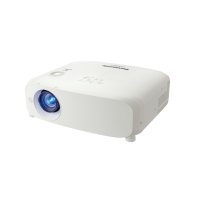
Panasonic PT-VMZ51SU - User Manual

Panasonic PT-VMZ51SU
167 pages
Print Icon
To Next Page IconTo Next Page
Loading...
Operating Instructions
Functional Manual
LCD Projector
Commercial Use
Thank you for purchasing this Panasonic product.
This manual is common to all the models regardless of sufxes of the Model No.
z
for India
D: White model
z
for Taiwan
T: White model
z
for other countries or regions
With B: Black model (PT-VMZ71B and PT-VMZ61B only) Without B: White model
Before operating this product, please read the instructions carefully, and save this manual for
future use.
Before using your projector, be sure to read “Read this rst!” (
Æ
pages 4 to 12).
Model No.
PT-VMZ71 PT-VMZ61
PT-VMZ51 PT-VMZ51S
PT-VMZ41 PT-VMW61
PT-VMW51
ENGLISH
DPQP1388ZA/X1
The remote control differs depending on
projector models.

Table of Contents

Questions and Answers

  • M
    marioyuSep 9, 2025
    How to fix pale or grayish color on Panasonic PT-VMZ51SU?
    • K
      Kathryn RobertsSep 10, 2025
      If the color on your Panasonic Projector appears pale or grayish, check if the [COLOR] or [TINT] settings are adjusted correctly. Also, verify that the external device connected to the projector is adjusted correctly, and inspect the RGB signal cable for any damage.
  • L
    Lisa Ramos MDSep 12, 2025
    Why is Panasonic PT-VMZ51SU Projector operation noise loud?
    • C
      carlos06Sep 12, 2025
      Loud operation noise in your Panasonic Projector can be caused by a high internal temperature, which increases the cooling fan speed automatically. Check if the ambient temperature is high, the air filter unit is dirty, or the intake/exhaust vent is blocked.
  • Y
    Yolanda StokesSep 14, 2025
    How to troubleshoot Panasonic PT-VMZ51SU Projector DIGITAL LINK input image or sound that is not output?
    • J
      Jeremy BakerSep 14, 2025
      To troubleshoot DIGITAL LINK input issues on your Panasonic Projector, first verify that the cable is compatible with the projector's condition. Ensure the connections between the twisted-pair-cable transmitter and the projector or an external device are correctly done. Check if [DIGITAL LINK MODE] is set to [AUTO], [DIGITAL LINK], or [LONG REACH], and confirm it is not set to [ETHERNET]. Finally, ensure the signal input is compatible with the twisted-pair-cable transmitter.
  • J
    Joseph BurnsSep 16, 2025
    How to fix no power supplied from terminal on Panasonic PT-VMZ51SU?
    • L
      lthomasSep 16, 2025
      To resolve the issue of no power being supplied from the terminal on your Panasonic Projector, check if the [PROJECTOR SETUP] menu ? [ECO MANAGEMENT] ? [STANDBY MODE] is set to [ECO]. Also, ensure that the external device connected to the terminal has not exceeded the rating (5 VDC, maximum 2 A).

Summary

Chapter 1 Preparation

Precautions for Use

Essential safety guidelines and warnings before operating the projector, covering handling and environment.

Security and Network Considerations

Covers projector security, wireless LAN usage notes, and DIGITAL LINK connection details.

Supported Software and Accessories

Details on compatible software applications, standard accessories, and optional items.

Chapter 2 Getting Started

Projector Setup and Installation

Guide to projector setup, including installation modes, angle sensor, and ceiling mount options.

Projection and Screen Adjustment

Information on projected image size, throw distance, and screen adjustment parameters.

Chapter 3 Basic Operations

Powering the Projector On and Off

Step-by-step instructions for turning the projector on, off, and initial setup procedures.

Adjusting and Selecting Projector Settings

Covers making adjustments, selecting input signals, and managing projector operating states.

Chapter 4 Settings

Navigating and Resetting On-Screen Menus

Instructions on navigating the on-screen menu system and resetting settings to factory defaults.

Picture and Position Adjustments

Detailed settings for image quality (Picture menu) and projection geometry (Position menu).

Network and Security Configurations

Configuration for network connectivity, security features, and administrator account management.

Chapter 5 Operation of Function

Memory Viewer and Network Projection

Using USB memory for image display and projecting content via network connections.

Network Connectivity and Control

Connecting via LAN, wireless LAN, QR code setup, and web browser control functions.

HDMI-CEC and Application Software

Using HDMI-CEC for device control, Presenter Light software, and projector status monitoring.

Chapter 6 Maintenance

Indicator Lights and Troubleshooting

Understanding projector indicator lights and step-by-step troubleshooting for common issues.

Air Filter Maintenance and Replacement

Guide to cleaning, replacing, and resetting the air filter unit for optimal projector performance.

Chapter 7 Appendix

Technical Information and Specifications

Details on PJLink commands, LAN control, RS-232C interface, and projector technical specifications.

Signal Compatibility and Mounting Precautions

Lists compatible input signals and provides precautions for ceiling mount bracket installation.

Panasonic PT-VMZ51SU Specifications

General IconGeneral
Resolution1920 x 1200 (WUXGA)
Light SourceLaser
Display TypeDLP
Lamp Life (Eco)20, 000 hours
Lamp Life (Normal)20, 000 hours
ConnectivityHDMI, USB, LAN, RS-232C
Video Modes480i, 480p, 576i, 576p, 720p, 1080i, 1080p
Brightness5200 ANSI Lumens

Related product manuals