EasyManua.ls Logo

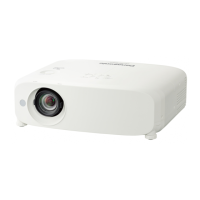
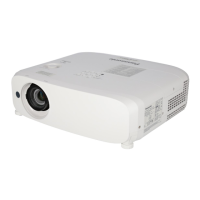
Panasonic PT-VMZ61 - User Manual

Panasonic PT-VMZ61
167 pages
Print Icon
To Next Page IconTo Next Page
Loading...
Operating Instructions
Functional Manual
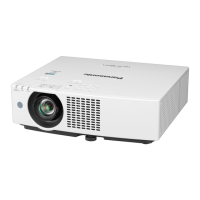
LCD Projector
Commercial Use
Thank you for purchasing this Panasonic product.
This manual is common to all the models regardless of sufxes of the Model No.
z
for India
D: White model
z
for Taiwan
T: White model
z
for other countries or regions
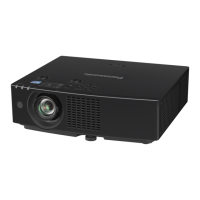
With B: Black model (PT-VMZ71B and PT-VMZ61B only) Without B: White model
Before operating this product, please read the instructions carefully, and save this manual for
future use.
Before using your projector, be sure to read “Read this rst!” (
Æ
pages 4 to 12).
Model No.
PT-VMZ71 PT-VMZ61
PT-VMZ51 PT-VMZ51S
PT-VMZ41 PT-VMW61
PT-VMW51
ENGLISH
DPQP1388ZA/X1
The remote control differs depending on
projector models.

Table of Contents

Questions and Answers

  • Y
    youngwilliamAug 19, 2025
    Why Panasonic PT-VMZ61 Projector power does not turn on?
    • K
      Kimberly OconnorAug 19, 2025
      If your Panasonic Projector is not turning on, check the following: Ensure the power plug is firmly connected to the outlet. Verify that the wall outlet is supplying electricity. Check if the circuit breakers have tripped. Also, check if the light source indicator or the temperature indicator is lit or blinking.
  • A
    Ashley RodriguezAug 21, 2025
    What to do if Panasonic Projector has no image?
    • A
      annamcclainAug 21, 2025
      If your Panasonic Projector displays no image, verify that connections to external devices are correctly performed and the input selection setting is correct. Also, check if the [BRIGHTNESS] adjustment is not at a minimum, ensure the external device connected to the projector is working properly, and confirm that the shutter function is not activated.
  • K
    kathleen12Aug 23, 2025
    Why is my Panasonic Projector image fuzzy?
    • V
      Victoria GonzalezAug 23, 2025
      If the image on your Panasonic Projector appears fuzzy, make sure the lens cap is removed. Check that the lens focus is set correctly and the projection distance is appropriate. Ensure the lens is clean and that the projector is installed perpendicular to the screen.
  • C
    Carmen SmithAug 26, 2025
    Why is there no audio from my Panasonic Projector?
    • A
      Andrea WatersAug 26, 2025
      If you're not getting any audio from your Panasonic Projector, first ensure the external device is correctly connected to the audio input terminal. Check that the volume isn't set to the minimum level and that neither the shutter nor the mute function is activated. Verify that the audio input selection in [AUDIO SETTING] is correctly set, and check the cable connected to the terminal.
  • M
    Melissa MartinAug 28, 2025
    How to fix Panasonic Projector remote control that does not work?
    • S
      Stacey CurryAug 28, 2025
      If the remote control for your Panasonic Projector is not working, first check if the batteries are depleted and ensure they are inserted with the correct polarity. Make sure there are no obstructions between the remote control and the projector's signal receiver, and that you are within the remote's effective range. Also, check for interference from fluorescent lights and confirm that the [REMOTE CONTROLLER] setting in [CONTROL DEVICE SETUP] is not set to [DISABLE]. Finally, verify that the ID number setting operation is correct.
  • A
    Ashley PrattAug 30, 2025
    What to do if image does not display correctly on Panasonic PT-VMZ61 Projector?
    • G
      Gregory BlackAug 30, 2025
      If the image is not displaying correctly on your Panasonic Projector, check if there is a problem with the external device outputting images. Also, verify that the signal input is compatible with the projector.
  • W
    wilkinsonkatherineSep 1, 2025
    Why Panasonic PT-VMZ61 Projector buttons on the control panel do not work?
    • M
      Misty CunninghamSep 1, 2025
      If the buttons on the control panel of your Panasonic Projector are not working, check if the [CONTROL PANEL] setting in [CONTROL DEVICE SETUP] is set to [DISABLE].
  • C
    Calvin Keith Jr.Sep 3, 2025
    How to fix Panasonic PT-VMZ61 Projector image from a computer that does not appear?
    • U
      umorrisonSep 3, 2025
      If the image from your computer is not appearing on the Panasonic Projector, check if the cable is too long (for D-Sub cables, ensure it is 10 m (32'10") or shorter). Also, verify that the external video output on the laptop is set correctly. (For example, the external output settings may be switched by pressing the “Fn” + “F3” or “Fn” + “F10” keys simultaneously.)
  • H
    hmartinSep 5, 2025
    What to do if Panasonic PT-VMZ61 Projector video from HDMI compatible device does not appear or it appears jumbled?
    • R
      riverachristineSep 6, 2025
      If video from an HDMI compatible device does not appear or appears jumbled on your Panasonic Projector, ensure the HDMI cable is securely connected. Try turning the power of both the projector and the external device off and on. Also, verify that the signal input is compatible with the projector.
  • S
    Shannon JonesSep 8, 2025
    How to resolve no audio from HDMI compatible device on Panasonic PT-VMZ61 Projector?
    • J
      Jeanette SanchezSep 8, 2025
      To get audio from an HDMI compatible device on your Panasonic Projector, set the audio for the connected devices to linear PCM.

Summary

Read this first!

General Safety Warnings

Essential safety guidelines to prevent hazards like electric shock and fire.

Laser Safety and Electrical Precautions

Information on laser classification, power cord usage, and electrical safety guidelines.

Power and Installation Safety Warnings

Critical warnings regarding power connection, installation environment, and projector placement.

Chapter 1 Preparation

Precautions for Use

Important safety and operational guidelines before using the projector.

Chapter 2 Getting Started

Setting Up the Projector

Instructions on projector installation modes and angle sensor functionality.

Connecting Devices

Connection Procedures and Examples

Steps and examples for connecting AV equipment, computers, and DIGITAL LINK.

Chapter 3 Basic Operations

Switching Projector On and Off

Step-by-step guide for powering the projector on, off, and initial settings.

Operating with the Remote Control

Chapter 4 Settings

Network Settings

Configuring Ethernet type, DIGITAL LINK, wired/wireless LAN, and administrator accounts.

Chapter 5 Operation of Function

Projecting with NETWORK Input

Displaying images via LAN using Panasonic applications like Presenter Light.

Network Connection via Wired LAN

Connecting the projector via wired LAN for network access.

Connecting with Wireless LAN

Steps for connecting the projector to a wireless network using the optional module.

Web Control Function

Accessing projector settings and status via a web browser interface.

Chapter 6 Maintenance

Troubleshooting Guide

Common problems and their solutions with reference pages for detailed information.

Panasonic PT-VMZ61 Specifications

General IconGeneral
Native aspect ratio16:10
Projection technologyLCD
Contrast ratio (typical)3000000:1
Screen size compatibility30 - 300 \
Projector native resolutionWUXGA (1920x1200)
PlacementCeiling, Floor
Product typeStandard throw projector
Product colorWhite
Housing materialPlastic
Market positioningPresentation
Operating temperature (T-T)0 - 45 °C
Operating relative humidity (H-H)20 - 80 %
Noise level36 dB
Noise level (standby)26 dB
Power sourceAC
AC input voltage100 - 240 V
AC input frequency50 - 60 Hz
Power consumption (max)360 W
Power consumption (standby)0.5 W
Power consumption (typical)335 W
Power consumption (economy mode)240 W
Composite video in0
Serial interface typeRS-232C
USB 2.0 ports quantity1
Ethernet LANYes
Ethernet LAN data rates10, 100 Mbit/s
Light source typeLaser
Service life of light source20000 h
RMS rated power10 W
FocusManual
Throw ratio1.09 - 1.77:1
Focal length range15.3 - 24.64 mm
Aperture range (F-F)1.6 - 2.12
Vertical lens shift range0 - 44 %
Horizontal lens shift range-20 - 20 %
Analog signal format system-
Weight and Dimensions IconWeight and Dimensions
Depth348 mm
Width399 mm
Height133 mm
Weight6500 g

Related product manuals