Camera Recording
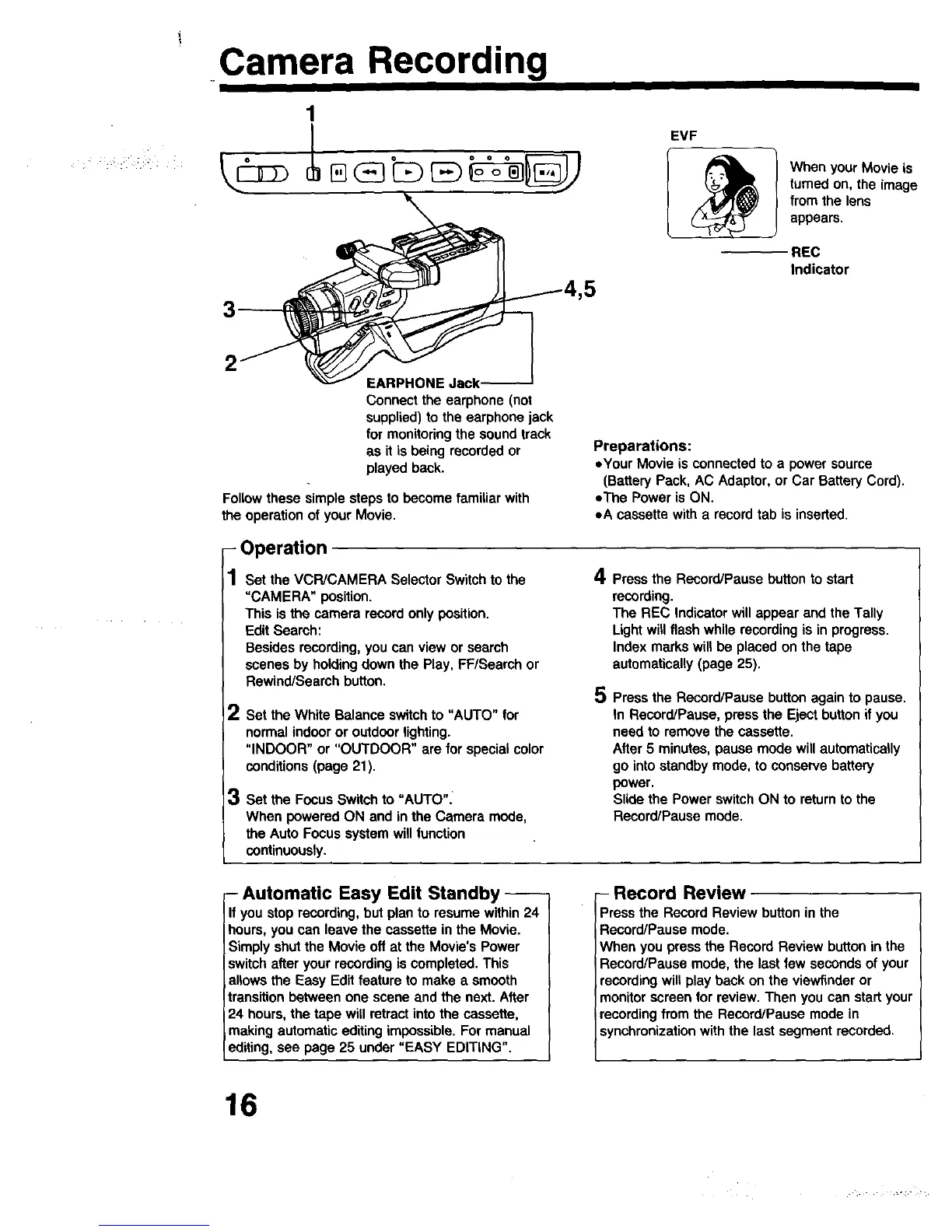
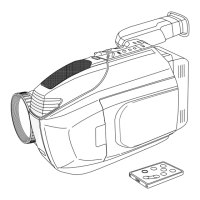
EVF
WhenyourMovieis
turnedon, theimage
fromthe lens
appears.
REC
Indicator
2
Connect the earphone (not
supplied) to the earphone jack
for monitoring the sound track
as it is being recorded or
played back.
Follow these simple steps to become familiar with
the operation of your Movie.
- Operation
1 set the VCR/CAMERA SelectorSwitchto the
"CAMERA" position.
This isthecamerarecordonlyposition.
Edit Search:
Besidesrecording,you can viewor seamh
scenesbyholdingdownthe Play, FP/Searchor
Rewind/Searchbutton.
2
Set the White Balanceswitchto "AUTO" for
normalindooror outdoorlighting.
"INDOOR"or "OUTDOOR" are for specialcolor
conditions (page 21).
| Set the Focus Switch to "AUTO":
When powered ON and in the Camera mode,
the Auto Focus system will function
continuously.
Preparations:
.,Your Movie is connected to a power source
(Battery Pack, AC Adaptor, or Car Battery Cord).
oThe Power is ON.
eA cassette with a record tab is inseded.
4
5
Pressthe Record/Pausebutton to start
recording.
The REC Indicatorwillappear andtheTally
Lightwillflashwhilerecordingis inprogress.
Indexmarkswillbe placed onthe tape
automatically(page 25).
Pressthe Record/Pausebuttonagainto pause.
In Record/Pause,pressthe Ejectbuttonif you
needto removethe cassette.
After5 minutes, pause modewillautomatically
go intostandbymode,to conservebattery
power.
Slidethe PowerswitchON to returntothe
Record/Pausemode.
-Automatic Easy Edit Standby-
If you Stop recording, but plan to resume within 24
hours, you can leave the cassette in the Movie.
Simply shut the Movie off at the Movie's Power
switch after your recording is completed. This
allows the Easy Edit feature to make a smooth
transition between one scene and the next. After
24 hours, the tape will retract into the cassette,
making automatic editing impossible. For manual
editing, see page 25 under "EASY EDITING".
- Record Review
Press the Record Review button in the
Record/Pause mode.
When you press the Record Review button in the
Record/Pause mode, the last few seconds of your
recording will play back on the viewfinder or
monitor screen for review. Then you can start your
recording from the Record/Pause mode in
synchronization with the last segment recorded.
16



 To Next Page