Description of Controls (continued)
Rear View
O
®
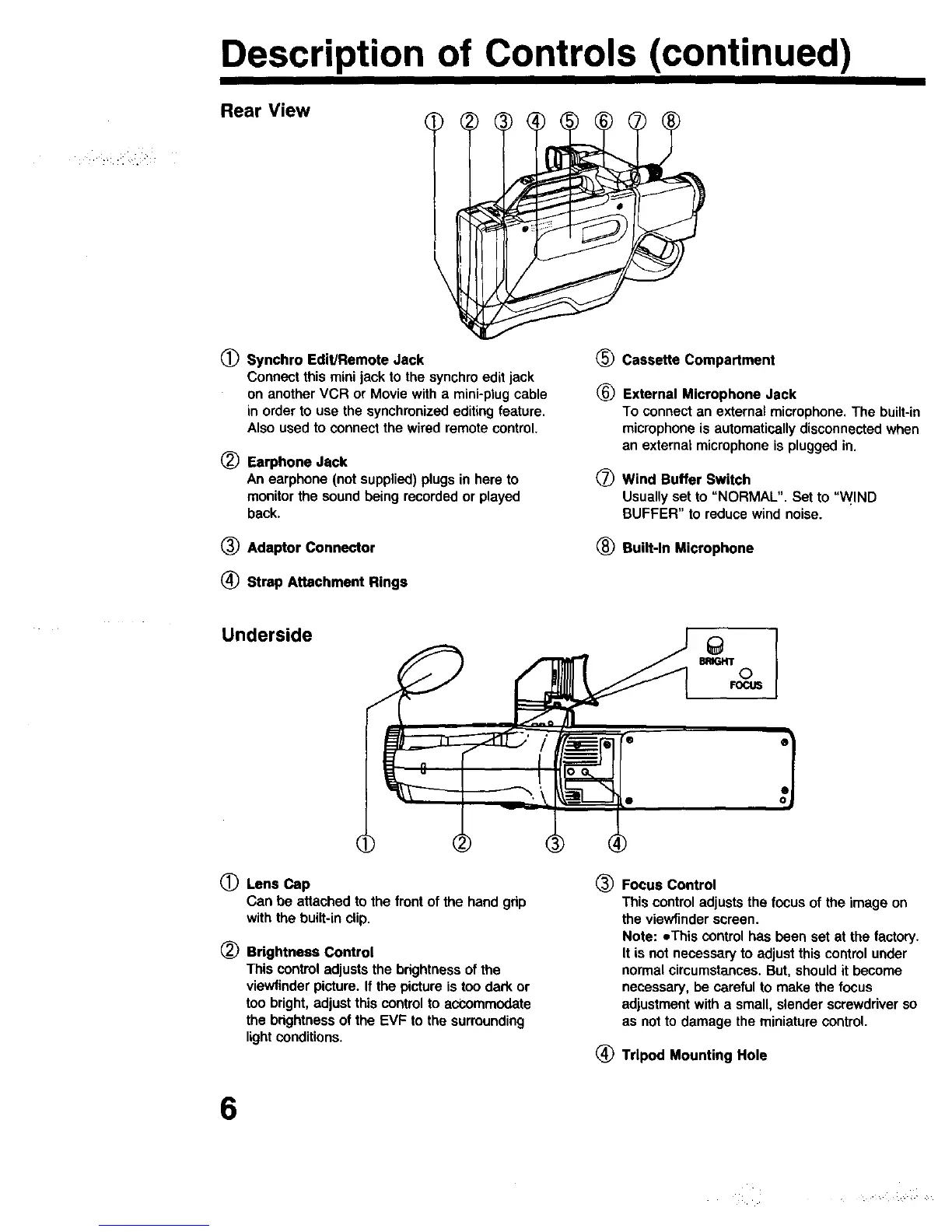
Synchro Edit/Remote Jack _)
Connect this mini jack to the synchro edit jack
on another VCR or Movie with a mini-plug cable (_
in order to use the synchronized editing feature.
Also used to connect the wired remote control.
Earphone Jack
An earphone (not supplied) plugs in here to
monitorthe sound being recorded or played
back.
Q
Cassette Compartment
External Microphone Jack
To connectan externalmicrophone.The built-in
microphoneisautomaticallydisconnectedwhen
an externalmicrophone is pluggedin.
Wind Buffer Switch
Usually set to "NORMAL". Set to "WIND
BUFFER" to reduce wind noise.
(_ Adaptor Connector (_ Built-In Microphone
(_ Strap Attachment Rings
Underside
BRIGHT
©
FOCUS
0
®
Lens Cap
Can be attachedto the frontof the hand gdp
withthe built-in clip.
Brightness Control
This control adjusts the brightness of the
viewfinder picture. If the picture is too dark or
too bright, adjust this control to accommodate
the brightness of the EVF to the surrounding
light conditions.
® Focus Control
This control adjusts the focus of the image on
the viewfinder screen.
Note: eThis control has been set at the factory.
It is not necessary to adjust this control under
normal circumstances. But, should it become
necessary, be careful to make the focus
adjustment with a small, slender screwdriver so
as not to damage the miniature control.
(_ Tripod Mounting Hole
6





 To Next Page