Description of Controls
• . ..._
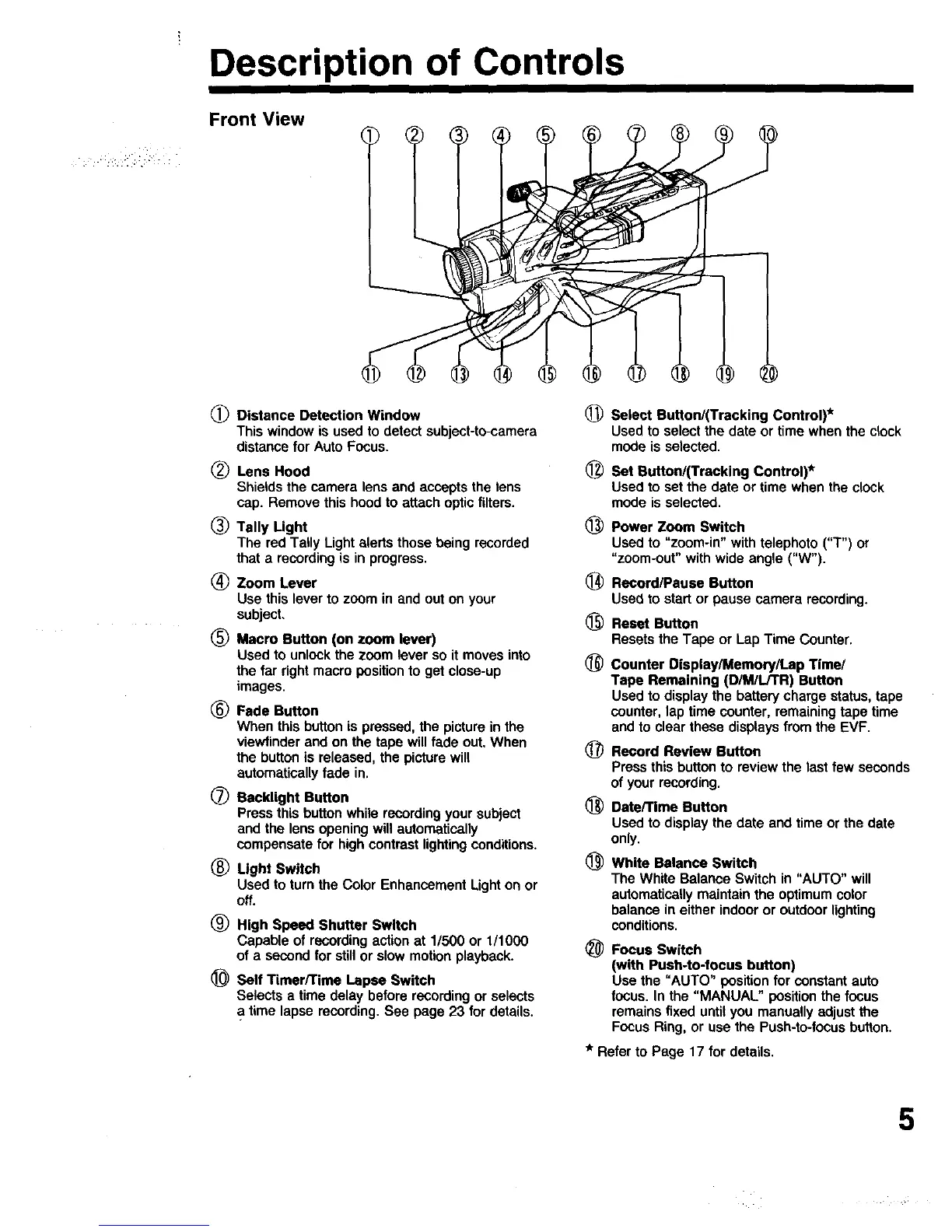
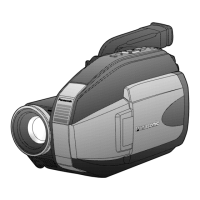
Front View
(_) Distance Detection Window
This window is used to detect subject-to-camera
distance for Auto Focus.
(_) Lens Hood
Shields the camera lens and accepts the lens
cap. Remove this hood to attach optic filters.
_) Tally Light
The red Tally Light alerts those being recorded
that a recording is in progress.
(_ Zoom Lever
Use this lever to zoom in and out on your
subject.
(_ Macro Button (on zoom lever)
Used to unlock the zoom lever so it moves into
the far right macro position to get close-up
images.
(_) Fade Button
When this button is pressed, the picture in the
viewfinder and on the tape will fade out. When
the button is released, the picture will
automatically fade in.
(_ Racklight Button
Press this button while recording your subject
and the lens opening will automatically
compensate for high contrast lighting conditions.
(_) Light Switch
Used to turn the Color Enhancement Light on or
off.
(_ High Speed Shutter Switch
Capable of recording action at 1/500 or 1/1000
of a second for stillor slow motion playback.
_) Self Timer/Time Lapse Switch
Selects a time delay before recording or selects
time lapse recording. See page 23 for details.
(_) Select Button/(Tracking Control)*
Used to select the date or time when the clock
mode is selected.
_) Set Rutton/(Tracking Control)*
Used to set the date or time when the clock
mode is selected.
@
@
®
®
Power Zoom Switch
Used to "zoom-in" with telephoto ("T') or
"zoom-out" with wide angle ("W').
Record/Pause Button
Usedto startor pausecamera recording.
Reset Button
Resets the Tape or Lap Time Counter.
Counter Display/Memory/Lap Time/
Tape Remaining (D/M/L/TR) Button
Used to display the battery charge status, tape
counter, lap time counter, remaining tape time
and to clear these displays from the EVF.
(_ Record Review Button
Press this button to review the last few seconds
of your recording.
_) Dete/Time Button
Used to display the date and time or the date
only,
(_ White Balance Switch
The White Balance Switch in "AUTO" will
automatically maintain the optimum color
balance in either indoor or outdoor lighting
conditions.
_) Focus Switch
(with Push-to-focus button)
Use the "AUTO" position for constant auto
focus. In the "MANUAL" position the focus
remains fixed until you manually adjust the
Focus Ring, or use the Push-to-focus button.
* Refer to Page 17 for details.
5





 To Next Page