Useful Features (continued)
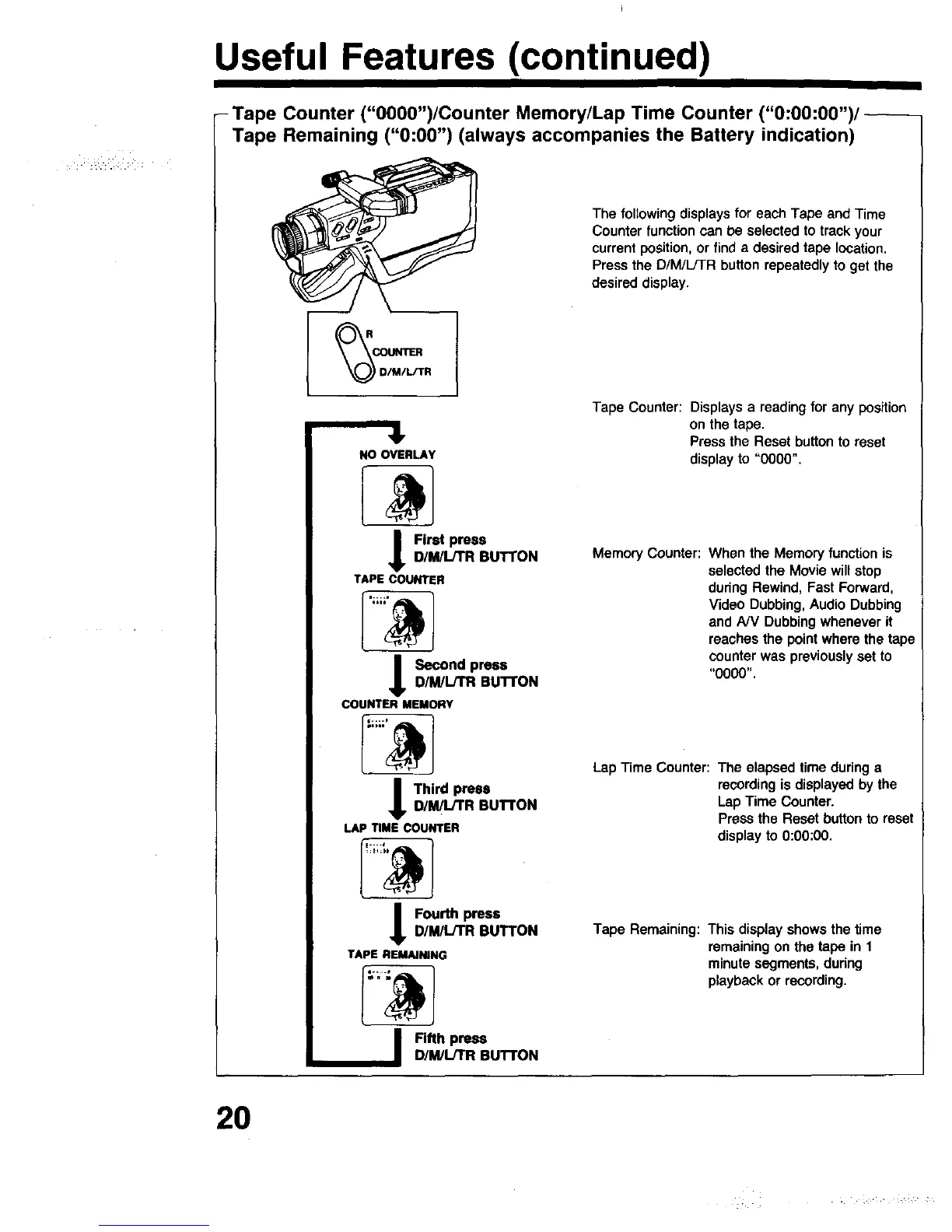
-Tape Counter ("O000")/Counter Memory/Lap Time Counter ("0:00:00")/
Tape Remaining ("0:00") (always accompanies the Battery indication)
41,
NO OVERLAY
Firet press
D/M/L/TR BUTTON
TAPECOUNTER
I _ond press
D/M/L/TR BUTTON
COUNTERMEMORY
I Third pressD/MilJTR BUTTON
LAPTIMECOUNTER
t ou_h press
D/M/L/TR BUTTON
TAPE REM_JNING
Fifth press
D/M/L/TR BUTTON
The following displays for each Tape and Time
Counter function can be selected to track your
current position, or find a desired tape location.
Press the D/M/L/TR button repeatedly to get the
desired display.
Tape Counter: Displays a reading for any position
on the tape.
Pressthe Reset buttonto reset
displayto "0000".
MemoryCounter: When the Memoryfunctionis
selectedthe Moviewillstop
duringRewind,FastForward,
VideoDubbing,AudioDubbing
and NV Dubbingwheneverit
reachesthe pointwherethe tape
counterwas previouslyset to
"0000".
LapTime Counter: The elapsed timeduringa
recordingis displayedby the
LapTime Counter.
Pressthe Resetbutton to reset
displayto0:00:00.
Tape Remaining:Thisdisplayshowsthe time
remainingon the tape in 1
minutesegments,during
playbackor recording.
20



 To Next Page