5
ENGLISH
VQT3T18
5
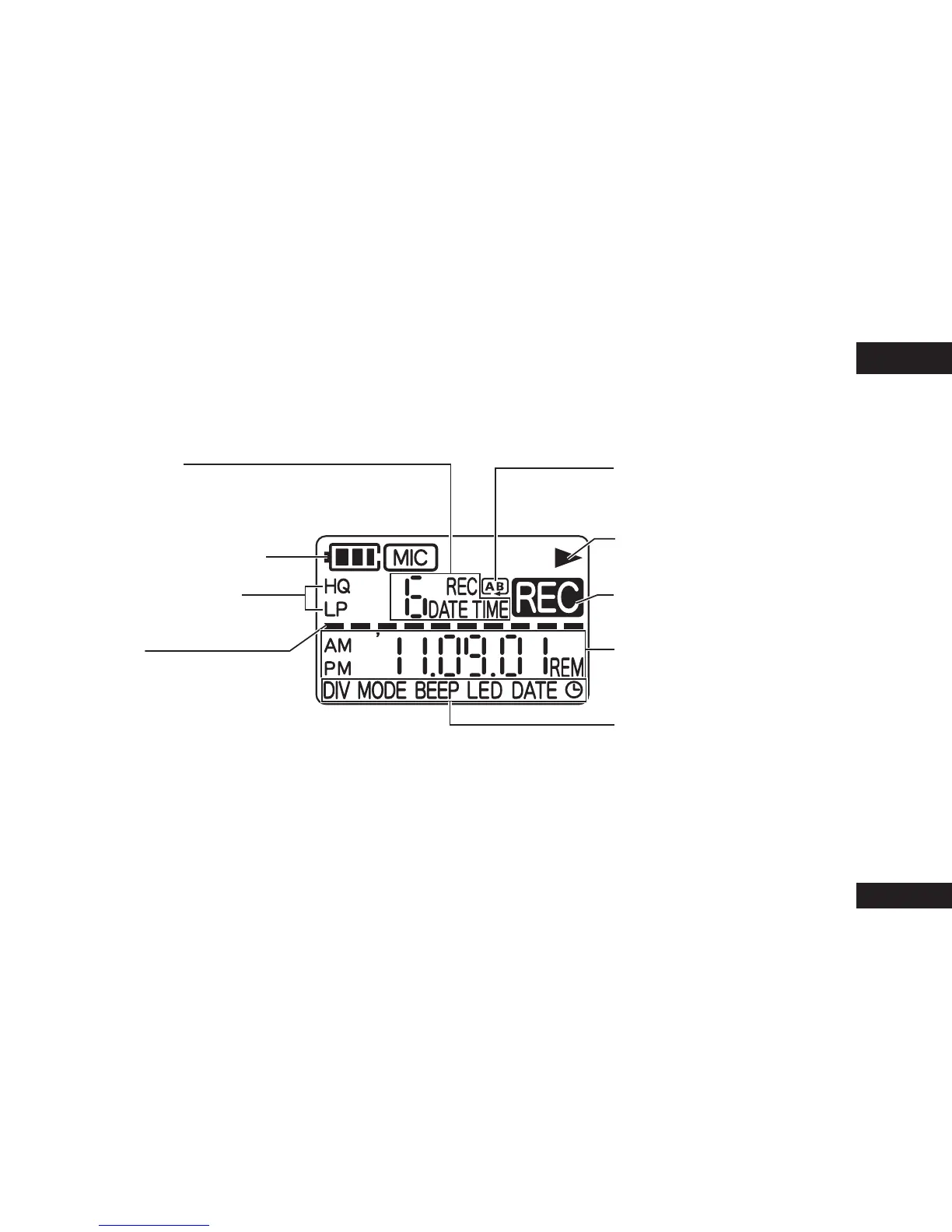
The following explains the screen items. Some items may not be displayed simultaneously.
Status indication
• Indicates the recorded
audio file number and other
information.
Battery indicator (
➜
page 6)
Recording sound quality
(
➜
page 12)
Level meter
• Indicated while volume of
the recording sound source,
playback position, remaining
recording time when stopped,
or volume or other settings are
being adjusted.
A-B Repeat playback/
Repeat play
(
➜
pages 14 and 15)
Screen display during
playback (
➜
page 10)
Screen display during
recording (
➜
page 9)
Status indication
• Indicates the time and other
information.
Menu setting items
(
➜
pages 8, 12, 13, 16 and 20)
Screen display















 To Next Page