EasyManua.ls Logo

Panasonic SA-MAX9000GN - User Manual

Panasonic SA-MAX9000GN
100 pages
Print Icon
To Next Page IconTo Next Page
Loading...
© Panasonic Corporation 2016. All rights reserved.
Unauthorized copying and distribution is a violation
of law.
PSG1602004CE
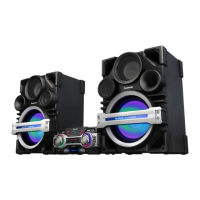
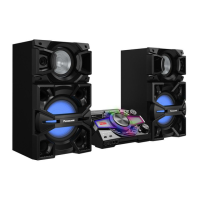
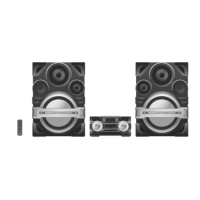
CD Stereo System
Model No. SA-MAX9000GN
SA-MAX9000PU
Product Color: (K)...Black Type
TABLE OF CONTENTS
PAGE PAGE
1 Safety Precautions----------------------------------------------- 3
1.1. General Guidelines---------------------------------------- 3
1.2. Before Repair and Adjustment ------------------------- 3
1.3. Protection Circuitry---------------------------------------- 4
1.4. Caution For Fuse Replacement------------------------ 4
1.5. Safety Parts Information -------------------------------- 5
2 Warning-------------------------------------------------------------- 6
2.1. Prevention of Electrostatic Discharge (ESD)
to Electrostatically Sensitive (ES) Devices---------- 6
2.2. Precaution of Laser Diode------------------------------- 6
2.3. General description about Lead Free Solder
(PbF)---------------------------------------------------------- 7
2.4. Handling Precautions for Traverse Ass’y------------ 7
2.5. Grounding for electrostatic breakdown
prevention --------------------------------------------------- 8
3 Service Navigation----------------------------------------------- 9
3.1. Service Information----------------------------------------9
3.2. Software Update Procedure-----------------------------9
4 Specifications---------------------------------------------------- 10
5 Location of Controls and Components------------------ 11
5.1. Remote Control Key Button Operation ------------- 11
5.2. Main Unit Key Button Operation---------------------- 12
6 Service Mode----------------------------------------------------- 13
6.1. Cold-Start -------------------------------------------------- 13
6.2. Sales Demonstration Lock Function ---------------- 13
6.3. Doctor Mode Table--------------------------------------- 14
6.4. Self-Diagnostic Mode ----------------------------------- 16
6.5. Self-Diagnostic Error Code Table-------------------- 16
7 Troubleshooting Guide --------------------------------------- 18
7.1. No Power or No Display------------------------------- 18
7.2. Bluetooth® Pairing Failure----------------------------- 18
7.3. No Key Function------------------------------------------ 18
Please refer to the original service manual for:
O CD Mechanism Unit, Order No. PSG1303059AE
O Speaker system SB-MAX9000GN/PU, Order No. PSG1602005CE

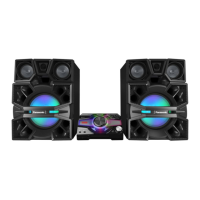
Table of Contents

Questions and Answers

  • M
    Mark WatkinsAug 3, 2025
    How to troubleshoot a Panasonic SA-MAX9000GN with no remote control function?
    • H
      Hayley MorenoAug 3, 2025
      If your Panasonic Stereo System is not responding to the remote control, check the Standby Regulator IC (IC8011) and the Panel P.C.B. Replacing IC8011 might also resolve the issue.
  • D
    Daniel BarberAug 9, 2025
    What to do if there is no sound output from my Panasonic SA-MAX9000GN?
    • L
      Linda ArcherAug 9, 2025
      If there is no sound output from your Panasonic Stereo System, try the following: Change the CD Mechanism and check the Main PCB & speaker out connection. Also, check the USB P.C.B and the Main PCB & USB Drive. If using Bluetooth, reconnect the Bluetooth device. For radio, check the antenna wire connection and the Main PCB tuner circuit.
  • J
    Julia EvansAug 15, 2025
    How to fix a Panasonic SA-MAX9000GN Stereo System with no power or display?
    • A
      Alexander BarrettAug 15, 2025
      If your Panasonic Stereo System has no power or display, verify the Primary E-Cap (C1403) measures 200V or more. Press the Power Button on the unit or remote. Consider replacing the fuse or checking the SMPS PCB, changing D1601 or AC Cord C1603. You may also need to check the Standby Regulator IC and DC-DC Regulator IC. In some cases, changing IC8011 or IC8004, or checking the Panel PCB might be necessary.
  • M
    Meagan EdwardsAug 21, 2025
    What to do if my Panasonic Stereo System cannot detect USB device?
    • P
      Patricia WatkinsAug 22, 2025
      If your Panasonic Stereo System cannot detect a USB device, check the DC-DC Regulator IC (IC8004) and the USB P.C.B. If issues persist, consider changing IC8004.
  • D
    Daniel RichardsAug 28, 2025
    What to do if NFC is not working on my Panasonic SA-MAX9000GN Stereo System?
    • J
      jodyschwartzAug 28, 2025
      If the NFC function is not working on your Panasonic Stereo System, check the DC-DC Regulator IC (IC8004) and change the NFC PCB. Alternatively, try changing IC8004 and L8001.

Summary

Safety Precautions

General Guidelines & Pre-Repair

General guidelines, safety notices, capacitor discharge, and repair cautions.

Warnings and Device Handling

Specifications

System Specifications Overview

Technical specifications for amplifier, disc, Bluetooth, tuner, terminals, and memory.

Controls and Components Overview

Remote Control and Main Unit Operation

Description of buttons and operation for remote control and main unit.

Service Modes and Diagnostics

Cold-Start, Demo Lock, and Doctor Mode

Procedures for cold-start, demo lock, and Doctor Mode tables.

Self-Diagnostic Functions

Self-Diagnostic Mode and Error Code Tables

How to enter self-diagnostic mode and tables of error codes for system components.

Troubleshooting Guide

Power, Bluetooth, Key Function, and Remote Control Issues

Troubleshooting steps for power, Bluetooth, key function, and remote control problems.

No Output Sound Troubleshooting

Troubleshooting steps for lack of audio output from different sources.

Block Diagrams

Schematic Diagrams

Voltage and Waveform Measurement

Main PCB Voltage Measurements

Table of standard voltage values for various points on the Main PCB.

SMPS PCB Voltage Measurements

Table of standard voltage values for various points on the SMPS PCB.

Replacement Parts List

Electrical Replacement Parts (ICs, Transistors, Diodes, Switches)

List of electrical replacement parts including ICs, transistors, diodes, and switches.

Panasonic SA-MAX9000GN Specifications

General IconGeneral
BrandPanasonic
ModelSA-MAX9000GN
CategoryStereo System
LanguageEnglish

Related product manuals