EasyManua.ls Logo

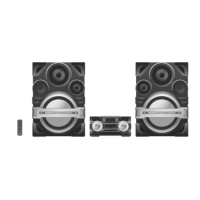
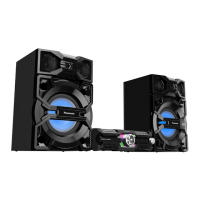
Panasonic SA-MAX5000PN - User Manual

Panasonic SA-MAX5000PN
85 pages
Print Icon
To Next Page IconTo Next Page
Loading...
© Panasonic Corporation 2016. All rights reserved.
Unauthorized copying and distribution is a violation
of law.
PSG1603007CE
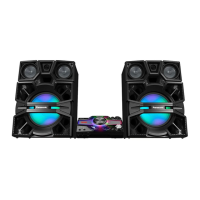
CD Stereo System
Model No. SA-MAX5000PN
SA-MAX5000PS
Product Color: (K)...Black Type
TABLE OF CONTENTS
PAGE PAGE
1 Safety Precautions----------------------------------------------- 3
1.1. General Guidelines---------------------------------------- 3
1.2. Before Repair and Adjustment ------------------------- 4
1.3. Protection Circuitry---------------------------------------- 4
1.4. Safety Parts Information -------------------------------- 5
2 Warning-------------------------------------------------------------- 6
2.1. Prevention of Electrostatic Discharge (ESD)
to Electrostatically Sensitive (ES) Devices---------- 6
2.2. Precaution of Laser Diode------------------------------- 6
2.3. General description about Lead Free Solder
(PbF)---------------------------------------------------------- 7
2.4. Handling Precautions for Traverse Ass’y------------ 7
2.5. Grounding for electrostatic breakdown
prevention --------------------------------------------------- 8
3 Service Navigation----------------------------------------------- 9
3.1. Service Information----------------------------------------9
3.2. Software Update Procedure-----------------------------9
4 Specifications---------------------------------------------------- 10
5 Location of Controls and Components------------------ 11
5.1. Remote Control Key Button Operation ------------- 11
5.2. Main Unit Key Button Operation---------------------- 12
6 Service Mode----------------------------------------------------- 13
6.1. Cold-Start -------------------------------------------------- 13
6.2. Sales Demonstration Lock Function ---------------- 13
6.3. Doctor Mode Table--------------------------------------- 14
6.4. Self-Diagnostic Mode ----------------------------------- 16
6.5. Self-Diagnostic Error Code Table-------------------- 16
7 Troubleshooting Guide --------------------------------------- 18
7.1. No Power or No Display------------------------------- 18
7.2. Bluetooth® Pairing Failure----------------------------- 18
Please refer to the original service manual for:
CD Mechanism Unit Order No. PSG1303059AE
Speaker system SB-MAX5000PN/PS, Order No. PSG1603009CE

Table of Contents

Questions and Answers

Summary

Safety Precautions

General Guidelines

General safety instructions for servicing the unit.

Before Repair and Adjustment

Procedures to follow before commencing repair and adjustment tasks.

Safety Parts Information

Details on safety-critical components and their importance.

Warning

Prevention of Electrostatic Discharge (ESD) to Electrostatically Sensitive (ES) Devices

Guidelines to prevent damage to sensitive components from static discharge.

Precaution of Laser Diode

Safety precautions and warnings related to the laser diode.

Service Navigation

Software Update Procedure

Step-by-step guide for updating the unit's firmware via USB.

Specifications

Location of Controls and Components

Remote Control Key Button Operation

Explanation of each button's function on the remote control.

Disassembly and Assembly Instructions

Main Components and P.C.B. Locations

Diagram showing the location of major components and PCBs.

Block Diagram

System Control

Block diagram showing the system control flow.

Audio

Block diagram illustrating the audio signal path.

Power Supply

Block diagram of the power supply unit.

Voltage and Waveform Measurement

Voltage Measurement

Guide to measuring voltage values at various test points.

Exploded View and Replacement Parts List

Mechanical Replacement Part List

List of mechanical replacement parts with details.

Electrical Replacement Part List

List of electrical replacement parts with details.

Troubleshooting Guide

No Power or No Display

Troubleshooting steps for power or display issues.

Bluetooth Pairing Failure

Steps to resolve Bluetooth pairing problems.

No Remote Control Function

Troubleshooting steps for remote control issues.

USB Device Cannot Detect

Steps to resolve issues with USB device detection.

No Output Sound

Troubleshooting steps when there is no audio output.

Service Mode

Self-Diagnostic Mode

How to enter and use the self-diagnostic mode.

Self-Diagnostic Error Code Table

Table listing error codes and their meanings.

Summary

Safety Precautions

General Guidelines

General safety instructions for servicing the unit.

Before Repair and Adjustment

Procedures to follow before commencing repair and adjustment tasks.

Safety Parts Information

Details on safety-critical components and their importance.

Warning

Prevention of Electrostatic Discharge (ESD) to Electrostatically Sensitive (ES) Devices

Guidelines to prevent damage to sensitive components from static discharge.

Precaution of Laser Diode

Safety precautions and warnings related to the laser diode.

Service Navigation

Software Update Procedure

Step-by-step guide for updating the unit's firmware via USB.

Specifications

Location of Controls and Components

Remote Control Key Button Operation

Explanation of each button's function on the remote control.

Disassembly and Assembly Instructions

Main Components and P.C.B. Locations

Diagram showing the location of major components and PCBs.

Block Diagram

System Control

Block diagram showing the system control flow.

Audio

Block diagram illustrating the audio signal path.

Power Supply

Block diagram of the power supply unit.

Voltage and Waveform Measurement

Voltage Measurement

Guide to measuring voltage values at various test points.

Exploded View and Replacement Parts List

Mechanical Replacement Part List

List of mechanical replacement parts with details.

Electrical Replacement Part List

List of electrical replacement parts with details.

Troubleshooting Guide

No Power or No Display

Troubleshooting steps for power or display issues.

Bluetooth Pairing Failure

Steps to resolve Bluetooth pairing problems.

No Remote Control Function

Troubleshooting steps for remote control issues.

USB Device Cannot Detect

Steps to resolve issues with USB device detection.

No Output Sound

Troubleshooting steps when there is no audio output.

Service Mode

Self-Diagnostic Mode

How to enter and use the self-diagnostic mode.

Self-Diagnostic Error Code Table

Table listing error codes and their meanings.

Panasonic SA-MAX5000PN Specifications

General IconGeneral
TypeMini System
AmplifierDigital Amplifier
Number of Channels2.0
USBYes
BluetoothYes
Microphone inputYes
Playable formatsMP3
Audio inputAUX

Related product manuals