EasyManua.ls Logo

Panasonic SA-MAX500LMK - User Manual

Panasonic SA-MAX500LMK
133 pages
Print Icon
To Next Page IconTo Next Page
Loading...
© Panasonic Corporation 2013. All rights reserved.
Unauthorized copying and distribution is a violation
of law.
PMX1302001CE
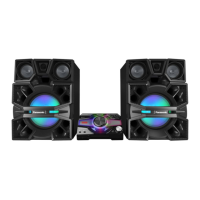
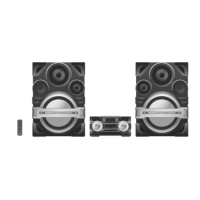
CD Stereo System
Model No. SA-MAX500LMK
Product Color: (K)...Black Type
TABLE OF CONTENTS
1 Safety Precautions
1.1. General Guidelines
1.3. Before Repair and Adjustment
1.4. Protection Circuitry
1.5. Caution For Fuse Replacement
1.6. Safety Parts Information
2 Warning
2.1. Prevention of Electrostatic Discharge (ESD)
to Electrostatically Sensitive (ES) Devices
2.2. Precaution of Laser Diode
2.3. Service caution based on Legal restrictions
2.4. Handling Precautions for Traverse Unit
2.5. Grounding for electrostatic breakdown
prevention
3 Service Navigation
3.1. Service Information
3.2. Firmware Update Procedure
4 Specifications
5 General/Introduction
5.1. Media Information
6 Location of Controls and Components
6.1. Remote Control Key Button Operation
6.2. Main Unit Key Button Operation
7 Installation Instructions
7.1. Speaker and A/C Connection
8 Service Mode
8.1. Cold-Start
8.2. Doctor Mode Table
8.3. Reliability Test Mode
(CD Mechanism Unit)
Please refer to the original service manual for:
CD Mechanism Unit, Order No. PSG1201019AE
Speaker system SB-MAX500LMK, Order No. PMX1302002CE
SB-MAX500 L SB-MAX500 R
SA-MAX500
Nota: El idioma original de este Manual de Servicio es en idioma inglés, sin embargo algunas notasaquí mencionadas serán escritas
en español para mejor descripción para Centros de Servicio de México.

Table of Contents

Question and Answer IconNeed help?

Do you have a question about the Panasonic SA-MAX500LMK and is the answer not in the manual?

Summary

Safety Precautions

General Guidelines

General safety guidelines for servicing equipment and handling components.

Before Repair and Adjustment

Precautions before starting repair or adjustment procedures.

Protection Circuitry

Information on the protection circuitry and its operation.

Caution For Fuse Replacement

Safety precautions for replacing fuses.

Safety Parts Information

Identifies critical safety parts and the need for manufacturer-specified replacements.

Warning

Prevention of Electrostatic Discharge (ESD) to Electrostatically Sensitive (ES) Devices

Techniques to prevent damage to ES devices from electrostatic discharge.

Precaution of Laser Diode

Safety precautions when handling the laser diode in the optical pickup unit.

Service caution based on Legal restrictions

Guidelines for using lead-free solder and legal restrictions.

Handling Precautions for Traverse Unit

Specific handling precautions for the optical pickup unit to prevent ESD damage.

Grounding for electrostatic breakdown prevention

Methods for grounding to prevent electrostatic discharge during repair.

Service Navigation

Service Information

Information for service personnel on understanding and servicing the unit.

Firmware Update Procedure

Step-by-step procedure for updating the unit's firmware.

Specifications

Media Information

Information regarding supported media formats for CD and USB.

Location of Controls and Components

Remote Control Key Button Operation

Explains the function of each button on the remote control.

Main Unit Key Button Operation

Explains the function of each button on the main unit.

Installation Instructions

Speaker and A;C Connection

Instructions for connecting speakers and the AC power cord.

Service Mode

Cold-Start

Procedure to initialize the unit to its shipping mode.

Doctor Mode Table

Tables detailing various service modes and their operations.

Reliability Test Mode (CD Mechanism Unit (BRS11 C))

Flow charts for reliability testing of the CD mechanism unit.

Self-Diagnostic Mode

Information on entering and using the self-diagnostic mode.

Self-Diagnostic Error Code Table

Tables listing error codes and their diagnostic content for troubleshooting.

Sales Demonstration Lock Function

Procedures for entering and canceling the sales demonstration lock mode.

Troubleshooting Guide

Part Location

Identifies the location of key components on the SMPS, Main, and D-Amp PCBs.

Troubleshooting Guide for F61 and;or F76

Troubleshooting procedures for specific error codes (F61, F76) related to power and amplifier circuits.

Disassembly and Assembly Instructions

Screw Types

Lists various screw types used in the unit.

Disassembly Flow Chart

A flowchart illustrating the sequence for disassembling unit components.

Main Components and P.C.B. Locations

Diagrams showing the location of major components and PCBs within the unit.

Disassembly of Top Cabinet

Step-by-step instructions for removing the top cabinet.

Disassembly of Front Panel Unit

Step-by-step instructions for removing the front panel unit.

Disassembly of FL Display P.C.B.

Step-by-step instructions for removing the FL display PCB.

Disassembly of Control P.C.B.

Step-by-step instructions for removing the control PCB.

Disassembly of Volume P.C.B.

Step-by-step instructions for removing the volume PCB.

Disassembly of Volume Jog LED P.C.B.

Step-by-step instructions for removing the volume jog LED PCB.

Disassembly of Remote Sensor P.C.B.

Step-by-step instructions for removing the remote sensor PCB.

Disassembly of USB P.C.B.

Step-by-step instructions for removing the USB PCB.

Disassembly of Mic P.C.B.

Step-by-step instructions for removing the microphone PCB.

Disassembly of LED P.C.B.

Step-by-step instructions for removing the LED PCB.

Disassembly of CD Lid

Step-by-step instructions for removing the CD lid.

Disassembly of Rear Panel

Step-by-step instructions for removing the rear panel.

Disassembly of CD Mechanism Unit

Step-by-step instructions for removing the CD mechanism unit.

Disassembly of Main P.C.B.

Step-by-step instructions for removing the main PCB.

Disassembly of SMPS P.C.B.

Step-by-step instructions for removing the SMPS PCB.

Replacement of Switching Regulator (IC5701)

Procedure for replacing the switching regulator IC.

Replacement of Rectifier Diode (D5702)

Procedure for replacing rectifier diodes D5702 and D5801.

Replacement of Rectifier Diode (D5801)

Procedure for replacing rectifier diodes D5801 and D5803.

Disassembly of CD Interface P.C.B.

Step-by-step instructions for removing the CD interface PCB.

Service Position

Checking and Repairing of Main P.C.B. (Side B)

Procedures for checking and repairing the main PCB (Side B).

Checking and Repairing of Main P.C.B. (Side A)

Procedures for checking and repairing the main PCB (Side A).

Checking and Repairing of SMPS P.C.B.

Procedures for checking and repairing the SMPS PCB.

Block Diagram

Servo & System Control

Block diagram of the servo and system control circuits.

IC Terminal Chart

Terminal functions for key ICs used in the system.

Audio

Block diagram illustrating the audio signal paths and components.

Power Supply

Block diagram of the power supply unit and its distribution.

Wiring Connection Diagram

Schematic Diagram

Schematic Diagram Notes

Notes and symbols used in the schematic diagrams.

CD Servo Circuit

Schematic diagram of the CD servo circuit.

FL Display Circuit

Schematic diagram of the FL display circuit.

Volume Circuit

Schematic diagram of the volume control circuit.

Control & USB Circuit

Schematic diagram of the control and USB interface circuits.

Remote Sensor

Schematic diagram of the remote sensor circuit.

SMPS Circuit

Schematic diagram of the Switched-Mode Power Supply (SMPS) circuit.

Printed Circuit Board

Main P.C.B.

Illustration of the main PCB, showing component layout.

CD Servo P.C.B.

Illustration of the CD servo PCB, showing component layout.

Memory LED, CD Interface, Top Bar LED, Bottom Bar LED and Mic P.C.B.

Illustrations of various small PCBs including Memory LED, CD Interface, etc.

D-Amp P.C.B.

Illustration of the D-Amp PCB, showing component layout.

SMPS P.C.B.

Illustration of the SMPS PCB, showing component layout.

CD Interface P.C.B.

Illustration of the CD Interface PCB, showing component layout.

Appendix Information of Schematic Diagram

Voltage & Waveform Chart

Chart providing voltage and waveform reference values for testing.

CD Servo P.C.B. (1;3)

Voltage chart for CD Servo PCB, pins 1-144.

CD Servo P.C.B. (2;3)

Voltage chart for CD Servo PCB, IC8251, IC8501.

CD Servo P.C.B. (3;3)

Voltage chart for CD Servo PCB, Q8201.

Main P.C.B. (1;4)

Voltage chart for Main PCB, ICs IC52, IC2000, IC2001, IC2002, IC2003.

Main P.C.B. (2;4)

Voltage chart for Main PCB, ICs IC2003, IC2004, IC2005, IC2006, IC2008, IC2010, IC2011, IC2012, IC2014, IC5600.

Main P.C.B. (3;4)

Voltage chart for Main PCB, transistors Q5603, Q5604, Q2009, etc.

Main P.C.B. (4;4)

Voltage chart for Main PCB, transistors Q2018, Q2022, etc.

Panel P.C.B.

Voltage chart for Panel PCB, ICs IC6000, Q6002, etc.

D-Amp P.C.B.

Voltage chart for D-Amp PCB, ICs IC5000, IC5200, etc.

SMPS P.C.B.

Voltage chart for SMPS PCB, ICs IC5701, IC5799, etc.

Mic P.C.B.

Voltage chart for Mic PCB, IC IC6500.

Waveform Table

Table showing waveforms for various ICs, useful for troubleshooting.

Illustration of ICs, Transistor and Diode

Illustration of ICs, Transistor and Diode

Visual identification of common ICs, transistors, and diodes used in the unit.

Terminal Function of ICs

Detailed terminal functions for key ICs used in the system.

IC2003 (*MN101 EF16 KXW): IC MICRO-PROCESSOR

Detailed terminal functions for the main Micro-Processor IC2003.

Exploded View and Replacement Parts List

Exploded View and Mechanical replacement Part List

Exploded view showing cabinet parts and their locations.

Cabinet Parts Location

Diagram showing the location of cabinet parts.

Packaging

Diagram showing how the unit is packaged with accessories.

Mechanical Replacement Part List

List of mechanical replacement parts with part numbers and descriptions.

Electrical Replacement Part List

Summary

Safety Precautions

General Guidelines

General safety guidelines for servicing equipment and handling components.

Before Repair and Adjustment

Precautions before starting repair or adjustment procedures.

Protection Circuitry

Information on the protection circuitry and its operation.

Caution For Fuse Replacement

Safety precautions for replacing fuses.

Safety Parts Information

Identifies critical safety parts and the need for manufacturer-specified replacements.

Warning

Prevention of Electrostatic Discharge (ESD) to Electrostatically Sensitive (ES) Devices

Techniques to prevent damage to ES devices from electrostatic discharge.

Precaution of Laser Diode

Safety precautions when handling the laser diode in the optical pickup unit.

Service caution based on Legal restrictions

Guidelines for using lead-free solder and legal restrictions.

Handling Precautions for Traverse Unit

Specific handling precautions for the optical pickup unit to prevent ESD damage.

Grounding for electrostatic breakdown prevention

Methods for grounding to prevent electrostatic discharge during repair.

Service Navigation

Service Information

Information for service personnel on understanding and servicing the unit.

Firmware Update Procedure

Step-by-step procedure for updating the unit's firmware.

Specifications

Media Information

Information regarding supported media formats for CD and USB.

Location of Controls and Components

Remote Control Key Button Operation

Explains the function of each button on the remote control.

Main Unit Key Button Operation

Explains the function of each button on the main unit.

Installation Instructions

Speaker and A;C Connection

Instructions for connecting speakers and the AC power cord.

Service Mode

Cold-Start

Procedure to initialize the unit to its shipping mode.

Doctor Mode Table

Tables detailing various service modes and their operations.

Reliability Test Mode (CD Mechanism Unit (BRS11 C))

Flow charts for reliability testing of the CD mechanism unit.

Self-Diagnostic Mode

Information on entering and using the self-diagnostic mode.

Self-Diagnostic Error Code Table

Tables listing error codes and their diagnostic content for troubleshooting.

Sales Demonstration Lock Function

Procedures for entering and canceling the sales demonstration lock mode.

Troubleshooting Guide

Part Location

Identifies the location of key components on the SMPS, Main, and D-Amp PCBs.

Troubleshooting Guide for F61 and;or F76

Troubleshooting procedures for specific error codes (F61, F76) related to power and amplifier circuits.

Disassembly and Assembly Instructions

Screw Types

Lists various screw types used in the unit.

Disassembly Flow Chart

A flowchart illustrating the sequence for disassembling unit components.

Main Components and P.C.B. Locations

Diagrams showing the location of major components and PCBs within the unit.

Disassembly of Top Cabinet

Step-by-step instructions for removing the top cabinet.

Disassembly of Front Panel Unit

Step-by-step instructions for removing the front panel unit.

Disassembly of FL Display P.C.B.

Step-by-step instructions for removing the FL display PCB.

Disassembly of Control P.C.B.

Step-by-step instructions for removing the control PCB.

Disassembly of Volume P.C.B.

Step-by-step instructions for removing the volume PCB.

Disassembly of Volume Jog LED P.C.B.

Step-by-step instructions for removing the volume jog LED PCB.

Disassembly of Remote Sensor P.C.B.

Step-by-step instructions for removing the remote sensor PCB.

Disassembly of USB P.C.B.

Step-by-step instructions for removing the USB PCB.

Disassembly of Mic P.C.B.

Step-by-step instructions for removing the microphone PCB.

Disassembly of LED P.C.B.

Step-by-step instructions for removing the LED PCB.

Disassembly of CD Lid

Step-by-step instructions for removing the CD lid.

Disassembly of Rear Panel

Step-by-step instructions for removing the rear panel.

Disassembly of CD Mechanism Unit

Step-by-step instructions for removing the CD mechanism unit.

Disassembly of Main P.C.B.

Step-by-step instructions for removing the main PCB.

Disassembly of SMPS P.C.B.

Step-by-step instructions for removing the SMPS PCB.

Replacement of Switching Regulator (IC5701)

Procedure for replacing the switching regulator IC.

Replacement of Rectifier Diode (D5702)

Procedure for replacing rectifier diodes D5702 and D5801.

Replacement of Rectifier Diode (D5801)

Procedure for replacing rectifier diodes D5801 and D5803.

Disassembly of CD Interface P.C.B.

Step-by-step instructions for removing the CD interface PCB.

Service Position

Checking and Repairing of Main P.C.B. (Side B)

Procedures for checking and repairing the main PCB (Side B).

Checking and Repairing of Main P.C.B. (Side A)

Procedures for checking and repairing the main PCB (Side A).

Checking and Repairing of SMPS P.C.B.

Procedures for checking and repairing the SMPS PCB.

Block Diagram

Servo & System Control

Block diagram of the servo and system control circuits.

IC Terminal Chart

Terminal functions for key ICs used in the system.

Audio

Block diagram illustrating the audio signal paths and components.

Power Supply

Block diagram of the power supply unit and its distribution.

Wiring Connection Diagram

Schematic Diagram

Schematic Diagram Notes

Notes and symbols used in the schematic diagrams.

CD Servo Circuit

Schematic diagram of the CD servo circuit.

FL Display Circuit

Schematic diagram of the FL display circuit.

Volume Circuit

Schematic diagram of the volume control circuit.

Control & USB Circuit

Schematic diagram of the control and USB interface circuits.

Remote Sensor

Schematic diagram of the remote sensor circuit.

SMPS Circuit

Schematic diagram of the Switched-Mode Power Supply (SMPS) circuit.

Printed Circuit Board

Main P.C.B.

Illustration of the main PCB, showing component layout.

CD Servo P.C.B.

Illustration of the CD servo PCB, showing component layout.

Memory LED, CD Interface, Top Bar LED, Bottom Bar LED and Mic P.C.B.

Illustrations of various small PCBs including Memory LED, CD Interface, etc.

D-Amp P.C.B.

Illustration of the D-Amp PCB, showing component layout.

SMPS P.C.B.

Illustration of the SMPS PCB, showing component layout.

CD Interface P.C.B.

Illustration of the CD Interface PCB, showing component layout.

Appendix Information of Schematic Diagram

Voltage & Waveform Chart

Chart providing voltage and waveform reference values for testing.

CD Servo P.C.B. (1;3)

Voltage chart for CD Servo PCB, pins 1-144.

CD Servo P.C.B. (2;3)

Voltage chart for CD Servo PCB, IC8251, IC8501.

CD Servo P.C.B. (3;3)

Voltage chart for CD Servo PCB, Q8201.

Main P.C.B. (1;4)

Voltage chart for Main PCB, ICs IC52, IC2000, IC2001, IC2002, IC2003.

Main P.C.B. (2;4)

Voltage chart for Main PCB, ICs IC2003, IC2004, IC2005, IC2006, IC2008, IC2010, IC2011, IC2012, IC2014, IC5600.

Main P.C.B. (3;4)

Voltage chart for Main PCB, transistors Q5603, Q5604, Q2009, etc.

Main P.C.B. (4;4)

Voltage chart for Main PCB, transistors Q2018, Q2022, etc.

Panel P.C.B.

Voltage chart for Panel PCB, ICs IC6000, Q6002, etc.

D-Amp P.C.B.

Voltage chart for D-Amp PCB, ICs IC5000, IC5200, etc.

SMPS P.C.B.

Voltage chart for SMPS PCB, ICs IC5701, IC5799, etc.

Mic P.C.B.

Voltage chart for Mic PCB, IC IC6500.

Waveform Table

Table showing waveforms for various ICs, useful for troubleshooting.

Illustration of ICs, Transistor and Diode

Illustration of ICs, Transistor and Diode

Visual identification of common ICs, transistors, and diodes used in the unit.

Terminal Function of ICs

Detailed terminal functions for key ICs used in the system.

IC2003 (*MN101 EF16 KXW): IC MICRO-PROCESSOR

Detailed terminal functions for the main Micro-Processor IC2003.

Exploded View and Replacement Parts List

Exploded View and Mechanical replacement Part List

Exploded view showing cabinet parts and their locations.

Cabinet Parts Location

Diagram showing the location of cabinet parts.

Packaging

Diagram showing how the unit is packaged with accessories.

Mechanical Replacement Part List

List of mechanical replacement parts with part numbers and descriptions.

Electrical Replacement Part List

Panasonic SA-MAX500LMK Specifications

General IconGeneral
BrandPanasonic
ModelSA-MAX500LMK
CategoryStereo System
LanguageEnglish

Related product manuals