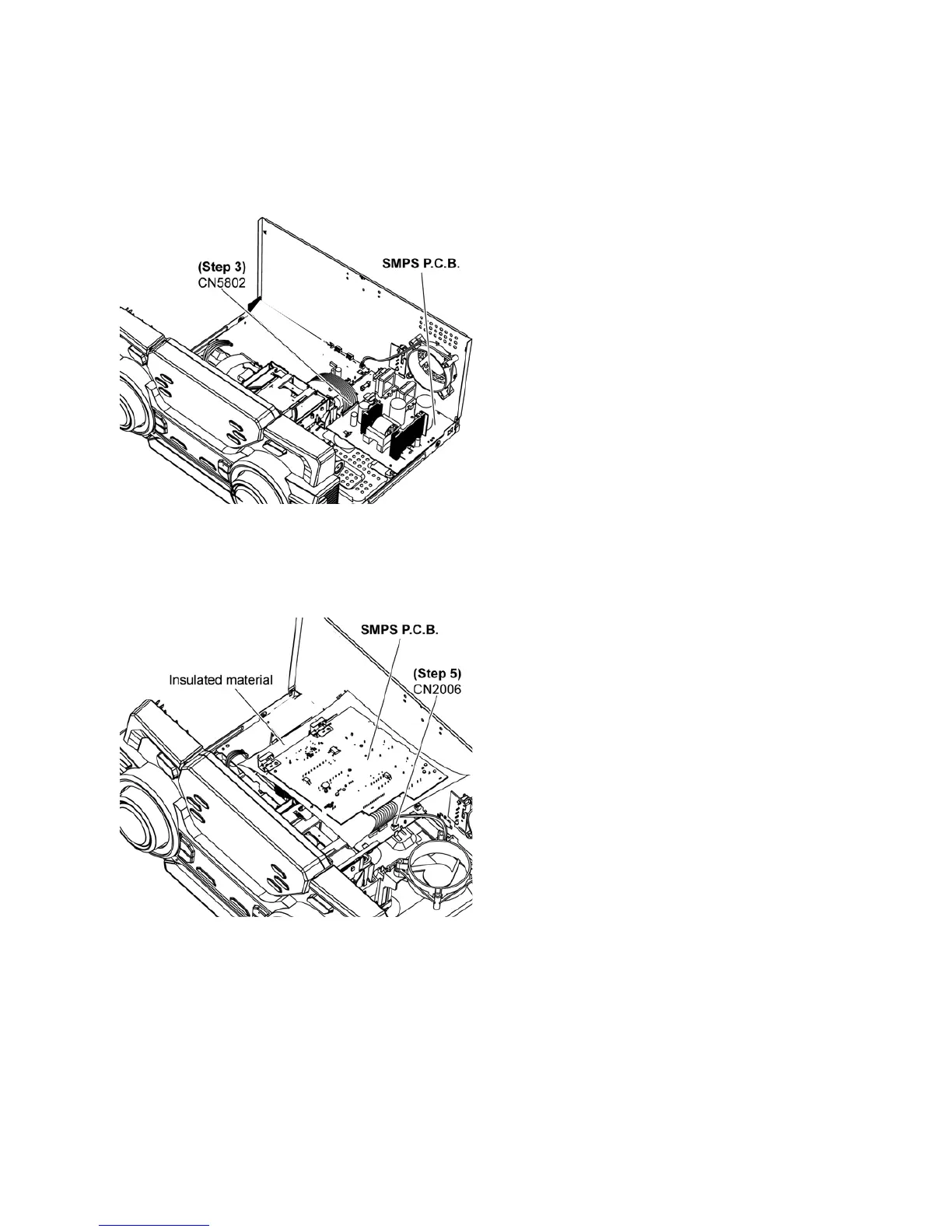
11.4. Checking and Repairing of
SMPS P.C.B.
Step 1 Remove Top Cabinet.
Step 2 Remove SMPS P.C.B..
Step 3 Attach 13P Cable at the connector (CN5802) on the
SMPS P.C.B..
Step 4 Flip the SMPS P.C.B..
Step 5 Attach 2P Wire at the connector (CN2006) on the Main
P.C.B..
Step 6 SMPS P.C.B. can be checked and repaired as diagram
shown.












 To Next Page