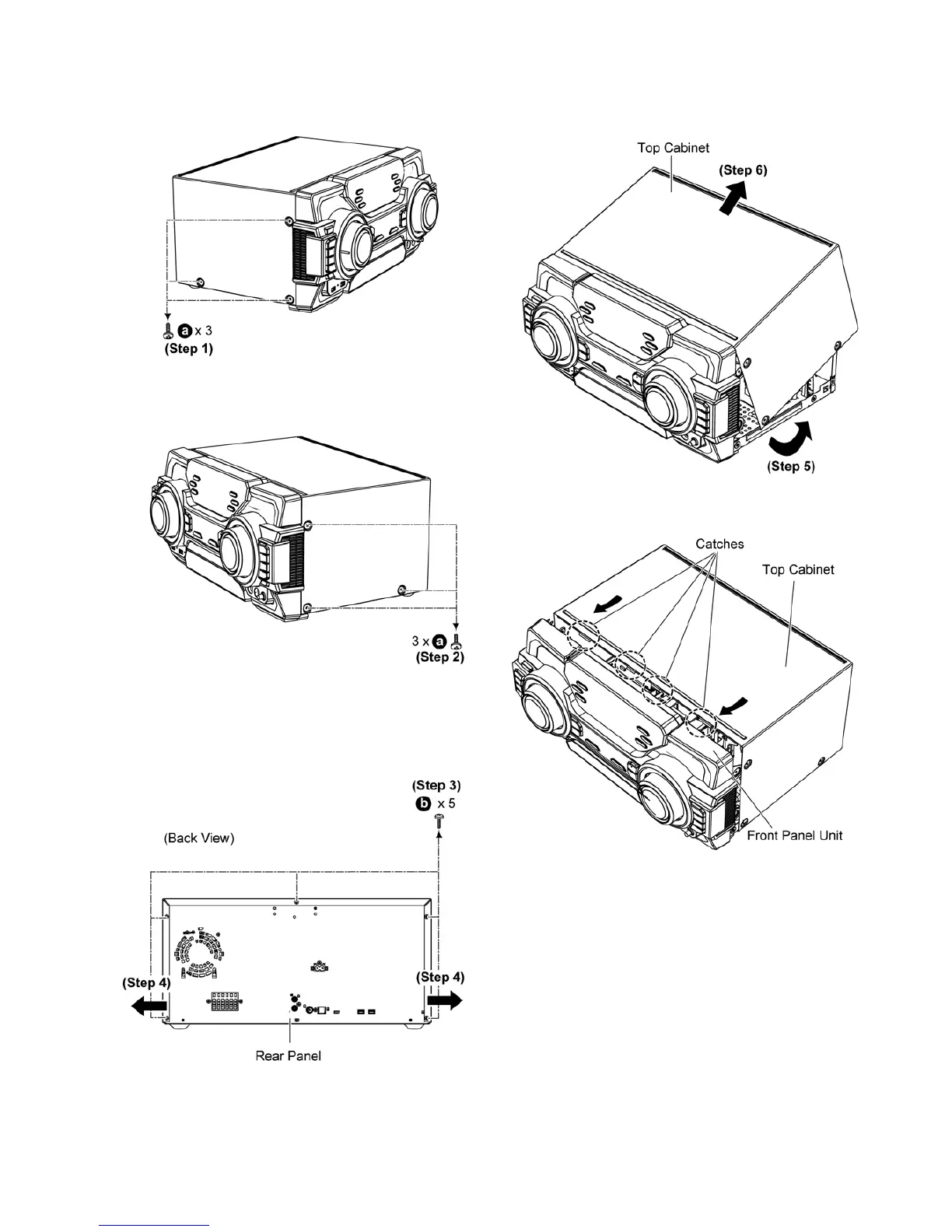
10.4. Disassembly of Top Cabinet
Step 1 Remove 3 screws.
Step 2 Remove 3 screws.
Step 3 Remove 5 screws.
Step 4 Slightly pull both side of Top Cabinet outwards as arrow
shown.
Step 5 Slightly lift up both side of Top Cabinet in an outward
direction as shown.
Step 6 Remove the Top Cabinet.
Caution: During assembling, ensure that the catches of the
Top Cabinet catches are properly located & inserted into
the Front Panel Unit as shown.





 To Next Page