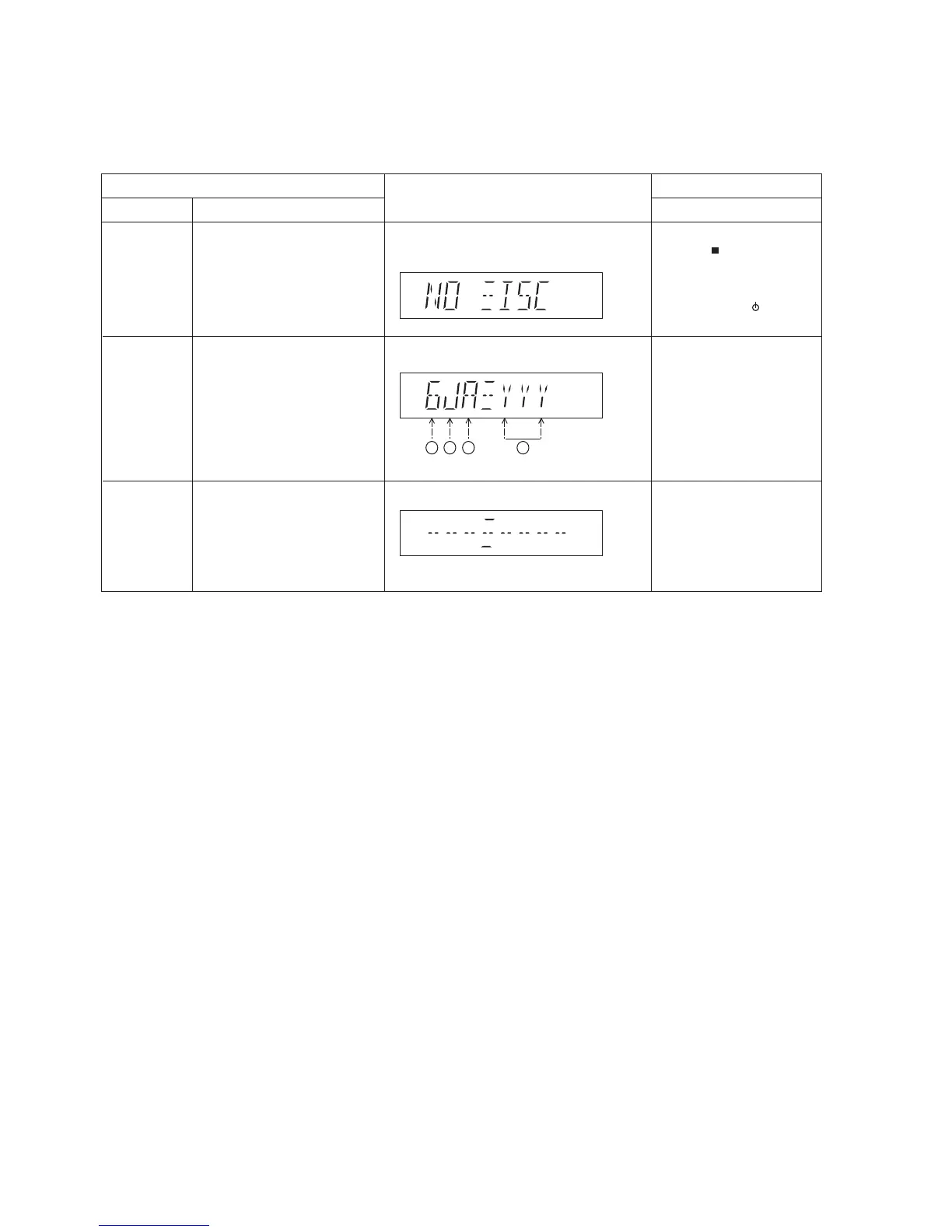
FL Display
Key Operation
Front Key
Item
DescriptionMode Name
Doctor Mode
EEPROM
checksum
check
:edoMDCnIedoMrotcoDotniretneoT
1. Press [ ] button on
main unit follow by [4]
and [7] on remote control.
In CD mode:
1. Enter into Doctor Mode
2. To exit, press [ /I] on main
unit or remote control
Displaying of
1. Year Develop.
2. Model Type.
3. ROM Type.
4. Firmware Version.
(Display 1)
Cold Start
To active cold start upon next AC
power up when reset start is
execute the next time.
In Doctor Mode:
1. Press [4] button on the
remote control.
(Decimal)
1 2 3 4









 To Next Page