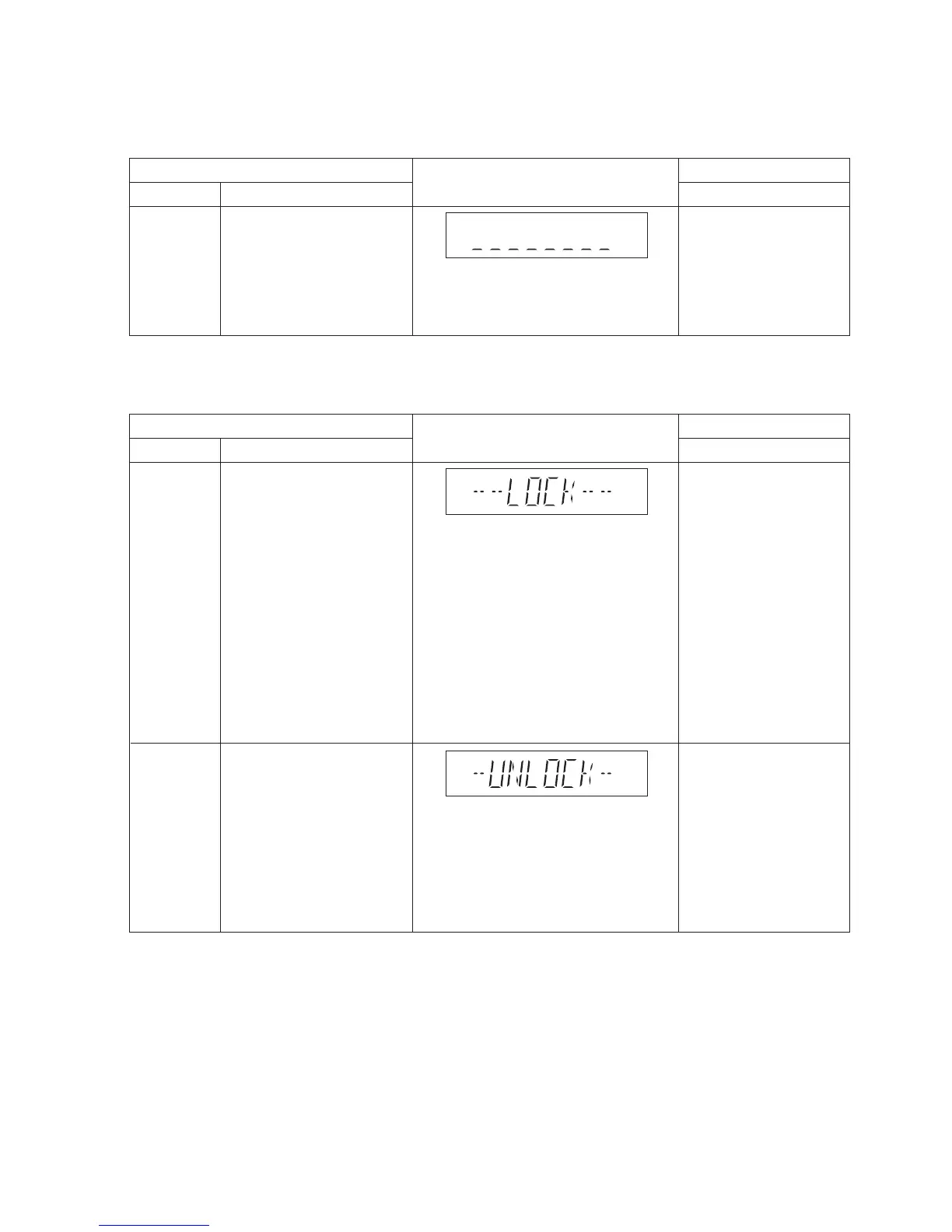
Entering into
Sales
Demonstration
Lock Mode
To enter into the sales
demonstration lock mode.
1. Turn on the unit.
2. Select to any mode
function.
3. Press and hold
[;OPEN/CLOSE] and
[CD/RADIO/AUX] keys for
5 sec or more.
The display will show upon
entering into this mode for
2 sec.
Note: [;OPEN/CLOSE]
button is invalid and the main
unit displays "LOCKED" while
the lock function mode is
entered.
Cancellation of
Sales
Demonstration
Lock Mode
To cancel the sales
demonstration lock mode.
1. Turn on the unit.
2. Select to CD mode function.
3. Set volume to Vol 19.
4. Press and hold
[;OPEN/CLOSE] and
[CD/RADIO/AUX] keys for
5 sec or more.
The display will show upon
entering into this mode for
2 sec.
FL Display
Key Operation
Front Key
Item
DescriptionMode Name




 To Next Page