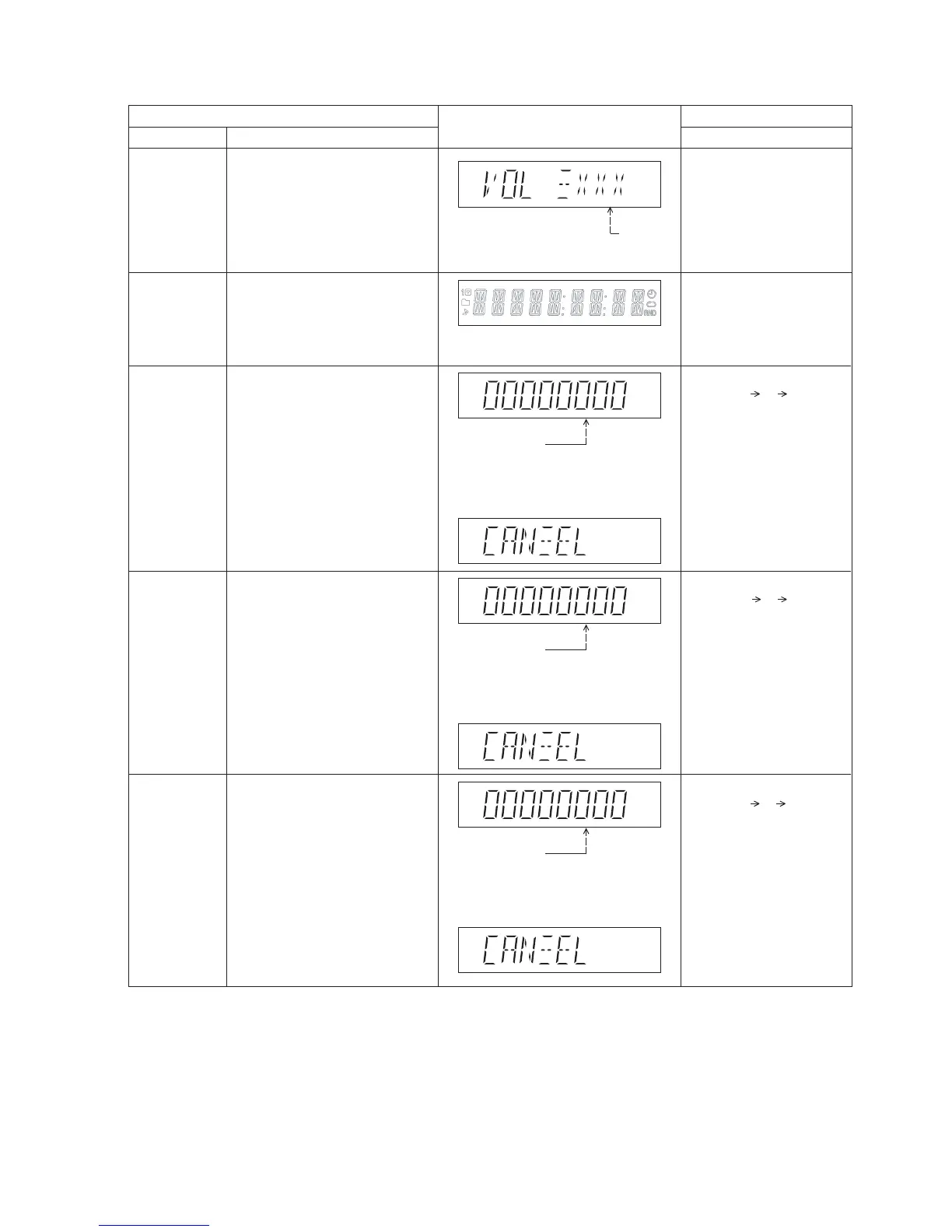
FL Display
Key Operation
Front Key
Item
DescriptionMode Name
Volume Setting
Check
FL Display Check
To check the volume setting of the
main unit.
To check the FL segment display.
All segments will light up while all LED
blink at 0.5s intervals.
In Doctor Mode:
1. Press [7], [8], [9] button on
the remote control.
In Doctor mode:
1. Press [1] button on the
remote control.
2. To cancel this mode, press
[0] button on the remote
control.
Press [7]: VOL50
Press [8]: VOL35
Press [9]: VOL0
Volume
In this mode, the tray will open & close
automatically.
Cancellation Display
Loading Test To determine the open & close
operation of the CD Mechanism Unit.
The counter will
increment by one.
When reach 99999999
will change to 00000000
Cancellation Display
Traverse Test To determine the traverse unit
operation for inner & outer access track.
The counter will
increment by one.
When reach 99999999
will change to 00000000
The counter will
increment by one.
When reach 99999999
will change to 00000000
Cancellation Display
Reliability Test
(Combination)
In this mode, ensure the CD is in the
main unit.
To determine the traverse unit
operation & open/close operation of the
mechanism.
In this mode, ensure the CD is in the
main unit.
In Doctor Mode:
1. Press [10] [2] [1] button
on the remote control.
In Doctor Mode:
2. To cancel this mode, press
[0] button on the remote
control.
2. To cancel this mode, press
[0] button on the remote
control.
2. To cancel this mode, press
[0] button on the remote
control.
1. Press [10] [1] [2] button
on the remote control.
In Doctor Mode:
1. Press [10] [1] [5] button
on the remote control.




 To Next Page