
 To Next Page
L
Lisa RodriguezJul 31, 2025
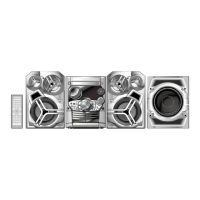
How to fix a Panasonic SC-AK521 remote control that isn't working?
- AaprilvargasAug 1, 2025
Check that the batteries are correctly inserted. Replace the batteries if they are worn.

How to fix a Panasonic SC-AK521 remote control that isn't working?
Check that the batteries are correctly inserted. Replace the batteries if they are worn.
What to do if my Panasonic SC-AK521 Stereo System display lights up and changes continuously, there is no sound, or I hear humming?
This can be caused by shorted speaker wires, excessive volume, power strain, or using the unit in a hot environment. Try these steps: Turn off the demo function (setting the clock will turn it off automatically). Turn the volume up. Switch the unit off, identify and fix the cause, then switch it back on. Check the speaker connections. Ensure that AC power cords or fluorescent lights are not near the cables. Incorrect operation may also be the cause, so read the instructions and try again. If you've just plugged in the unit or had a power failure, set the time. If the problem persists after checking the speaker cords, it may indicate a power supply issue. Consult your dealer.
What to do if my Panasonic SC-AK521 Stereo System display is wrong or play won’t start?
This can occur if the disc is upside down, scratched, warped, or non-standard. Also, condensation may have formed inside the unit. Here are some things to try: Wipe the disc. Replace the disc if needed. Wait about an hour for any condensation to clear. If you're using a CD-RW, ensure it's fully formatted. Note that the unit cannot display the remaining play time for variable bit rate (VBR) tracks. If 'TAKE OUT/DISC' appears, remove the disc, ensure there is no disc in the tray, and close it. The unit should then operate normally.
Why does the picture on my TV disappear or have stripes when using my Panasonic SC-AK521?
This issue can occur if the antenna's location and orientation are incorrect, or if you are using an indoor antenna. If you are using an indoor antenna, switch to an outdoor one. Also, ensure the TV antenna wire is not too close to the unit; separate them.
Instructions for loading, playing, pausing, stopping, and ejecting CDs.
Viewing track information and utilizing repeat playback options.
Using CD Play Mode to choose particular tracks, albums, or discs.
Using specific play modes like 1-ALBUM and 1-SONG with MP3 discs.
Creating custom playback sequences for MP3 tracks.
Scanning album intros to identify desired music content.
Managing and replaying programmed MP3 track sequences.
Finding albums by entering partial keywords of their titles.
Finding tracks by entering partial keywords of their titles.
Guide to inputting characters for title search operations.
Modifying or deleting characters entered during title search.
Storing and retrieving specific tracks for quick playback.
Steps for manually tuning into FM and AM radio broadcasts.
Automatically and manually setting radio stations for easy access.
Instructions for playing tapes, selecting decks, and using reverse playback.
Steps for recording audio from various sources onto cassette tapes.
Using PRESET EQ and SUPER SOUND EQ for customized audio output.
Enabling karaoke and selecting voice modes like V.MUTE.
Connecting and playing audio from external sources via the AUX input.
Connecting headphones and controlling the unit's demonstration mode.
Adjusting display brightness, modes, and muting the audio volume.
Programming the unit to automatically play or record at scheduled times.
Configuring the unit to turn off automatically after a set duration.
Resolving common issues like display anomalies, no sound, or humming.
Troubleshooting radio reception, TV interference, and playback problems.
Resolving remote control malfunctions and basic unit cleaning advice.
Detailed specifications for amplifier output, tuner ranges, and speaker characteristics.
Specifications for the cassette deck, power supply, and overall unit dimensions.
 General
| Brand | Panasonic |
|---|---|
| Model | SC-AK521 |
| Category | Stereo System |
| Language | English |