RQT7418
9
ENGLISH
Program play
You can program up to 24 tracks.
Remote control only
Preparation: Press [
::
::
:/
JJ
JJ
J, CD] and then [L, CLEAR].
Press [PROGRAM].
“PGM” appears.
Press [DISC] and (within 10 seconds) [1]–[5] to select the
disc.
Select the tracks with the numbered buttons.
To select track 10 or over, press [
X
10] then the two digits.
Repeat steps 2 and 3 to program other tracks.
Press [:/J, CD] to start play.
To exit program mode
Press [PROGRAM] in the stop mode. (You can replay your program
by pressing [PROGRAM] then [:/J, CD].)
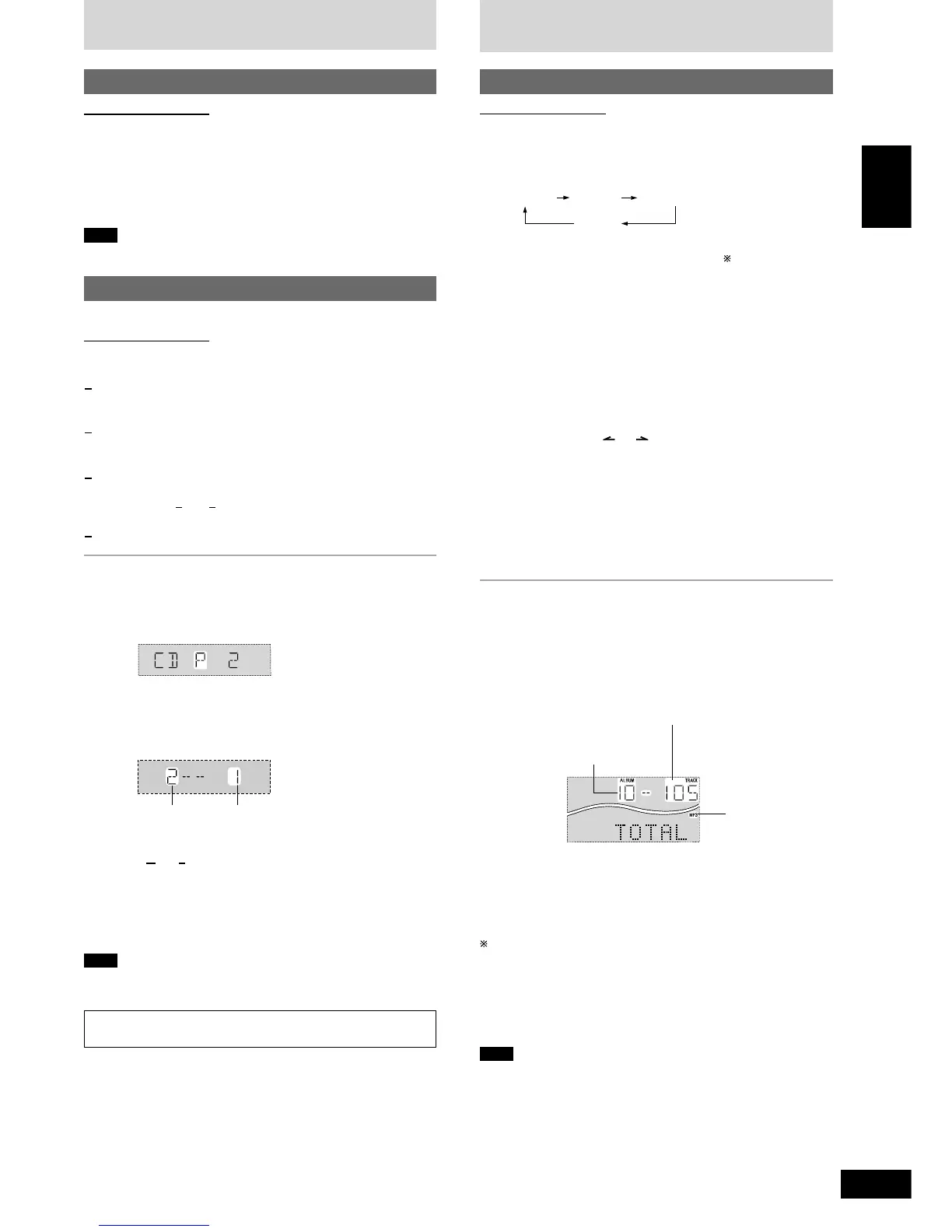
You can do the following while “P” is displayed
•
To check program contents
Press [g, REW/3] or [f, 4/FF].
Every time you press the button, the track number and program
order are displayed.
•
To add to the program
Do steps 2 and 3.
•
To clear the last track
Press [DEL].
•
To clear all tracks
Press [L, CLEAR].
While “CLEAR ALL” is blinking, press the button again to clear all tracks.
Note
•
You can use repeat mode with program play.
•
You cannot program CD-DA together with MP3 tracks.
To mark a track
See page 12.
1
2
3
4
CD Play Mode function for MP3
Remote control only
Preparation: Press [:/J, CD] and then [L, CLEAR].
1 Press [PLAY MODE] to select the desired mode.
Every time you press the button:
ALL-DISC 1-ALBUM1-SONG
1-DISC
ALL-DISC: Plays all loaded discs in succession from the
selected disc to the final disc .
1-SONG: Plays one selected track on the selected disc.
1-ALBUM: Plays one selected album on the selected disc.
1-DISC: Plays one selected disc.
(The original display is restored in about 2 seconds.)
2 Press [DISC] and (within 10 seconds) [1]–[5] to select the
disc.
The CD starts.
3 When you selected “1-ALBUM” or “1-SONG” in step 1
Press [ALBUM ( or )] to select the album.
Play starts from the first track of the selected album.
4 When you selected “1-SONG” in step 1
Press the numbered buttons to select the track in the
current album.
To select track 10 or over, press [
X
10] once then the two digits.
To select track 100 or over, press [
X
10] twice then the three digits.
Play starts from the selected track.
To stop play
Press [L, CLEAR].
L Display when in the stop mode (example)
File format indicator
“MP3”: Indicates the disc contains MP3 files
Starting play from a specific track
Remote control only
1 Press [DISC] and (within 10 seconds) [1]–[5] to select the
disc.
2 Select the track with the numbered buttons.
To select track 10 or over, press [
X
10] then the two digits.
Play starts from the selected track.
Note
You cannot use this function with 1-RANDOM or A-RANDOM mode.
CDs
How discs with MP3 differ from CDs
When playback ends
The current play mode will be retained in memory until it is changed
even if the unit is turned off.
Final disc
For example, if play starts from disc 4, disc 3 will be the “final disc”.
Order of progression: Disc 4z5z1z2z3
L When “NOT MP3/ERROR1” appears on the display
An unsupported MP3 format is being played. The unit will skip that
track and play the next one.
Note
•
You can use repeat mode (A page 8) with CD Play Mode function.
•
You cannot use program mode together with CD Play Mode function.
Total number of tracks
(on the current disc)
Total number of albums
(on the current disc)
File format indicator
Track number Program order








 To Next Page