RQT7418
11
ENGLISH
Starting play from a desired track in a
desired album
Remote control only
Preparation: Press [:/J, CD] and then [L, CLEAR].
1 Press [ALBUM ( or )] and then the numbered
buttons to select the album.
To select album 10 or over, press [>10] once then the two digits.
To select album 100 or over, press [>10] twice then the three
digits.
Play starts from the first track of the selected album.
2 Press the numbered buttons to select the track in the
current album.
To select track 10 or over, press [>10] once then the two digits.
To select track 100 or over, press [>10] twice then the three digits.
Play starts from the selected track.
Title search function
You can search for your desired album/track with its keyword (part of
the title).
Album title search
Preparation: Press [:/J, CD] and then [L, STOP].
1 Press [TITLE SEARCH]
once.
2 Enter the characters of the keyword for the album
title. (A see right: “Entering characters”)
3 Press [ENTER].
Album title search starts.
To show the next/previous album title search result
Push the joystick right ([f, CURSOR]) (next) or left ([g,
CURSOR]) (previous). (You can also press [
g/REW/3] or
[f/FF/4].)
Remote control: Press [f, 4/FF] (next) or [g, REW/3]
(previous)
.
Press [:/J, CD] to start play from the album found.
Play starts from the first track of the album.
(Title search mode is cancelled.)
To cancel partway through
Press [L, STOP].
When there is no match for the searched keyword, the display shows
“NOT FOUND”.
Note
You cannot use title search function in program mode.
(Continued on next page)
T
rack title search
Preparation: Press [:/J, CD] and then [L, STOP].
1 Press [TITLE SEARCH]
twice.
2 Enter the characters of the keyword for the track title.
(A see below: “Entering characters”)
3 Press [ENTER].
Track title search starts.
To show the next/previous track title search result
Push the joystick right ([f, CURSOR]) (next) or left ([g,
CURSOR]) (previous). (You can also press [
g/REW/3] or
[f/FF/4].)
Remote control: Press [f, 4/FF] (next) or [g, REW/3]
(previous).
Press [:/J, CD] to start play from the track found.
(Title search mode is cancelled.)
To cancel partway through
Press [L, STOP].
When there is no match for the searched keyword, the display shows
“NOT FOUND”.
Note
You cannot use title search function in program mode.
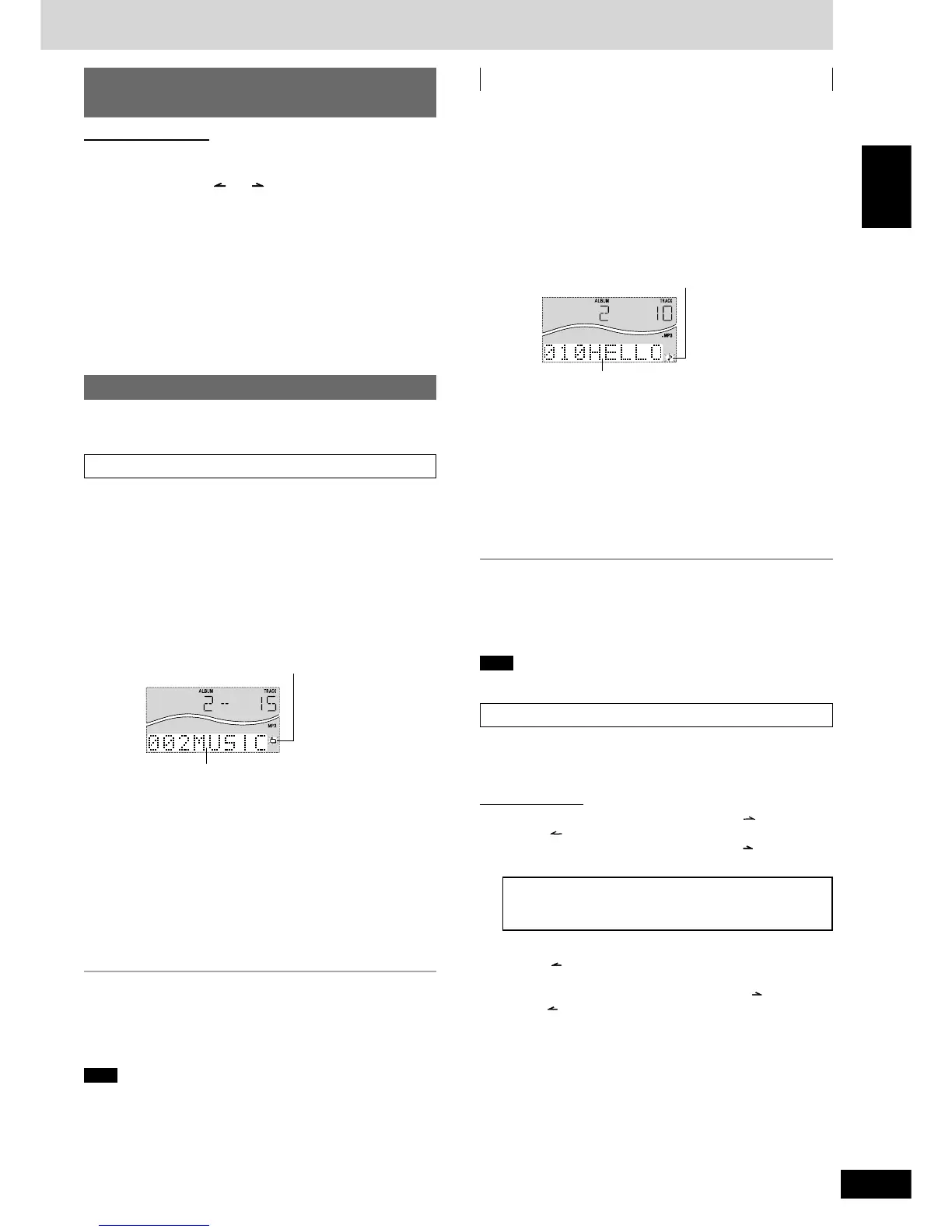
Blinks to indicate album title search mode
Matched album title
Matched track title
Blinks to indicate track title search mode
Entering characters
You can enter keyword of up to 8 characters for album/track title
search. You can only enter upper case letters but the unit also searches
for lower case.
On the main unit
11
11
1
Push the joystick up/down ([ALBUM /CHARA] or
[ALBUM /CHARA]) to select the required character.
Each time you push the joystick up ([ALBUM /CHARA]), the
characters change in the following order.
ABCDEFGHIJKLMNOPQRSTUVWXYZ
1234567890
space
! ”#$ %&’()∗ +,– ./:;<= > ?_ `
The sequence is reversed if you push the joystick down
([ALBUM /CHARA]).
If you hold the joystick up/down ([ALBUM /CHARA] or
[ALBUM /CHARA]), the characters change faster.
22
22
2 Push the joystick right ([f, CURSOR])
to enter the
character.
Repeat steps 1~2 to complete the keyword.








 To Next Page