16
VQT3M52
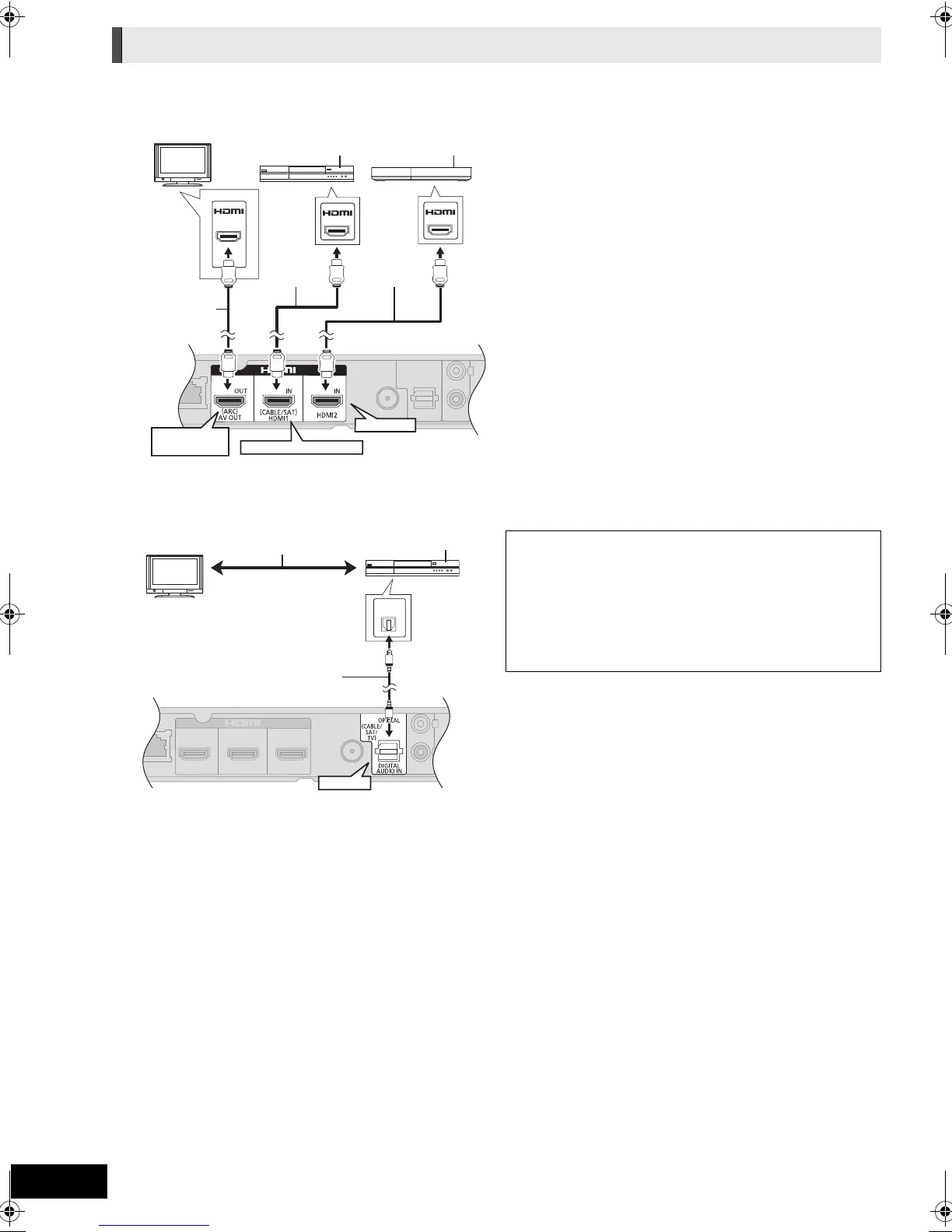
∫ When the connecting devices have an HDMI terminal
[BTT362]
A HDMI cable (not supplied)
B Set Top Box (Cable/Satellite), etc.
C Other devices (Video game, etc.)
≥ Make sure that the HDMI cable connection is made to enjoy
the videos from the Set Top Box, etc. Furthermore, select
“HDMI Input1” or “HDMI Input2” as a source.
HDMI Standby Pass-Through (> 42)
Even if this unit is in standby mode, a device connected with
this unit can output videos and sound to the TV.
Moreover, you can switch the HDMI input terminal by pressing
[EXT-IN] on the remote control.
≥ Sound will not be output from this unit’s speakers.
∫ When the connecting devices do not have an HDMI terminal
A Refer to the operating instructions of the
respective devices for the optimal connections.
B Optical digital audio cable (not supplied)
C Set Top Box (Cable/Satellite), etc.
Connection with Set Top Box, etc.
AV IN
(ARC)
AV OU T
AV OU T
HDMI IN 2
HDMI IN 1(CABLE/SAT)
HDMI AV OUT
(ARC)
To enjoy TV audio from this home theatre
system’s speakers:
1 Connect the STB and the main unit with the
Optical digital audio cable (not supplied).
2 Select “DIGITAL IN” or “D-IN” as a source
(> 23).
SCBTT362_262_EB_VQT3M52_eng.book 16 ページ 2011年1月25日 火曜日 午後8時22分



 To Next Page