Getting started TV Radio PlaybackOther devices
Advanced operations
Reference
Optional speaker
settings
5
VQT3M52
Table of contents
Safety precautions............................................ 2
Caution for AC Mains Lead .............................. 3
Getting started
Accessory......................................................... 6
Unit and media care ......................................... 7
Using the remote control .................................. 7
Control reference guide.................................... 8
•Remote control ................................................................. 8
•Main unit (Front) ............................................................... 9
•Main unit (Rear)................................................................ 9
Playable discs/Cards/USB devices ................ 10
STEP 1: Preparing the speakers.................... 12
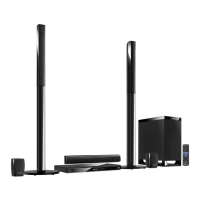
•Assembling the speakers [BTT362].................................. 12
STEP 2: Positioning ....................................... 13
STEP 3: Connections ..................................... 13
•Speaker cable connection .............................................. 13
•Connection to a TV......................................................... 14
•Connection with Set Top Box, etc. ................................. 16
•Connection to a broadband network............................... 17
•Radio antenna connection.............................................. 18
STEP 4: AC mains lead connection ............... 18
STEP 5: Easy setup ....................................... 19
•Network Easy Setting ..................................................... 20
•Firmware updates........................................................... 22
•Reprogramming the remote control................................ 22
Inserting or removing media........................... 22
HOME menu................................................... 23
Enjoying sound effects from all speakers....... 24
•Enjoying surround sound effects .................................... 24
Playback
Playing video contents ................................... 25
•Other operations during play .......................................... 25
•Useful functions .............................................................. 26
•Enjoying BD-Live or picture-in-picture in BD-Video........ 27
•Regarding DivX .............................................................. 28
Playing music ................................................. 28
•Playing a track in another folder..................................... 28
Enjoying 3D video .......................................... 29
•3D settings ..................................................................... 29
•Useful functions .............................................................. 29
Playing still pictures........................................ 30
•Useful functions .............................................................. 30
Radio
Listening to the Radio..................................... 31
•Presetting stations automatically.................................... 31
•Presetting stations manually........................................... 31
•Listening/confirming the preset channels ....................... 31
•RDS broadcasting .......................................................... 31
TV
Enjoying TV with unit’s speakers .................... 32
•Surround sound effects.................................................. 32
•Sound modes................................................................. 32
Linked operations with the TV
(VIERA Link “HDAVI Control
TM
”)..................... 32
•Setting the audio link...................................................... 32
•Easy control only with VIERA remote control ................ 33
Other devices
Using the iPod/iPhone .................................... 34
•iPod/iPhone Connection ................................................ 34
•iPod/iPhone Playback .................................................... 35
Advanced operations
Enjoying VIERA CAST ................................... 36
Playing back contents on the DLNA server
(DLNA)............................................................ 37
Playback menu ............................................... 38
Setup menu .................................................... 39
Optional speaker settings
Speaker installation option ............................. 44
Reference
Troubleshooting guide .................................... 45
Messages ....................................................... 48
Specifications ................................................. 49
Supplemental information ............................... 50
Index ............................................................... 51
Glossary
Refer to following site for technical terms.
http://www.panasonic.co.uk/html/en_GB/Technology/
0-9/217724/index.html
SCBTT362_262_EB_VQT3M52_engTOC.fm 5 ページ 2011年1月25日 火曜日 午後8時27分





 To Next Page