Other devices
37
VQT3M06
Preparation
≥ Make sure that the “IPOD” source is selected. Press [iPod] to
select the source.
≥ To view photos/videos from the iPod/iPhone
Operate the iPod/iPhone menu to make the appropriate
photo/video output settings for your TV.
≥ To display the picture, turn on the TV and select the
appropriate video input mode.
1 Press [iPod] to select “IPOD”.
2 Press [STATUS] several times to select the
music menu or videos menu.
≥ You can also select “Videos” or “Music” by using HOME
menu. (> 25)
3 Press [3, 4] to select an item and press
[OK].
≥ Repeat this step until the selected title starts playback.
≥ Press [2, 1] to display the previous or next page.
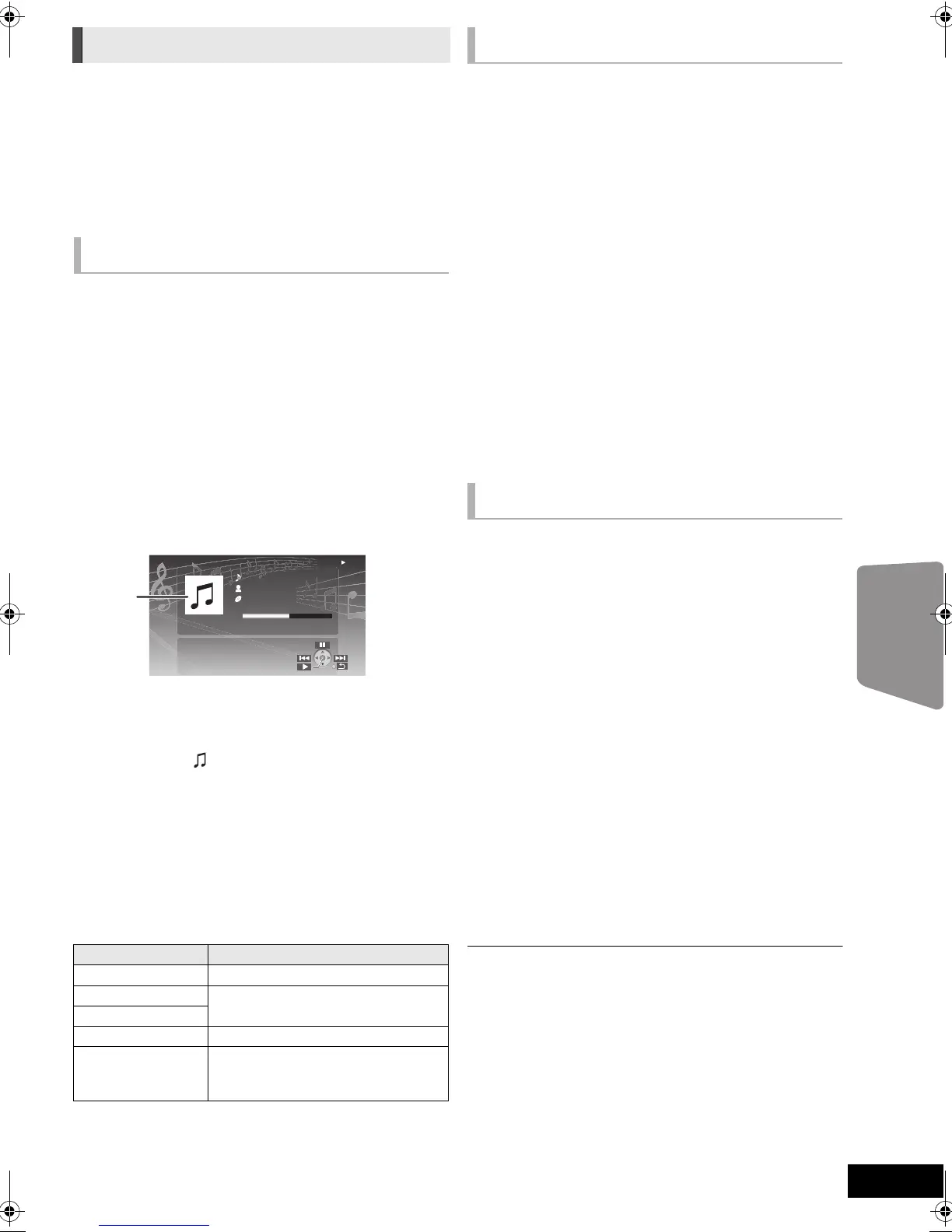
e.g., music playback screen
To exit, press [RETURN].
Basic controls
(For music and video playback only)
1 Press [iPod] to select “IPOD”.
2 Press [STATUS] several times to select
“ALL” on the unit’s display.
≥ You can also select “All” by using HOME menu. (> 25)
3 Switch the TV input to video in.
4 Play a slideshow on your iPod/iPhone.
The picture will be displayed on your TV.
To use the iPod touch/iPhone features
1 Press the Home button on the iPod touch/iPhone.
2 Select the iPod touch/iPhone features on the touch screen
to operate.
You can use the remote control to operate the iPod/iPhone
menu.
The operation may vary among iPod/iPhone models.
≥ [3, 4]: To navigate menu items.
≥ [OK]: To go to the next menu.
≥ [RETURN]: To return to the previous menu.
1 Press [OPTION].
2 Press [3, 4] to select the item and press
[OK].
Play Mode
Shuffle (For music playback only.)
Songs:
Play all songs on iPod/iPhone in random order.
Albums:
Play all songs on an album in random order.
Repeat
One:
Play a single song/video repeatedly.
All:
Play all songs/videos from selected items (e.g., Playlists,
Albums, etc.) repeatedly.
iPod Information
Display the firmware version of iPod/iPhone.
3 Press [3, 4] to select the setting and press
[OK].
≥ The setting of the playback mode will be kept until changes are made on
the same iPod/iPhone.
≥ This function does not work when “All” is selected.
≥ Surround sound effect and sound mode are available (> 26).
iPod/iPhone Playback
Enjoy music/video
A Album artwork
≥ If album artwork is contained in the data of a song, it
will be appear on the TV. If there is no album
artwork, “ ” will be appear on TV.
≥ Depending on the software version of your iPod/
iPhone, the album artwork may not appear properly.
≥ It may take time to read the album artwork.
≥ Some operations may not work while reading the
album artwork.
Buttons Functions
[1PLAY] Play
[∫STOP]
Pause
[;PAUSE]
[:, 9] Skip
(Press and hold)
[SEARCH6,
SEARCH5]
Search
iPod
Ronaldo
-2:30
Good morning
45 of 1230
Happy days
1:00
Enjoy photos
Other methods of playback
SCBTT775_770_370_270EBEPGN_VQT3M06.book 37 ページ 2011年1月18日 火曜日 午後6時14分




 To Next Page