Memory
presetting
When you preset
broadcast frequencies to the memory, you
can
then easily select any of those broadcast frequencies by
pressing
one of the
preset-tuning
buttons on the
remote control or
by
using
the
jog
dial.
You can input
up to 30
radio stations
(10
FM, 10 LW and 10 MW)
into the tuner's preset memory.
(When you memorize
a
new frequency on a preset
channel,
it
cancels the frequency
previously memorized on that preset
channel.)
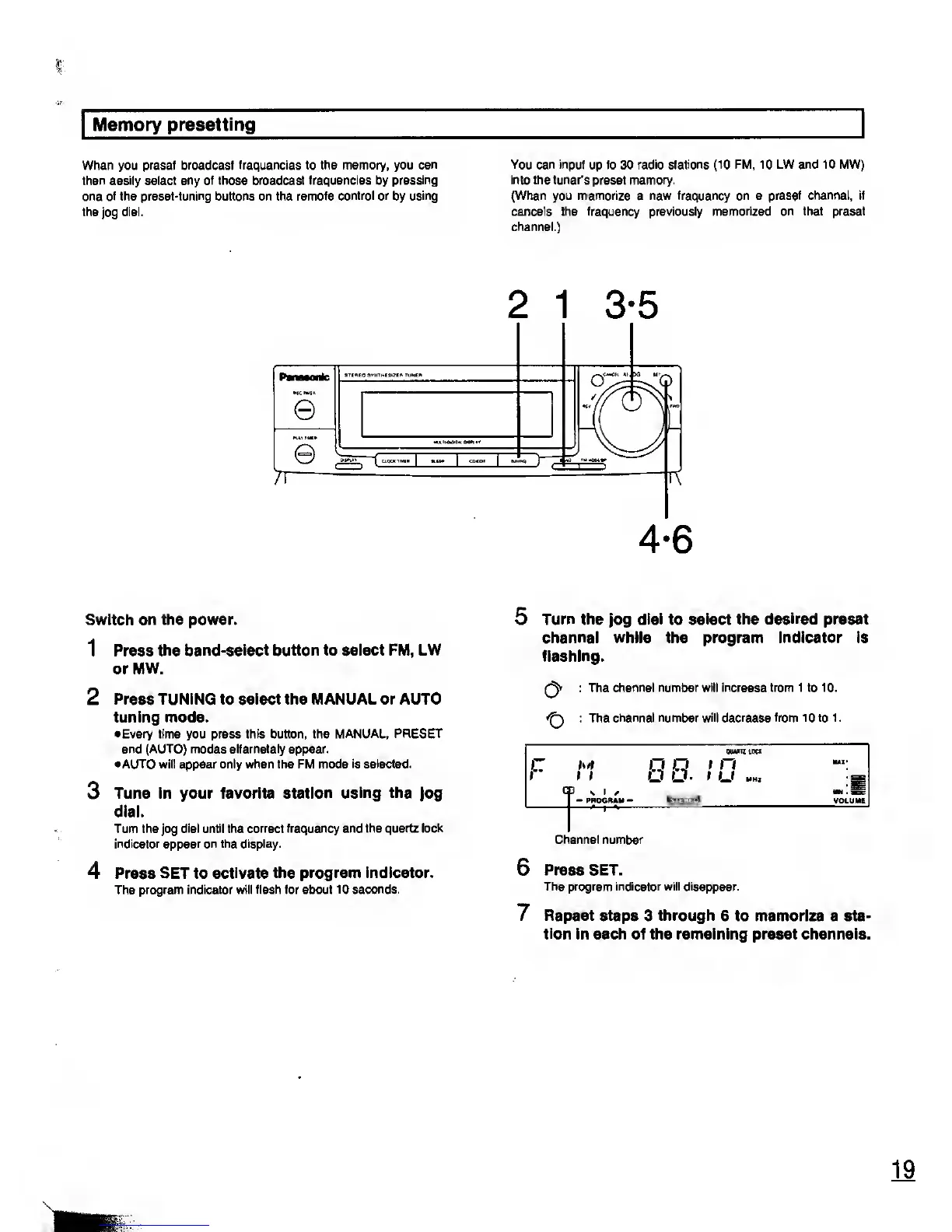
Switch
on the power.
1 Press
the band-select button to select FM, LW
or MW.
2
Press TUNING to select the MANUAL or AUTO
tuning mode.
•Every time you press this button, the
MANUAL, PRESET
and (AUTO) modes alternately appear.
•AUTO will appear only when the FM mode
is
selected.
3 Tune in your favorite station
using the
Jog
dial.
Turn the jog
dial until
the
correct frequency and the quartz lock
indicator appear on the display.
4 Press SET to
activate the program indicator.
The
program indicator will flash for about
10 seconds.
4-6
5
Turn the
jog
dial
to
select the desired preset
channel while the program Indicator is
flashing.
r^v
: The channel
number will increase from 1 to 10.
: The channel number
will
decrease
from 10 to 1
.
M
I f
-
PROGRAM
-
88
i
n
I
U
UNI
Channel number
Press SET.
The program indicator will disappear.
Repeat steps
3
through
6 to memorize a sta-
tion
in each of the remaining preset channels.










 To Next Page