1
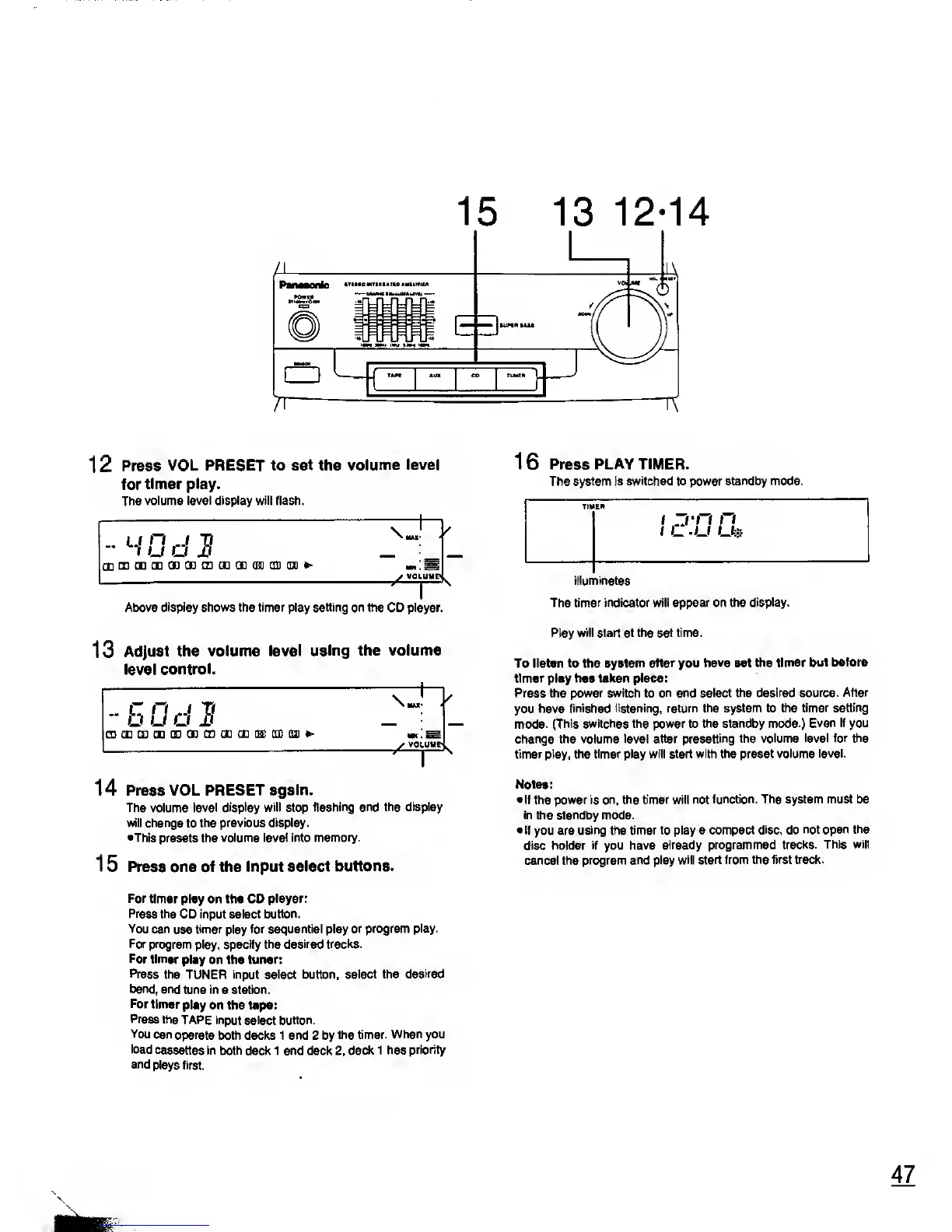
2 Press
VOL PRESET to set the
volume level
for
timer play.
The volume
level display will flash.
\
J
V
u u
^CEQDGDCDCBCDCtlQDQJDQIflJD*'
-•
H
Above display shows the timer play setting on the CD player.
13
Adjust
the volume level
using the volume
level
control.
1 4 Press VOL
PRESET again.
The volume
level display will stop
flashing and the display
will change
to
the previous display.
•This
presets the
volume level into
memory.
15 Press one of the input
select buttons.
For
timer play on the CO
player:
Press the
CD input select
button.
You
can
use
timer
play
for sequential play
or program
play.
For program
play, specify the
desired tracks.
For
timer
play on the tuner:
Press
the TUNER input select button,
select the
desired
band,
and
tune in a station.
For
timer
play on the tape:
Press
the
TAPE input select button.
You
can
operate
both
decks 1 and 2 by
the timer.
When you
load
cassettes in
both deck 1 and deck 2,
deck 1 has
priority
and
plays first.
16 Press PLAY TIMER.
The system is switched to power standby
mode.
illuminates
The
timer indicator will appear on the display.
Play
will start at the set time.
To listen to the system
after you have set the timer
but before
timer play
has taken place:
Press the power
switch
to
on and select the desired source.
After
you have finished
listening, return the system to the
timer setting
mode.
(This switches the power to the standby mode.)
Even if you
change the volume level after
presetting the volume level
for the
timer play, the
timer
play
will start with the preset volume
level.
Notes:
•
If the power is on, the timer will not
function. The system must be
in the standby mode.
•If you are
using
the
timer to play a compact
disc,
do
not open the
disc holder if you
have already programmed
tracks. This will
cancel the
program and play will
start from the first track.










 To Next Page