To
use the sleep
timer
You
can
use
this timer
function to
switch the power
to the standby
Use the sleep timer to switch
the power
to the standby
mode
mode
at
a
desired time
(within
a
range
of
1
minute
to 120 minutes
automatically in
case you fall asleep while
listening,
from
the
present time).
(Step
6 also avaliabie from the remote
control.)
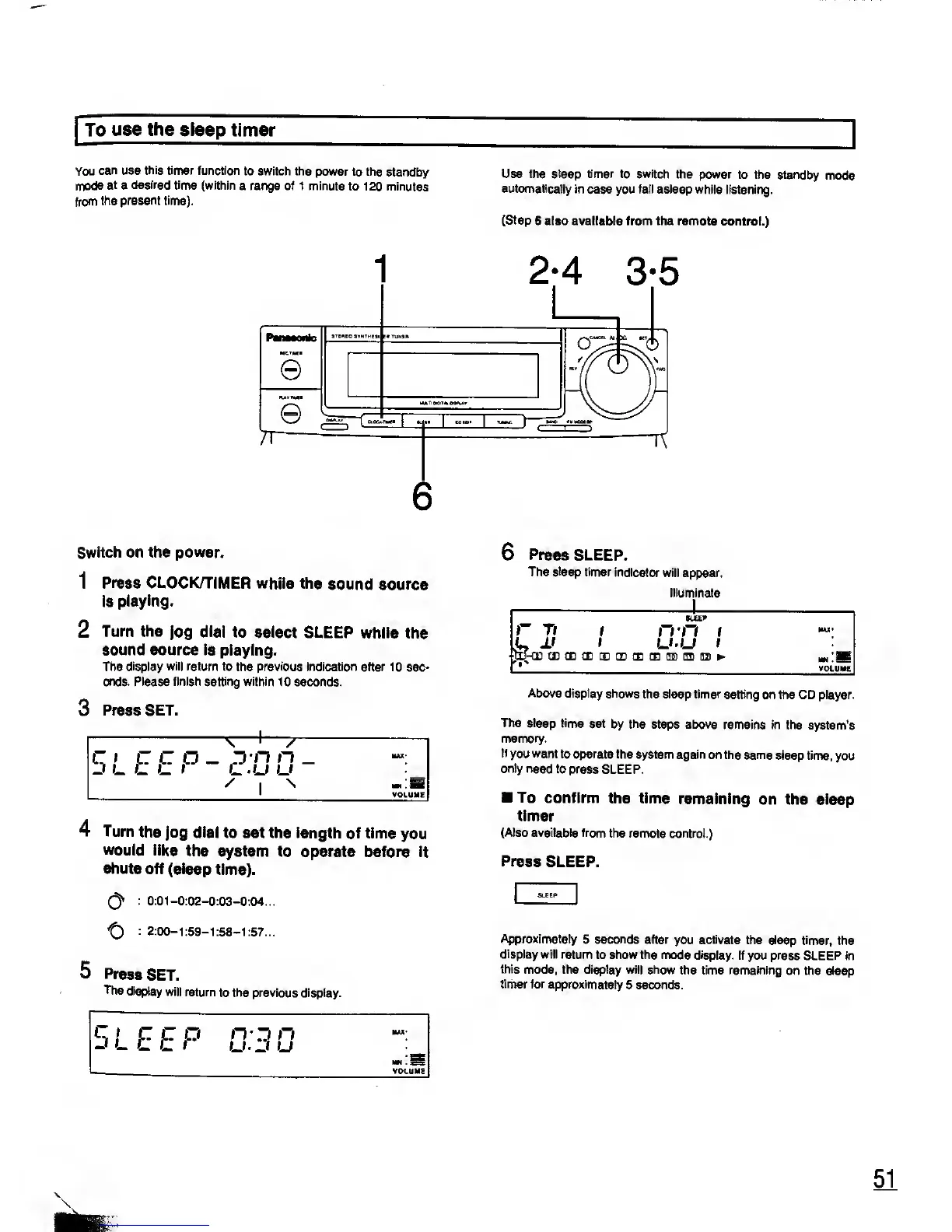
2-4 3-5
Switch
on the power.
1
Press CLOCK/TIMER
while
the
sound source
is
playing.
2
Turn the
jog
dial
to select
SLEEP
while the
sound source is
playing.
The
display will return
to the previous indication after
10 sec-
onds. Please finish setting within
10 seconds.
3
Press SET.
+
"X
-
—
'
—
A
Zi
— D'H
n
cu u
'
i
s
SLEEP
4
Turn
the jog dial
to set the length
of time
you
would like
the
system to
operate before it
shuts
off (sleep
time).
(3*
:
0:01-0:02-0:03-0:04...
: 2:00-1:59-1:58-1:57...
5 Press
SET.
The
display
will
return
to the previous display.
SLEEP
u.J u
6
Press
SLEEP.
The sleep
timer indicator
will
appear.
illuminate
SLEEP
r
77 /
n n /
MAX*
jj
i
LUJ
i
lEME d(3DCE[BtIDQDtE(n)(IICn)»>
MM
! S
VOLUME
Above display shows
the sleep timer setting
on the CD player.
The sleep
time set
by
the
steps above
remains in the
system's
memory.
If
you want to operate
the system again
on the same
sleep time,
you
only need
to press
SLEEP.
To
confirm
the time
remaining
on the sleep
timer
(Also available
from the remote control.)
Press
SLEEP.
Approximately
5
seconds
after
you
activate
the sleep timer,
the
display will return
to show the mode display.
If you press
SLEEP in
this
mode, the display will show
the time remaining
on the sleep
timer
for approximately
5 seconds.










 To Next Page