EasyManua.ls Logo

Panasonic SC-CH11 - To Change the Time Remaining on the Sleep Timer; To Cancel the Sleep Timer Mode; To Use Sleep Timer with Timer Play or Recording

Panasonic SC-CH11
51 pages
Print Icon
To Next Page IconTo Next Page
To Previous Page IconTo Previous Page
Loading...
Using
the
Timer
(continued)
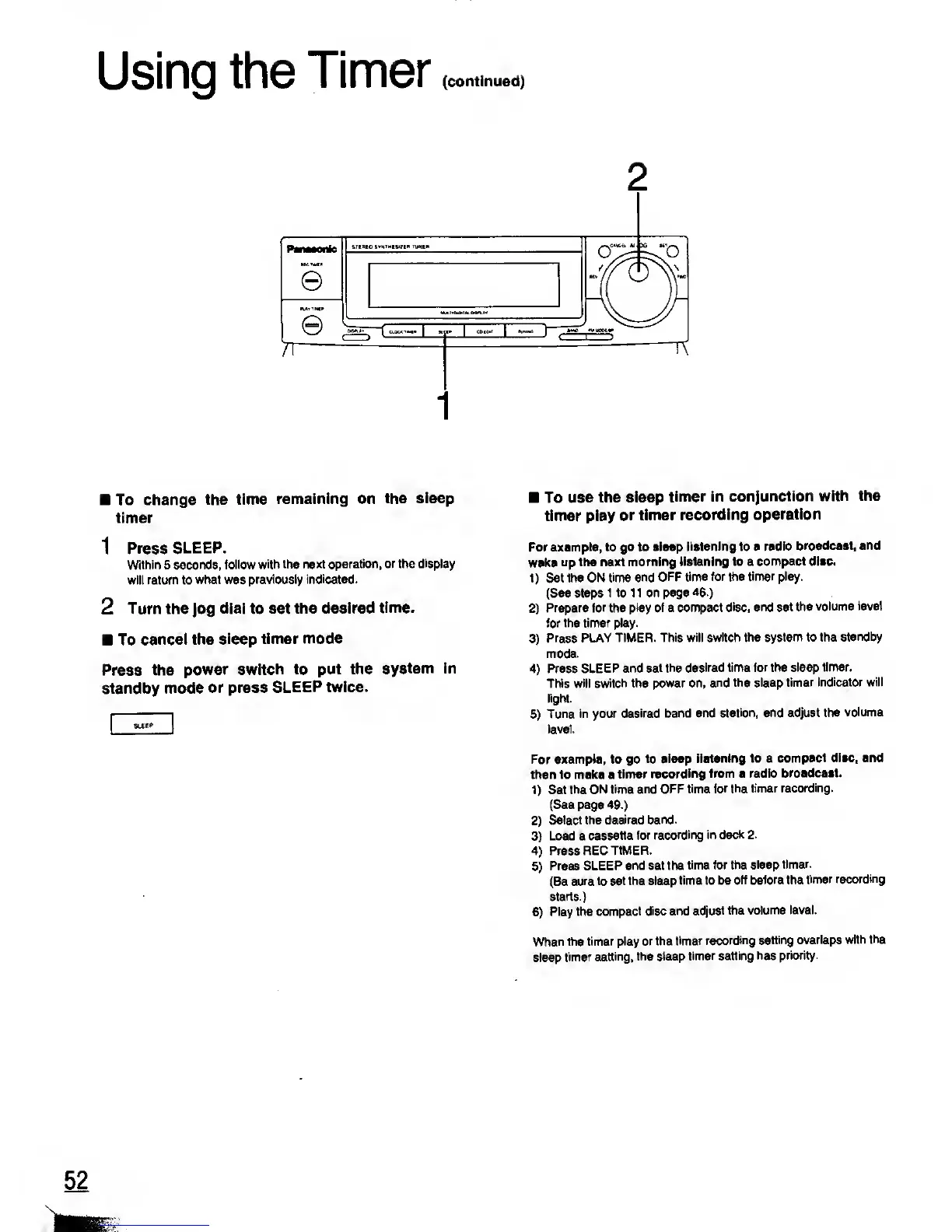
To change
the time
remaining
on the
sleep
timer
1 Press
SLEEP.
Within 5
seconds, follow
with the next operation, or
the display
will return to
what was previously indicated.
2 Turn
the
Jog
dial to set
the desired
time.
To
cancel the
sleep timer
mode
Press
the
power
switch
to
put the
system in
standby mode
or press
SLEEP twice.
To
use the sleep
timer in
conjunction
with the
timer play
or timer
recording
operation
For
example, to go to sleep
listening to a radio
broadcast, and
wake
up the next
morning
listening
to a
compact disc.
1)
Set the ON
time and OFF time for the
timer play.
(See steps
1 to 1 1 on page 46.)
2)
Prepare for the
play of
a
compact disc,
and set the
volume level
for the timer
play.
3)
Press PLAY TIMER.
This will switch the
system to the
standby
mode.
4)
Press
SLEEP and set
the desired time
for
the
sleep timer.
This will
switch the power on,
and the sleep
timer indicator will
light.
5)
Tune in your
desired band and
station, and adjust the
volume
level.
For example, to go
to sleep
listening to a
compact disc, and
then to make a
timer
recording from a radio
broadcast.
1)
Set
the ON time
and OFF time
for the timer
recording.
(See page
49.)
2)
Select the
desired band.
3)
Load a
cassette for
recording in
deck 2.
4)
Press REC
TIMER.
5)
Press SLEEP
and set the
time for the
sleep
timer.
(Be sure
to set the sleep
time to be
off before the
timer
recording
starts.)
6)
Play
the
compact disc and
adjust the
volume level.
When the timer
play or the
timer recording
setting
overlaps with
the
sleep
timer
setting, the sleep
timer setting
has priority.

Related product manuals