Front Panel
Controls
and Functions
(continued)
Amplifier
Amplifier controls
©
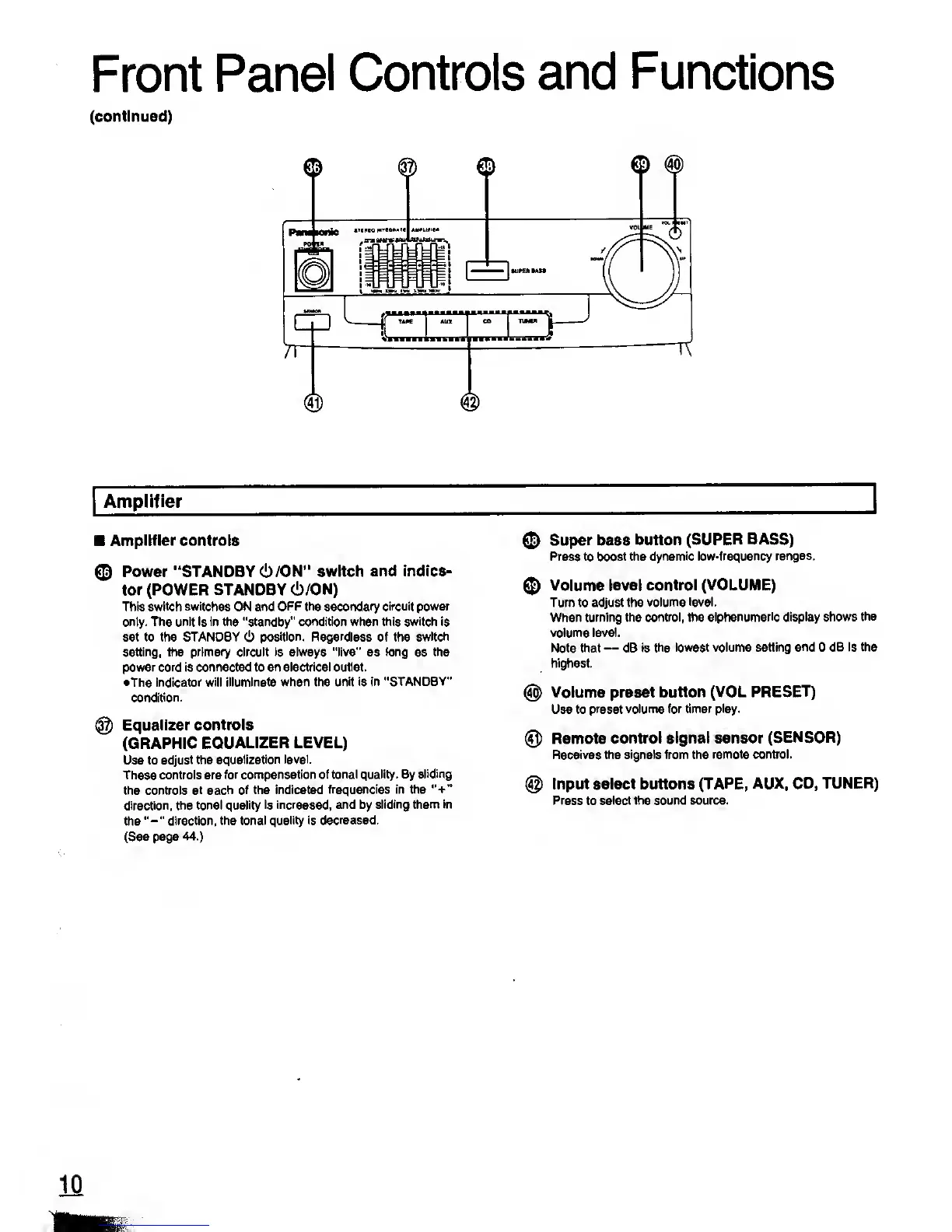
Power "STANDBY
(!)
/ON" switch and
indica-
tor (POWER STANDBY
(!)/ON)
This switch switches ON and
OFF the
secondary
circuit power
only. The unit is in the "standby" condition when this switch is
set to the STANDBY (1) position. Regardless of the switch
setting, the primary circuit is always "live"
as
tong
as
the
power cord is connected to an electrical outlet.
•The indicator will
illuminate when the unit is
in "STANDBY"
condition.
@
Equalizer controls
(GRAPHIC
EQUALIZER LEVEL)
Use to
adjust the
equalization level.
These controls are
for compensation of
tonal quality. By sliding
the controls
at each of the indicated
frequencies in the
"+"
direction, the tonal quality
is increased, and by
sliding them in
the
"-"
direction, the tonal
quality is decreased.
(See page 44.)
©
Super
bass
button
(SUPER BASS)
Press to
boost the dynamic
low-frequency ranges.
©
Volume level
control (VOLUME)
Turn to adjust the volume
level.
When
turning the control, the
alphanumeric display shows the
volume
level.
Note that
—
dB is the
lowest volume setting
and
0
dB is the
highest.
@
Volume preset
button (VOL
PRESET)
Use to
preset volume for timer play.
@
Remote
control signal sensor
(SENSOR)
Receives the signals from the
remote control.
@
Input select buttons
(TAPE, AUX, CD,
TUNER)
Press to
select the sound source.










 To Next Page