Enjoying MP3/WMA
Preparation: Press [CD/q/ h] and then [g CLEAR].
A
HighMAT
HighMAT is a new way of recording and managing audio
les on CD-R/RW.
l
The unit plays the tracks in play lists that you create.
l
You can create these play lists on your computer,
sorting them by artist, album, and genre.
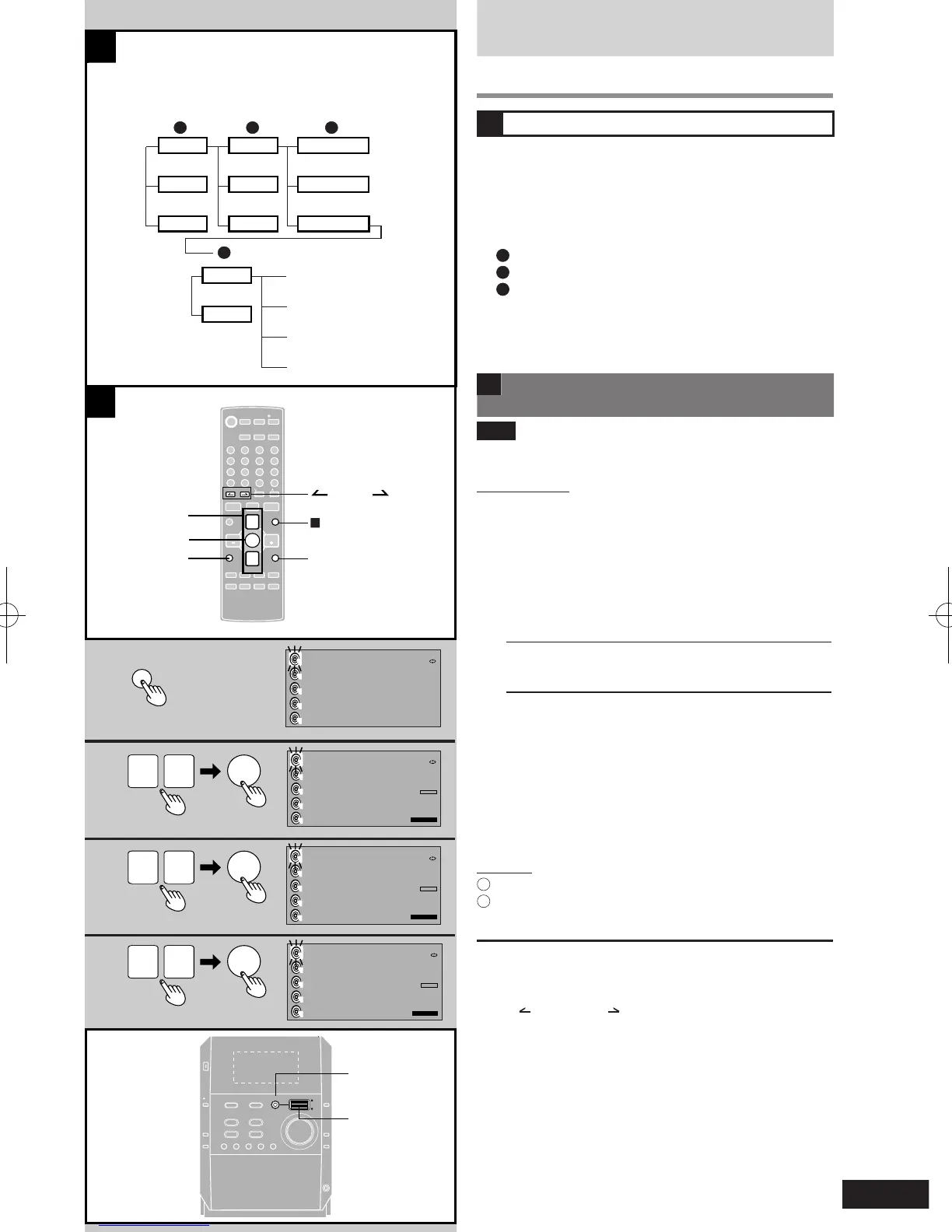
Example play list
A
Menu (a list of items you can use to nd play lists)
B
Play lists
C
Group (a group of tracks within a play list)
l
Menus can have up to 8 levels.
l
You will need a computer running on Windows XP to
create discs with HighMAT.
B Listening to CD-R/RW recorded with
HighMAT
Note
“HighMAT” appears to show that you can use these
features.
Remote control
1 Press [PLAY LIST].
The CD selection screen appears.
2 Press [e] or [r] to select the desired CD-
R/RW.
è [ENTER]
3 Press [e] or [r] to select the method of play.
è [ENTER]
MENU Find a play list in the HighMAT menu
PLAYLIST Look through the play lists in order
WMA/MP3 Play as any other MP3/WMA disc
(If you selected WMA/MP3, a “Track search”,
è
refer
page 13.)
4 Press [e] or [r] to select the menu or play
list.
è [ENTER]
Repeat this step if you are using the menus.
Play of the selected play list starts.
Main unit
1
Press [PLAY LIST].
2
Turn the jog control to select and press it to conrm to
do steps 2, 3, and 4 above.
To return to the previous display
Press [RETURN].
To select a group
Press [ ALBUM] or [ ALBUM] during play.
To cancel partway
Press [CLEAR g].
During play: The play list selection screen reappears.
In the stop moole: The original display appears.











 To Next Page