Other ways of playing CD's
By remote control only
Preparation: Press [CD/q/ h] and then [g CLEAR].
Using the display's list
Use the display’s list to nd discs, albums, and tracks to
play by nding their titles.
l
You will need to enter the titles for commercial CDs.
l
The unit can record the titles for 100 CDs, 25 track titles
per CD, and 32 characters per title.
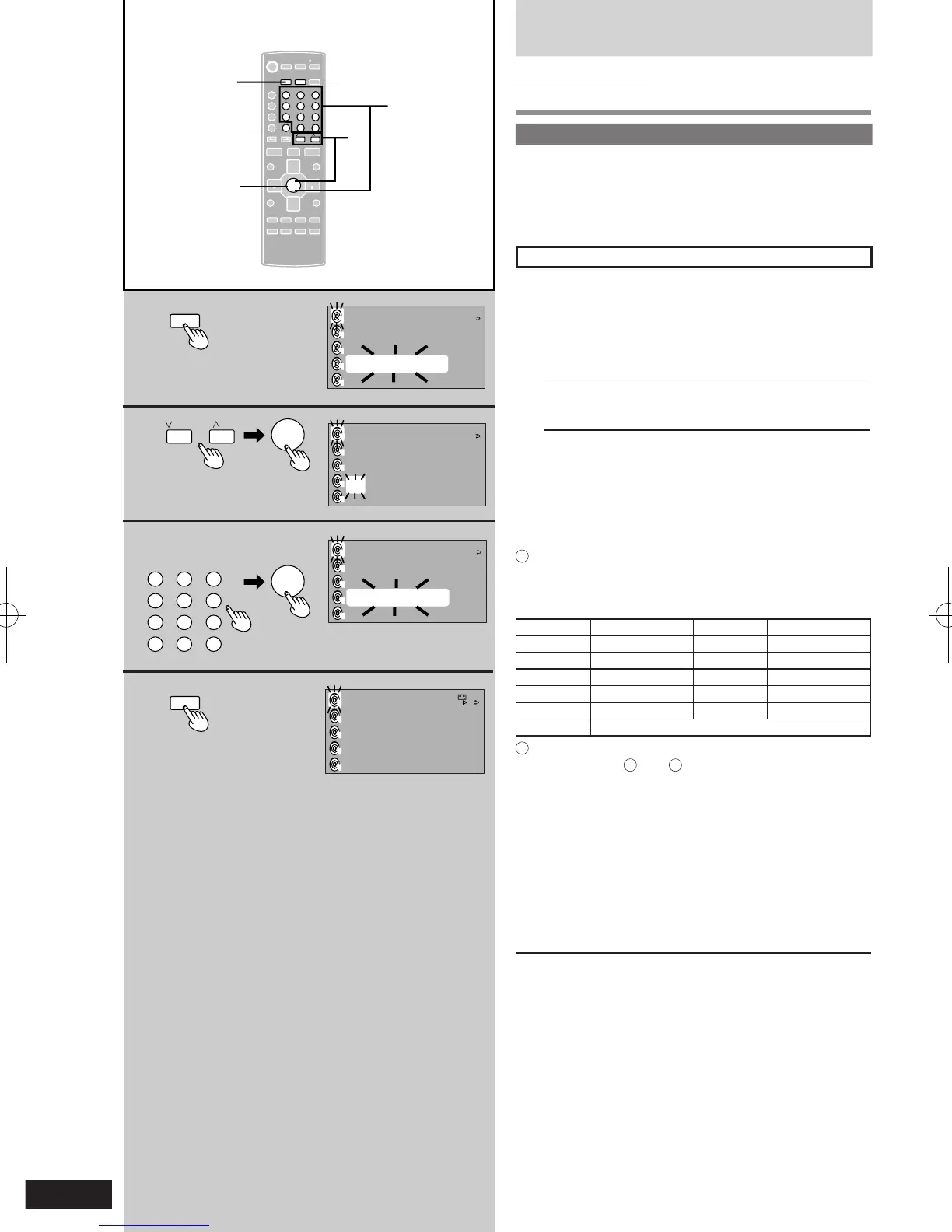
Entering CD titles
1 During stop:
Press [TITLE IN].
2 Press [u 2/REW] or [i 1/FF] to select the
title type and track number.
è [ENTER]
DISC TITLE Disc title
ART NAME Artist title
TR TITLE Track title
3 Enter the title (è refer character 1, 2)
è [ENTER]
Repeat steps 2 and 3 to enter other titles.
4 Press [TITLE IN].
Entering characters
1
Press the numbered button to select the required
character.
The characters change each time a numbered button is
pressed.
Buttons Characters Buttons Characters
1 1 6 M N O 6
2 A B C 2 7 P Q R S 7
3 D E F 3 8 T U V 8
4 G H I 4 9 W X Y Z 9
5 J K L 5 0 0
≧ 10
space
! ” # $ % ’ ( ) + , * . / : ; = ?
2
Press [i 1/FF] to enter the character.
Repeat steps
1
and
2
to enter all the characters for
the title.
To move the cursor
Press [u 2/REW] or [i 1/FF].
Editing entered character
Press [u 2/REW] to revise any characters, then enter
the correct character.
Deleting a character
Move the cursor over the character and press [DEL].
To change a title
Enter the title again from the beginning.
To check titles
Press [DISPLAY] a number of times.
(Continued on next page)











 To Next Page