EasyManua.ls Logo

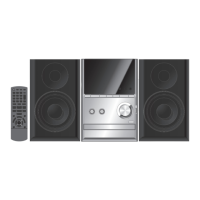
Panasonic SC-PM29 - Radio Tuning Operations; Manual radio tuning; Automatic radio tuning; Improving FM reception quality

Panasonic SC-PM29
28 pages
Print Icon
To Next Page IconTo Next Page
To Previous Page IconTo Previous Page
Loading...
17
RQT7372
The radio: manual tuning
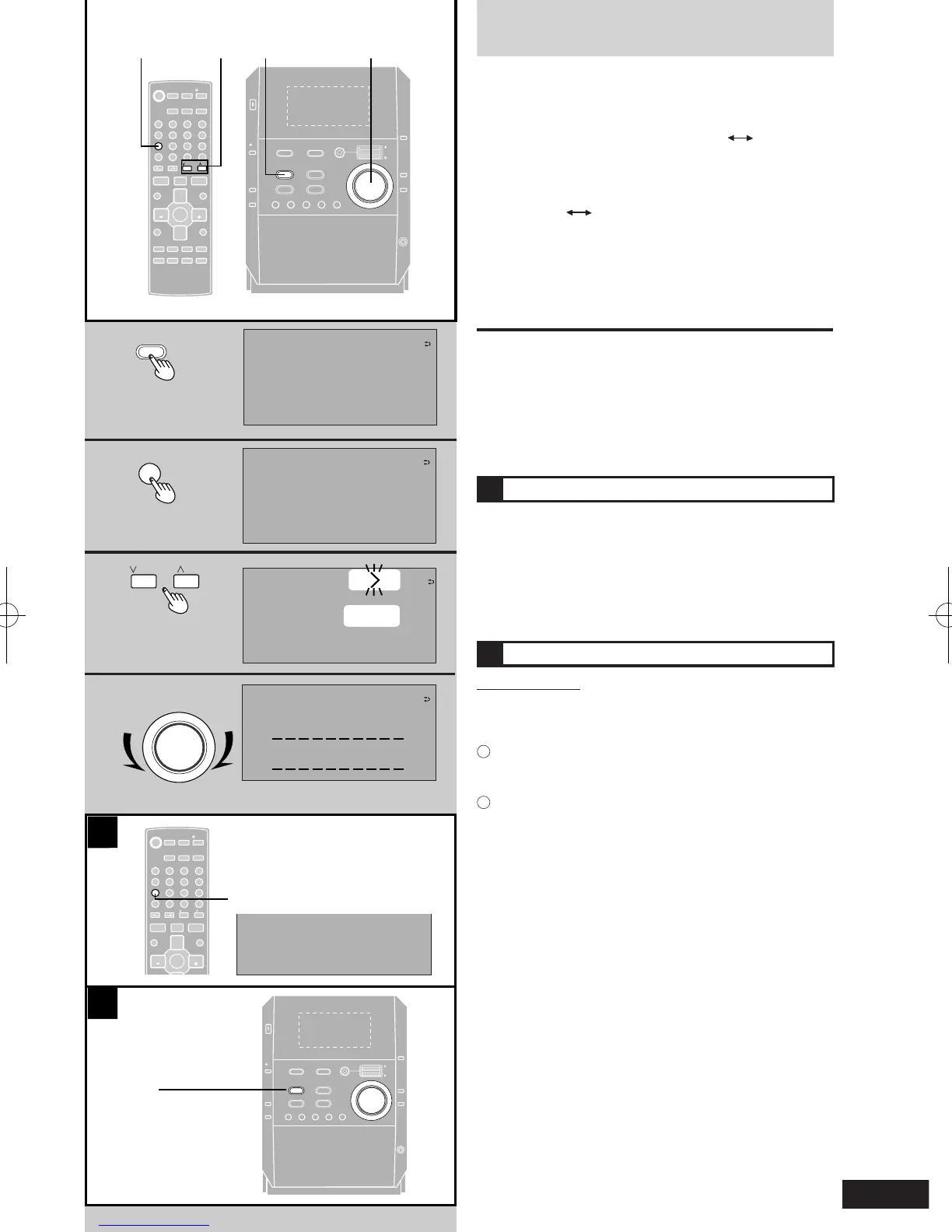
1 Press [TUNER/BAND] to select "FM" or
"AM".
The unit comes on automatically.
Every time you press the button: FM AM
2 Press [PLAY MODE] on the remote control to
select "MANUAL".
Every time you press the button:
MANUAL PRESET
3 Press [u 2/REW] or [i 1/FF] to select the
frequency of the required station.
"ST" is displayed when a stereo FM broadcast is
being received.
4 Adjust the volume.
Auto tuning
Press and hold [u 2/REW] or [i 1/FF] for a moment
until the frequency starts changing rapidly. The unit begins
auto tuning, stopping when it nds a station.
l
Auto tuning may not function when there is excessive
interference.
l
To cancel auto tuning, press [u 2/REW] or [i 1/FF]
once again.
A
If noise is excessive in FM
Press and hold [PLAY MODE] to display
"MONO".
This mode improves sound quality if reception is weak, but
broadcasts will be heard in monaural.
To cancel, press and hold [PLAY MODE] again.
MONO is also cancelled if the frequency is changed.
Turn off "MONO" for normal listening.
B
FM allocation setting
By main unit only
This system allows you to receive FM broadcasts allocated
in 01 MHz steps.
To change the step to 0.1 MHz
1
Press and hold [TUNER/BRAND].
After a while the display ashes with the current
minimum frequency.
2
Continue to hold [TUNER/BRAND] down.
When the minimum frequency changes, release the
butoon. To cancel, repeat the above steps.

A
2
3
4
1
4
1
3
2
PLAY MODE
- DEMO
CD 1 CD 2 CD 3 CD 4 CD 5
STOP
g
TUNER /BAND
CD
q
/
h
TAPE
7
DOWN
VOLUM E
UP
PUS
H
ENTER
PHONE S
PLAY LIST
S.SOU ND EQ RE-MASTER
AUX
CD
CHECK
RETRUN
AC IN
/
h
REC
8
CD
CHANGE
;
OPEN/
CLOSE
;
ENTER
^
DEL
DISPLAY DIMMER
AUX
CLEAR
PLAY LIST
INTRO
MARKER
TITLE
SEARCH
RE-MASTER
RETURN
ALBUM
TITLE IN
1
2 3
7
0
8 9
10
4
5 6
>
=
SOUND
SORROUND
MUTING
S.SOUND EQ
u
i
g
DISC ABC DEF
PROGRAM GHI JKL MNO
PLAY MODE PQRS TUV WXYZ
REPEAT SPACE l"#
SLEEP
- AUTO OFF
CLOCK/
TIMER
PLAY/
REC
TUNER/
BAND
q
q
TAPE
w
q
CD
q
/
h
VOL
VOL
/REW
/FF
ENTER
^
DEL
DISPLAY DIMMER
AUX
CLEAR
PLAY LIST
INTRO
MARKER
TITLE
SEARCH
RE-MASTER
RETURN
ALBMU
TITLE IN
1
2 3
7
0
8 9
10
4
5 6
>
=
SOUND
SORROUND
MUTING
S.SOUND EQ
u
i
g
DISC ABC DEF
PROGRAM GHI JKL MNO
PLAY MODE PQRS TUV WXYZ
REPEAT SPACE l"#
SLEEP
- AUTO OFF
CLOCK/
TIMER
PLAY/
REC
TUNER/
BAND
q
q
TAPE
w
q
CD
q
/
h
VOL
VOL
/REW
/FF
POWER
PLAY MODE
u
i
/REW
/FF
TUNER/BAND
DOWN
VOLUME
UP
- DEMO
CD 1 CD 2 C D 3 CD 4 C D 5
STOP
g
TUNER /BAND
CD
q
/
h
TAPE
7
DOWN
VOLUME
UP
PUSH
ENTER
PHONES
PLAY LIST
S.SOU ND EQ R E-MASTER
AUX
CD
CHECK
RETRUN
AC IN
/
h
REC
8
CD
CHANGE
;
OPEN/
CLOS
E
;
POWER
B
FM
87.50
TUNER
MHz
FM
87.50
TUNER
MHz
MANUAL
FM
9.980
TUNING
MHz
-30dB
VOL
IIIIIIIIIIII

Related product manuals