Other ways of playing CD's
By remote control only
Preparation: Press [CD/q/ h] and then [g CLEAR].
A Marking a track
You can mark one track each on the discs loaded so that
you can start play from them later.
To mark a track number
While playing the track you want to mark
Hold down [MARKER] until "STORING" blinks on
the display.
The selected track is stored in the marker of the current
disc.
l
If a track is already stored in the marker, it will be
replaced next time you store a new track in the same
marker.
To recall a marked track number
During play or stop:
Press [MARKER] to recall a marker.
Play starts from the track recalled.
Note
l
The marker memory is cleared when you open the CD
tray.
l
For CD-DA, you cannot use this function during program,
1-Disc Random and All-Disc Random play.
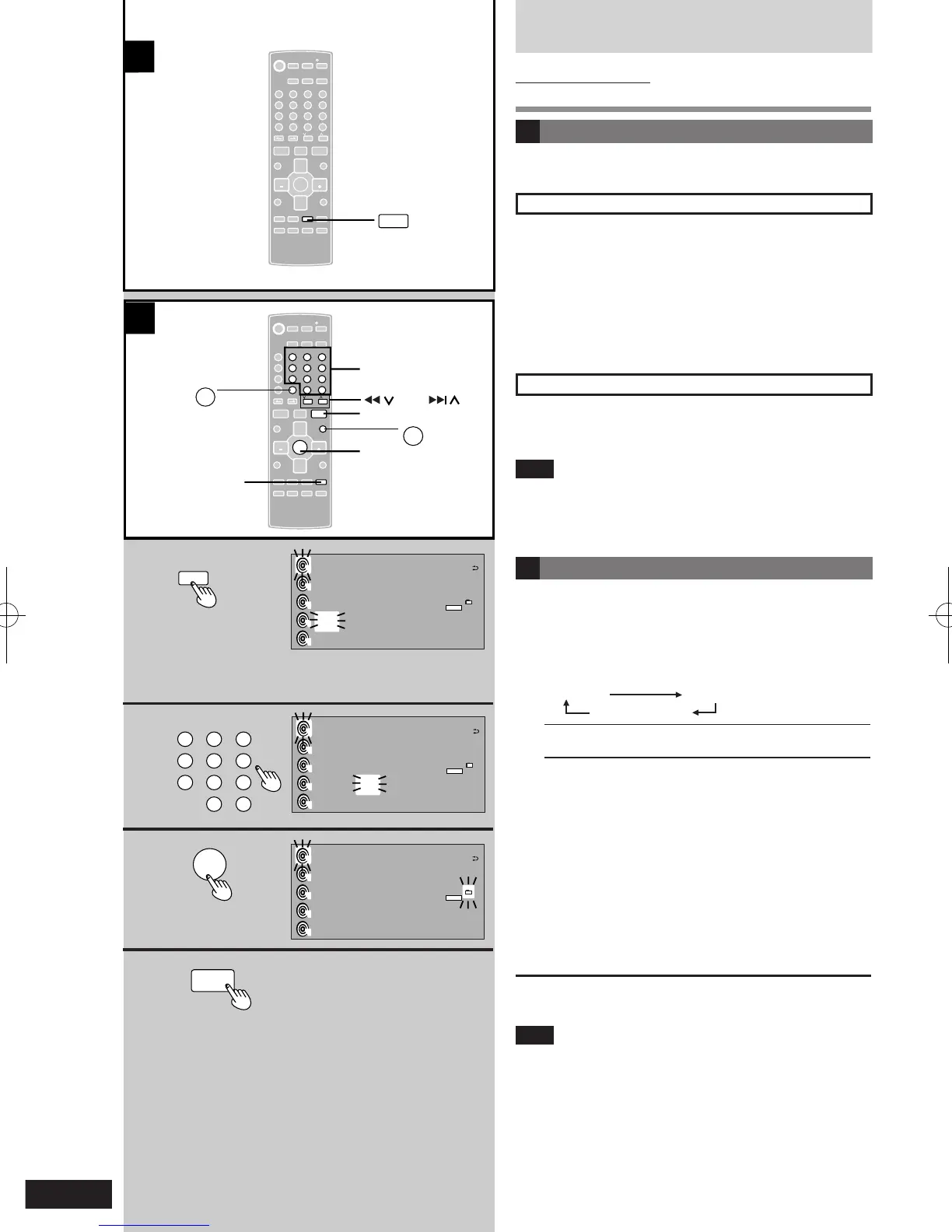
B Title search function (MP3/WMA)
You can enter up 10 chracters for album or title
search.
1 Press [TITLE SEARCH] to select "ALBUM" or
"TRACK".
Each time you press the button:
ALBUM TRACK
Original Display
ALBUM Search for an album
TRACK Search for a track
2 Enter the characters of the keyword for the
track title. (
è
page 12)
3 Press [ENTER].
Track title search starts.
The matched track title is displayed.
l
To see matches before and after the current one,
press [u 2/REW] or [i 1/FF].
l
When there is no match for the searched keyword,
the display shows “NOT FOUND”.
4 Press [CD q/ h].
Play will start. (Title search mode is cancelled.)
To cancel partway through
Press [g CLEAR].
Note
The unit records the title you entered.
Press [DEL] to delete unwanted characters.











 To Next Page