RQTV0085
13
Sound adjustment
Selecting sound effects
You can change the sound effect by selecting Preset EQ or
adjusting the bass or treble effect.
Preset EQ
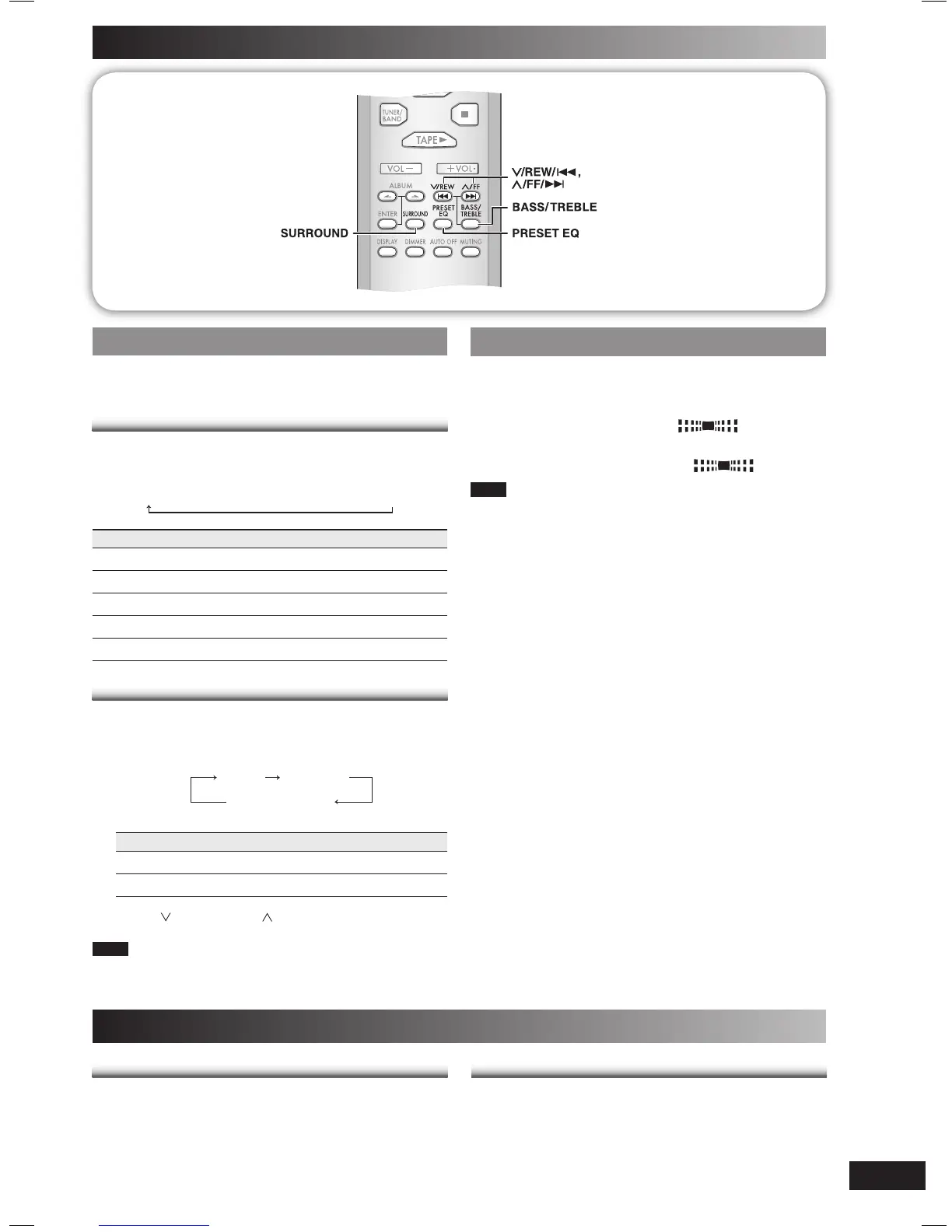
Press [PRESET EQ] repeatedly to select your desired
setting.
HEAVY
→
CLEAR
→
SOFT
→
VOCAL
→
EQ-OFF
Setting Effect
HEAVY Adds punch to rock
CLEAR Clarifi es higher frequencies
SOFT For background music
VOCAL Adds gloss to vocal
EQ-OFF No effect
Bass or treble
Enable you to enjoy the lower or higher pitch sound.
1
Press [BASS/TREBLE] repeatedly to select your
desired setting.
BASS TREBLE
original display
Setting Effect
BASS For lower pitch sound
TREBLE For higher pitch sound
2
Press [ /REW/4] or [ /FF/¢] to adjust the level.
Note
The tone level can be varied within -4 to +4.
Enjoying surround-sound
Enable you to add natural width and depth to the stereo
sound.
To activate
Press [SURROUND] to display “
” indicator.
To cancel
Press [SURROUND] again to clear “
” indicator.
Note
• Surround-sound is less discernible when listening through
headphones.
• If interference in FM stereo reception increases, cancel the
surround-sound effect.
Maintenance
If the surfaces are dirty
If the surfaces are dirty
To clean this unit, wipe with a soft, dry cloth.
• Never use alcohol, paint thinner or benzine to clean this
unit.
• Before using chemically treated cloth, read the instructions
that came with the cloth carefully.
For a cleaner, crisper sound
For a cleaner, crisper sound
Clean the heads regularly to assure good quality playback
and recording.
Use a cleaning tape (not included).
PM3_EB_En.indd 13PM3_EB_En.indd 13 2/7/06 10:53:04 AM2/7/06 10:53:04 AM



 To Next Page