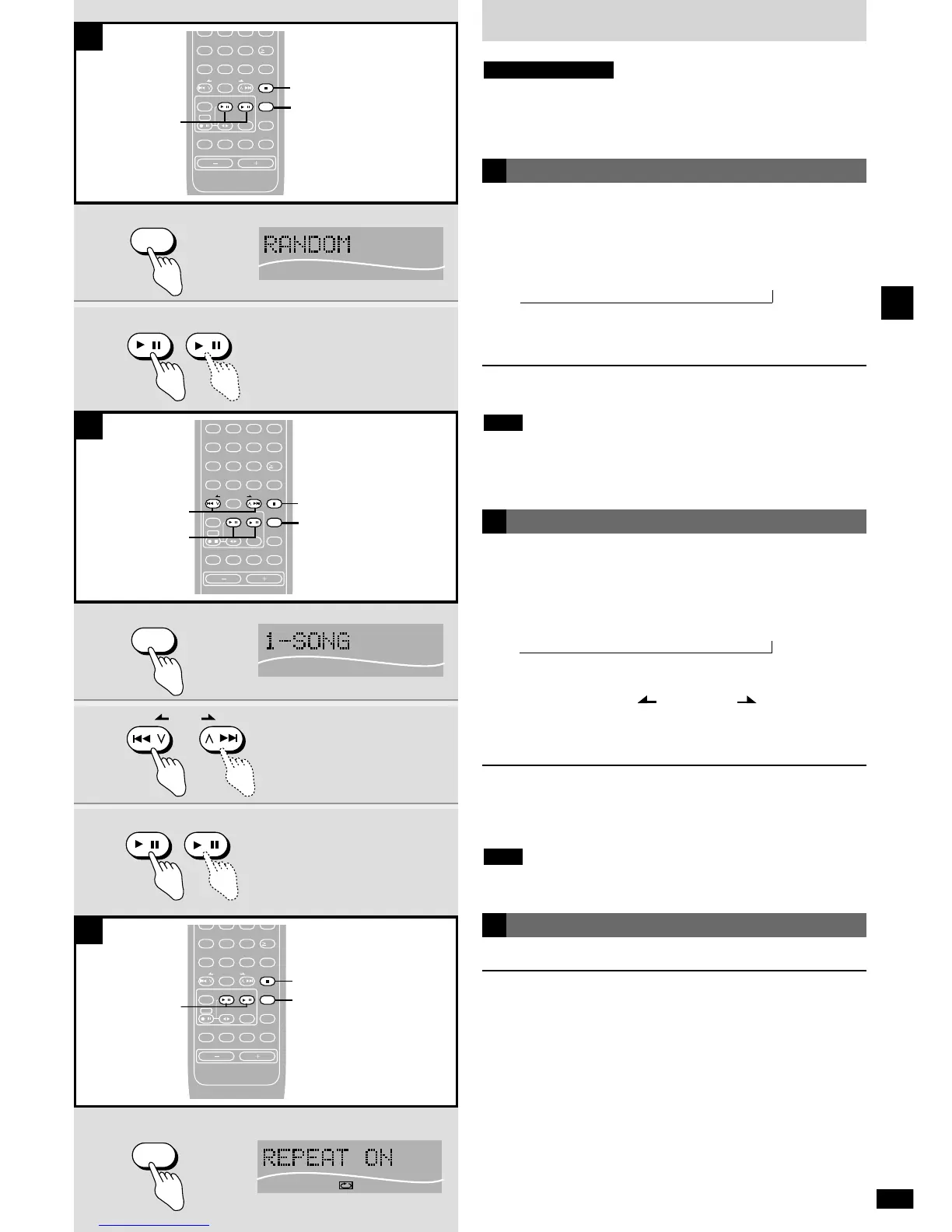
Preparation:
Press [q/h MD] or [q/h CD] to select “MD” or “CD” as the source then
press [g
STOP/CANCEL].
Remote control only
Random play
You can play the tracks once each in random order.
1 While stopped
Press [PLAY MODE] to select “RANDOM”.
Each time you press the button:
Original display
/ 1-SONG / 1-GROUP / RANDOM
“1-GROUP” appears only if the MD has groups on it.
2 Press [q/h MD] or [q/h CD] to start play.
To cancel
While stopped, press [PLAY MODE] so “RANDOM” goes out.
¡ You cannot skip to tracks already played in random play.
¡ You can search only within tracks in random play.
¡ MD editing is not possible while in the random mode.
Note
,
A
1-song play
Play a selected track.
1 While stopped
Press [PLAY MODE] to select “1-SONG”.
Each time you press the button:
Original display
/ 1-SONG / 1-GROUP / RANDOM
“1-GROUP” appears only if the MD has groups on it.
2 Press [u/2 REW/ ] or [1/i /FF] to select
the track.
3 Press [q/h MD] or [q/h CD] to start play.
To cancel
While stopped, press [PLAY MODE] so “1-SONG” goes out.
You can also select the track with the numbered buttons in step 2.
See direct play (
a
page 14).
MD editing is not possible while in the 1-song mode.
Note
,
B
B
Repeat play
Press and hold [PLAY MODE] until “REPEAT ON” appears.
To cancel
Press and hold [PLAY MODE] until “REPEAT OFF” appears.
To repeat selected tracks
q Program the tracks (
a
page 14).
w Press and hold [PLAY MODE] until “REPEAT ON” appears.
To repeat a track
q Select “1-SONG” (
a
above).
w Press and hold [PLAY MODE] until “REPEAT ON” appears.
To repeat play randomly
q Select “RANDOM” (
a
above).
w Press and hold [PLAY MODE] until “REPEAT ON” appears.
C















 To Next Page