A
B
C
You can use MDs or cassettes to record ( ).
You can also record CDs onto an MD and a cassette at the same time
().
MD & TAPE REC
TAPE RECMD REC
Volume and sound quality
Recordings are unaffected by changes to volume and sound quality.
Your attention is drawn to the fact that recording pre-recorded tapes or
discs or other published or broadcast material may infringe copyright
laws.
For MD recording
Preparatory steps
Do these steps before each recording.
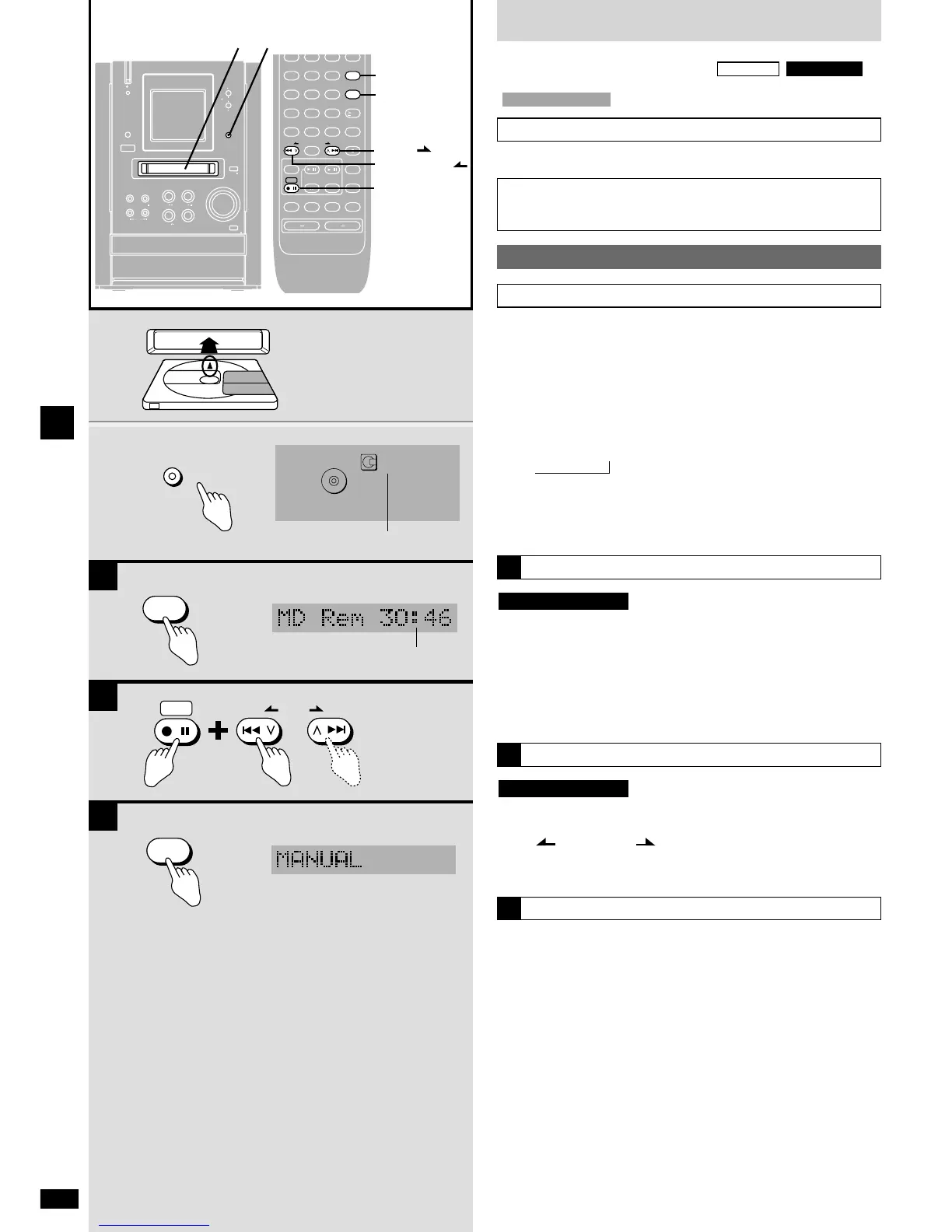
1 Insert an MD.
“BLANK DISC” is displayed when you insert a blank disc and MD is
selected as the source.
2 Press [MD REC MODE –DUAL HI-SPEED] to select the
SP/LP2/LP4 recording mode.
Each time you press the button:
SP
/ LP2 / LP4
¡ LP4 mode uses a special compression method in order to
achieve extended recording and this may rarely cause some
noise when recording some material.
¡ Use SP or LP2 for better sound quality.
,
To see how much time is left on an MD
The remaining time display also depends on the current recording mode.
Press [DISPLAY].
Press again and:
During recording, the MD track number and elapsed recording time
appear.
While stopped, the total number of tracks and total play time are
displayed.
Remote control only
A
Adjusting recording level
While stopped
Press and hold [*/h REC] then adjust the level with [u/2
REW/ ] or [1/i /FF].
You can adjust the level between –10 dB and +10 dB.
The level returns to “0 dB” when you turn the unit off.
Remote control only
B
MD recording mode
When recording any source except CD
Press [EDIT MODE] before pressing the recording button to select the
mode.
The modes you can choose depend on the source.
MANUAL : Insert track marks manually.
SYNCHRO : Recording starts automatically when you start play of the
source, pauses if a 3-second silence is detected, then
starts again when play starts. A track mark is added at the
point recording starts. You cannot insert track marks
manually.
TURN BACK : Records sound received a few seconds before the
recording button is pressed. This mode is useful when
recording the radio.
Track marks can be inserted manually.
TIME MARK : Track marks inserted every five minutes.
Track marks can also be inserted manually.
TURN/TIME : A combination of turn back and time mark.
C



 To Next Page