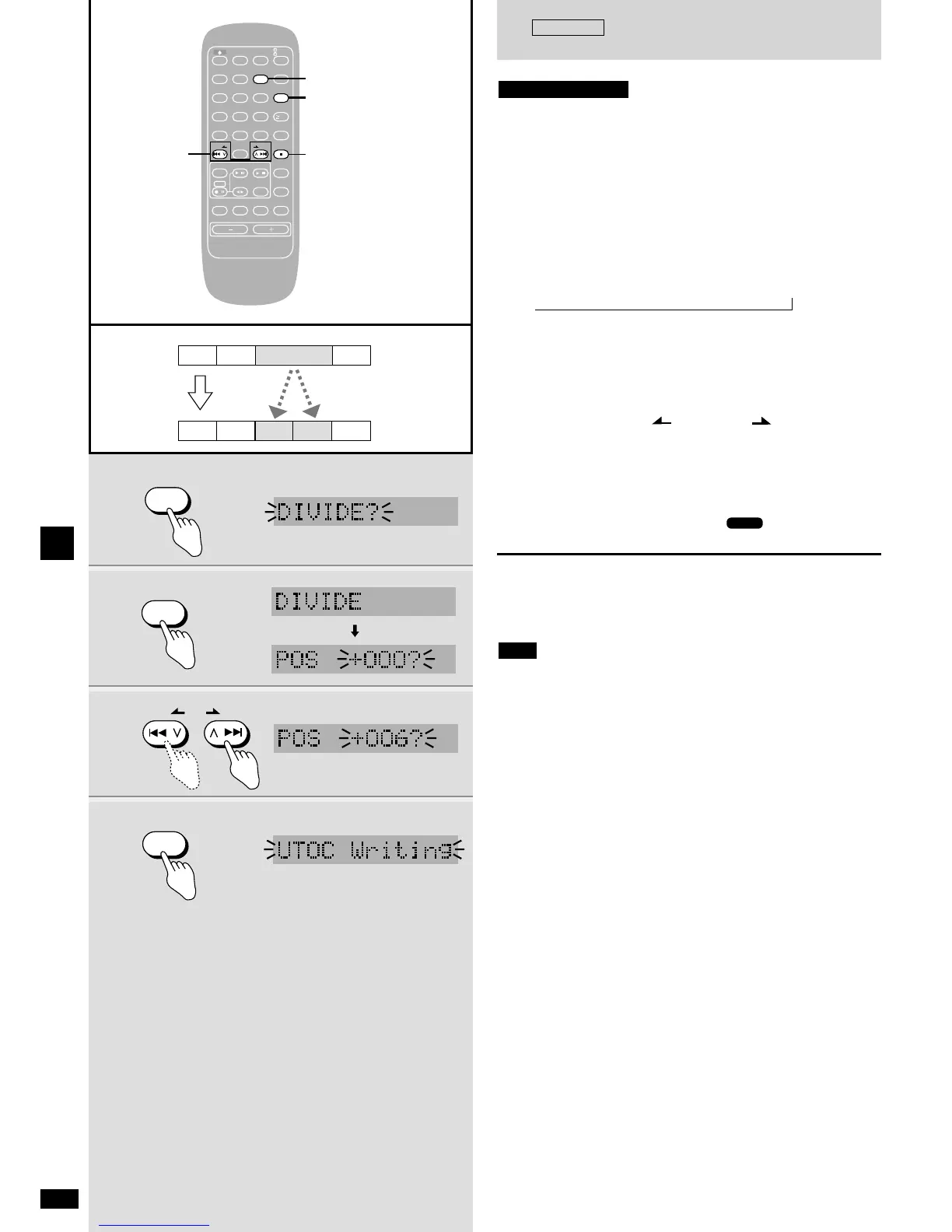
This function allows you to manually add track marks.
You can edit a recording of a radio program or divide a symphony into its
separate movements.
Make sure the disc is record enabled.
Preparation:
Insert the MD (
a
page 12).
Play the track you want to divide.
1 Press [EDIT MODE] to select “DIVIDE?”.
Each time you press the button:
TRACK ERASE?
/ MOVE? / COMBINE? / DIVIDE?
2 Press [ENTER] at the approximate point you want the
track mark to go.
A segment before and after the point you specify plays repeatedly.
(4 seconds in SP mode, 8 seconds in LP2 mode, and 16 seconds
in LP4 mode.)
3 Press [u/2 REW/ ] or [1/i /FF] to adjust
the point.
In SP mode you can adjust the point by 8 seconds, in LP2,
16 seconds, and in LP4, 32 seconds.
The display shows figures between –128 and +127
4 Press [ENTER].
Play stops and “UTOC Writing” and “” flash on the display.
When this stops flashing, the new track mark has been entered.
To cancel part way through
Press [g STOP/CANCEL].
To remove the track mark again
Use COMBINE (
a
page 33).
¡ If you divide a titled track, the part after the new track mark becomes
untitled.
¡ “GROUP DATA FULL” appears if UTOC is full and you will not be able
to divide the track. Release a group or erase unnecessary titles before
proceeding.
¡ Sound may be unusual at the point where you divide a track recorded
with LP4 mode.
Note















 To Next Page