D
Muting the volume
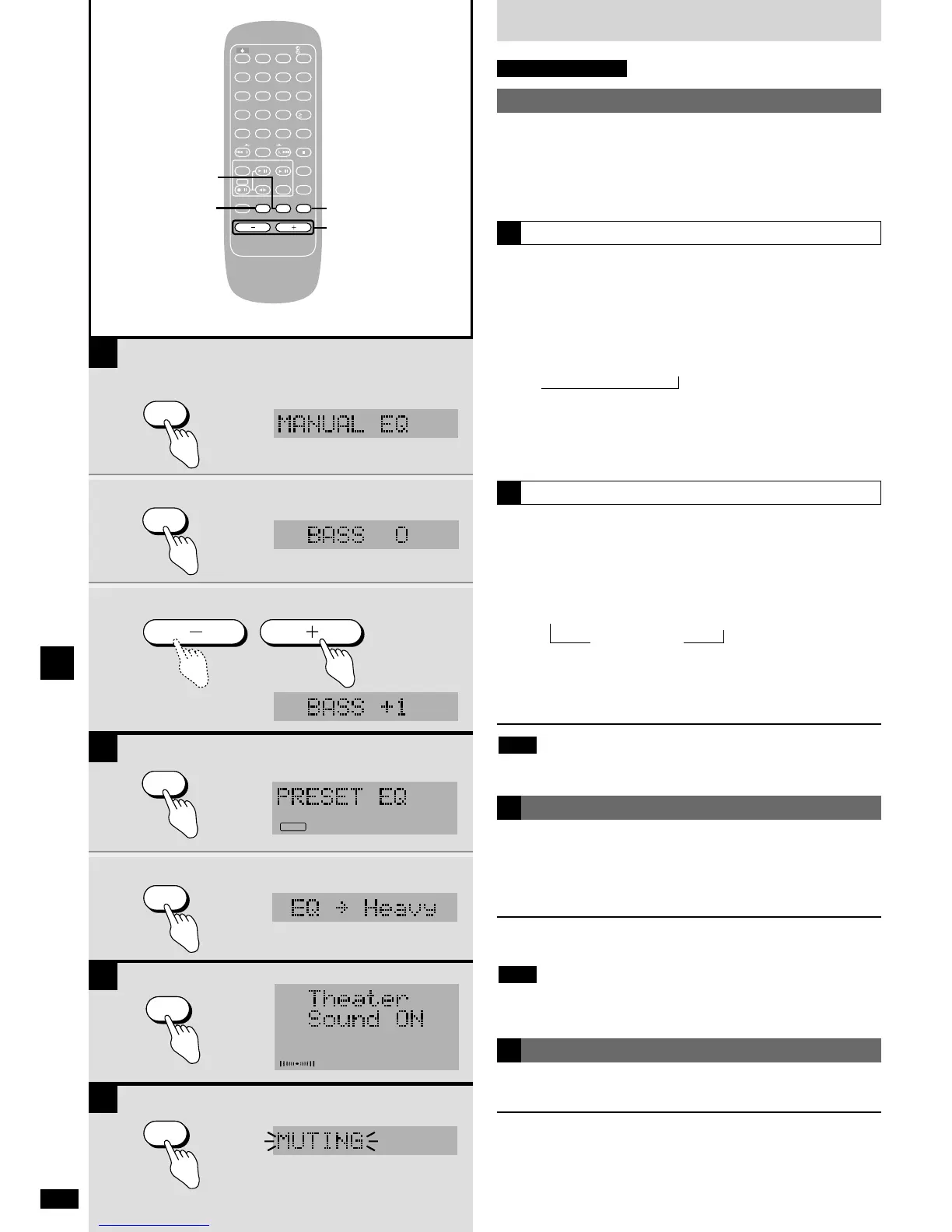
Press [MUTING].
Volume is reduced to minimum.
To cancel
Press [MUTING] again.
Volume is restored.
To cancel from the unit, turn [VOLUME] to minimum (- - dB), then raise it
to the required level.
Muting is also canceled when the unit is turned off.
D
Changing the sound quality
B
A
1
Using the built-in sound equalizer
This unit has a manual equalizer (MANUAL EQ) and a preset equalizer
(PRESET EQ).
You can adjust the bass and treble with MANUAL EQ.
You can select four sound qualities with PRESET EQ: Heavy, Clear,
Soft, and Vocal.
Using MANUAL EQ
1 Press and hold [SOUND] until “MANUAL EQ” appears.
Each time you press and hold the button:
MANUAL EQ !
PRESET EQ
2 Press [SOUND] to select “BASS” or “TREBLE”.
Each time you press the button:
BASS
/ TREBLE / Original display
3 Press [VOLUME – or +] while “BASS” or “TREBLE” is
displayed to adjust the level.
You can adjust bass and treble between –4 dB and +4 dB.
,
A
Using PRESET EQ
1 Press and hold [SOUND] until “PRESET EQ” appears.
Each time you press and hold the button:
MANUAL EQ !
PRESET EQ
2 Press [SOUND] to select the sound quality.
Each time you press the button:
/ Heavy / Clear / Soft / Vocal
OFF (canceled)
,
Heavy: Adds punch to rock
Clear: Clarifies higher sounds
Soft: Use this setting for background music
Vocal: Adds gloss to vocals
Recordings are unaffected by changes to sound quality.
Note
B
Using Theater Sound
This effect gives dialog and vocals atmosphere, adding a natural breadth
and depth to sound.
Use it when listening to stereo sources.
Press [THEATER S.].
To cancel
Press [THEATER S.] again.
¡ This effect is less discernible when using headphones.
¡ Cancel this effect if noise increases when listening to FM.
Note
C















 To Next Page