A
B
Fast-forwarding and rewinding
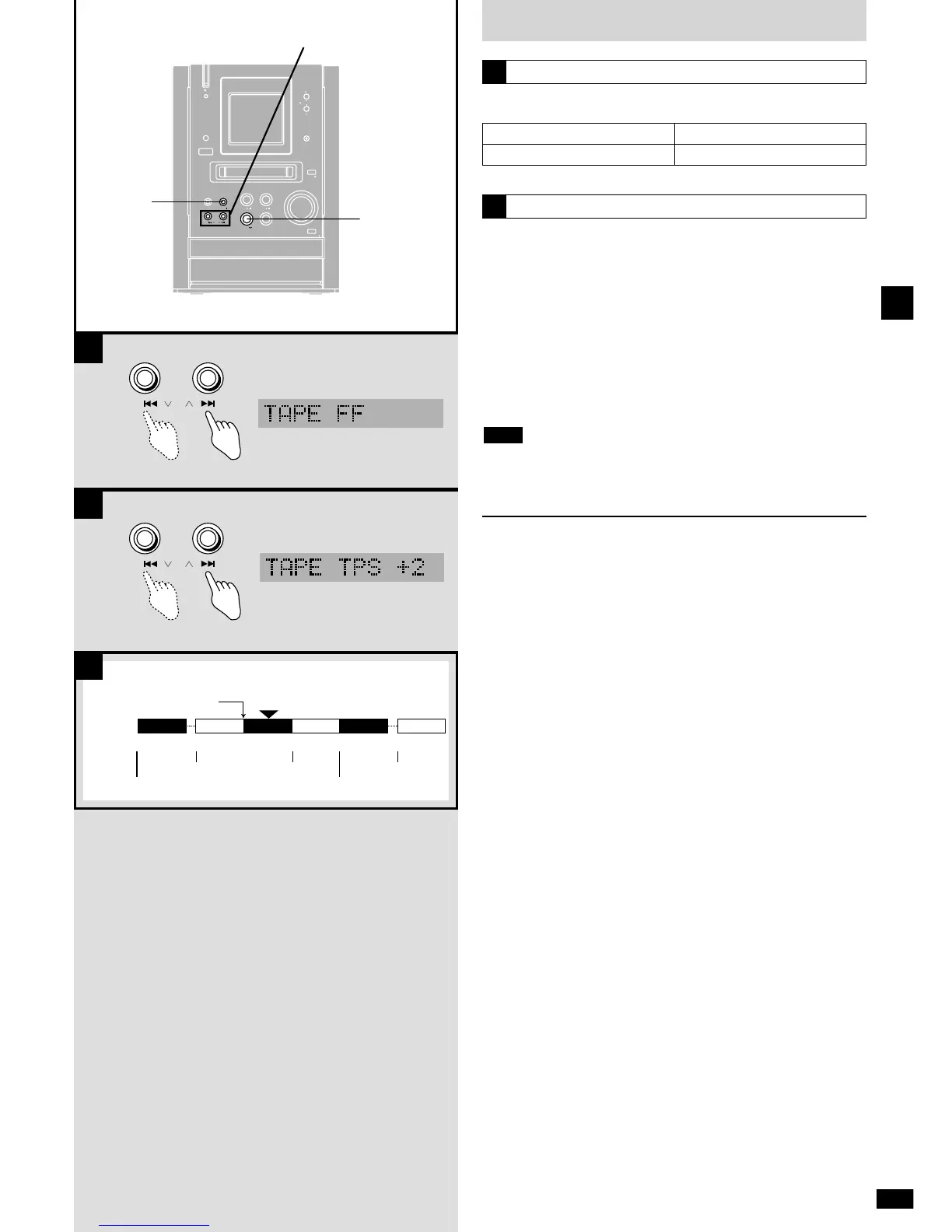
Press [REW/u/2] or [1/i/FF] while the tape is stopped.
A
To rewind
[REW/u/2]
To fast-forward
[1/i/FF]
Tape program sensor (TPS)
TPS finds the beginning of a track and resumes play from there.
Press [REW/u/2] or [1/i/FF] during playback.
[1/i/FF]: Forward
Play starts from the beginning of the next track.
[REW/u
/2]: Backward
Play starts from the beginning of the present track.
Ç Each press increases the number of tracks skipped, up to a maximum
of 9.
TPS may not operate correctly in the following situations:
¡ If the interval between tracks is less than 4 seconds.
¡ If there is noise between tracks.
¡ If there are silent parts within tracks.
Relay play
Plays in the order TAPE, CD, MD.
While stopped
Press and hold [TAPE 7
] until “RELAY” appears.
To cancel
Press [STOP g
].
During relay play
¡ CD and MD repeat modes are canceled (
a
pages 15 and 31).
¡ CDs and MDs play in the selected play mode (program, random,
1-song or 1-group
a
pages 14, 15 and 31).
¡ Tape reverse mode switches to “/” if it was set to “$”
(
a
page 16).
Note
B



 To Next Page