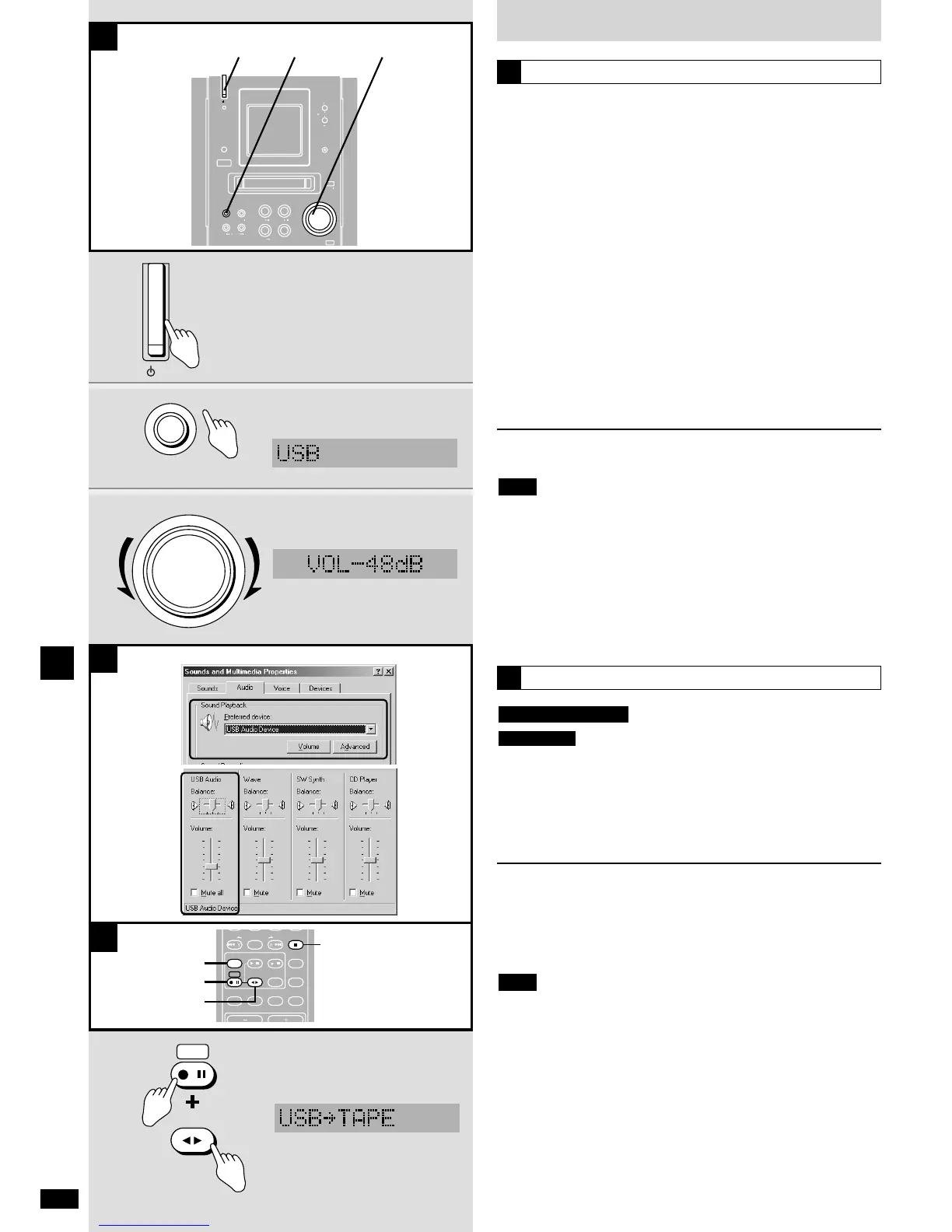
1 Turn your computer on.
Wait for the computer to complete start-up.
2 Turn on this unit.
3 Press [USB/EXT-IN] to select “USB”.
4 Start playing the music on the computer.
5 Adjust the volume on this unit.
ı If there is no output, check the audio properties on the
computer.
q From the
“
Start” menu, select “Settings” and click on “Control
Panel”.
w Double click on the “Sound and Multimedia Properties” icon (or
“Multimedia”).
e Click on the “Audio” tab. Check the “USB Audio Device” is
selected as the priority play item.
r If there is a “Volume” item, click on it and check the volume
setting.
Stopping play
Stop play on the computer and close the audio software.
¡ Do not turn this unit off or change the input source while playing as
this can cause your computer to malfunction.
¡ Close the audio software before disconnecting the USB cable.
¡ When you are finished but want to leave the two connected, turn this
unit off before shutting down your computer.
¡ Turn this unit off if the computer goes into sleep mode.
¡ Skipping and noise may occur under some computer operating
environments.
¡ Read the instructions for your computer and the audio software.
Note
Play
A
only
Preparation:
Insert the cassette tape (\ page 16).
Press [EXT-IN] to select “USB”.
Start playing the music on the computer.
While pressing [*/h REC], press [7 TAPE] to start
recording.
To stop recording
Press [g STOP/CANCEL].
To pause recording
While pressing [*/h REC], press [7 TAPE].
Repeat to restart recording.
You cannot record to MDs.
Note
TAPE REC
Remote control only
Recording
C















 To Next Page